BoxHud
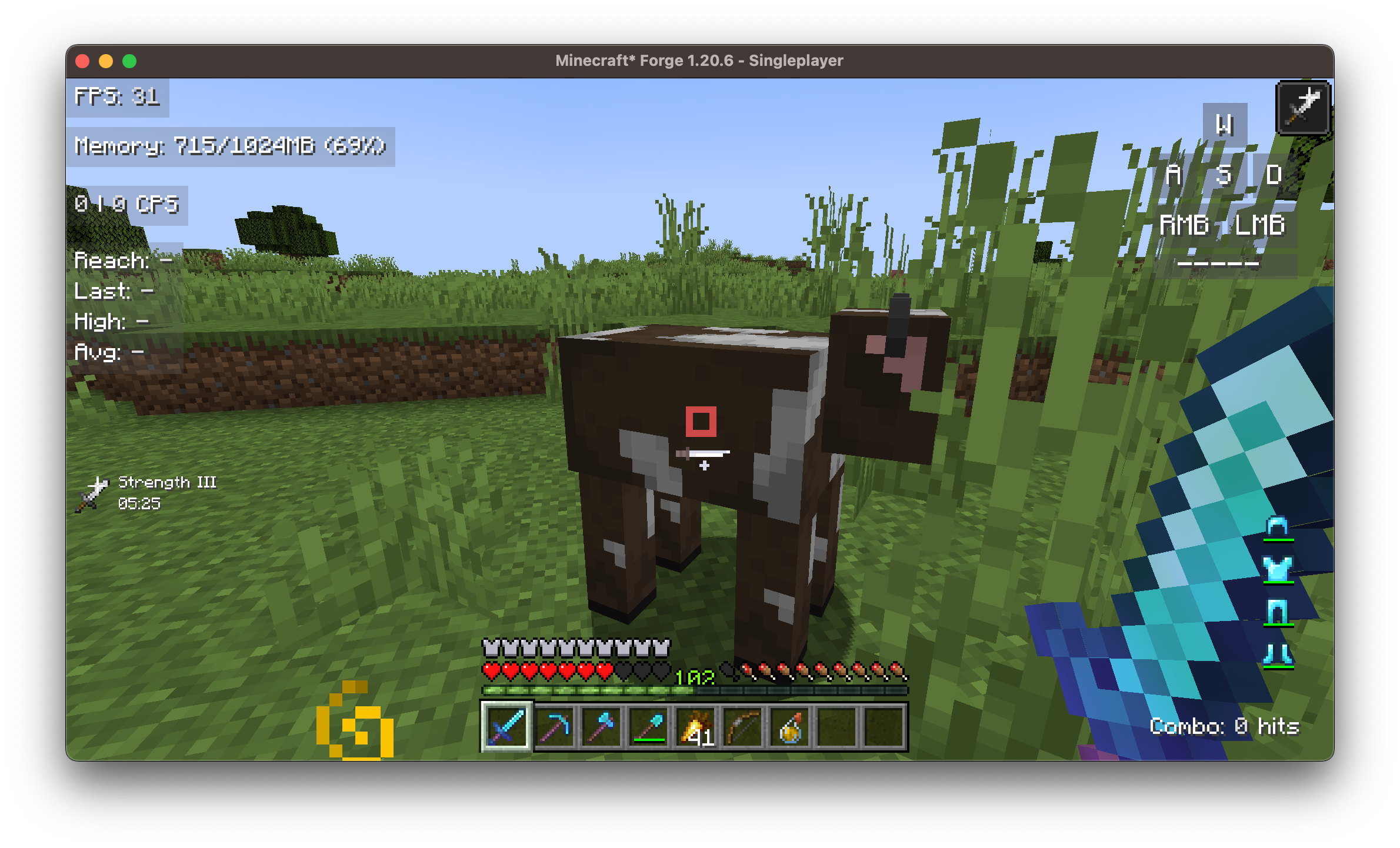
BoxHud is a Minecraft mod that adds a suite of powerful and customizable PvP-style HUD widgets, with a focus on performance and customizability.
About this Mod
BoxHud
BoxHud is a Minecraft mod that adds a suite of powerful and customizable PvP-style HUD widgets. With support for Fabric, Forge, and NeoForge, BoxHud gives you complete control over your interface—whether you're optimizing for combat or aesthetics.
✨ Features
🔁 Cross-Modloader Support
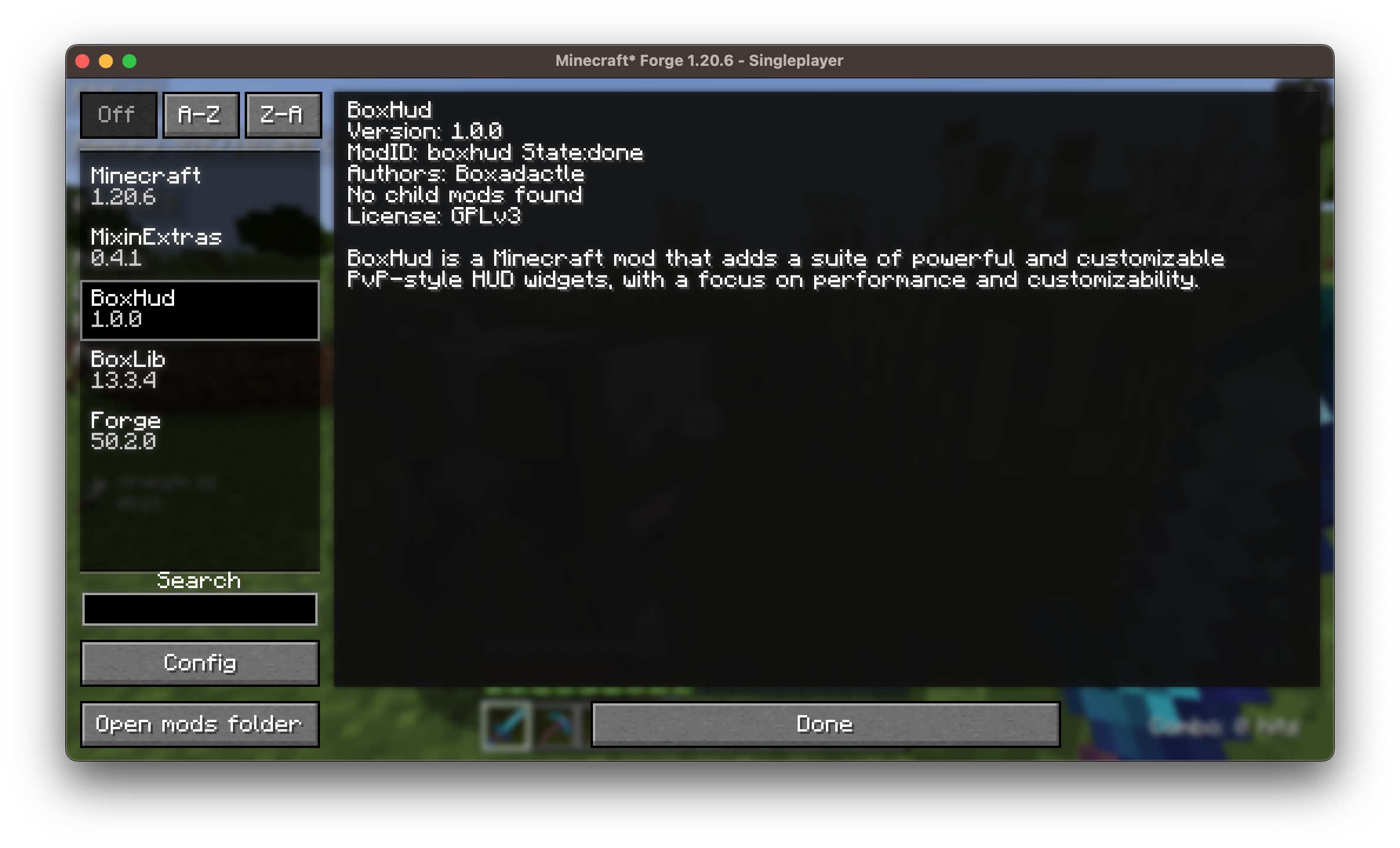
BoxHud works out of the box with Fabric, Forge, and NeoForge, allowing you to use it in nearly any modern Minecraft setup without compatibility issues.
🎛️ Vanilla HUD Customization
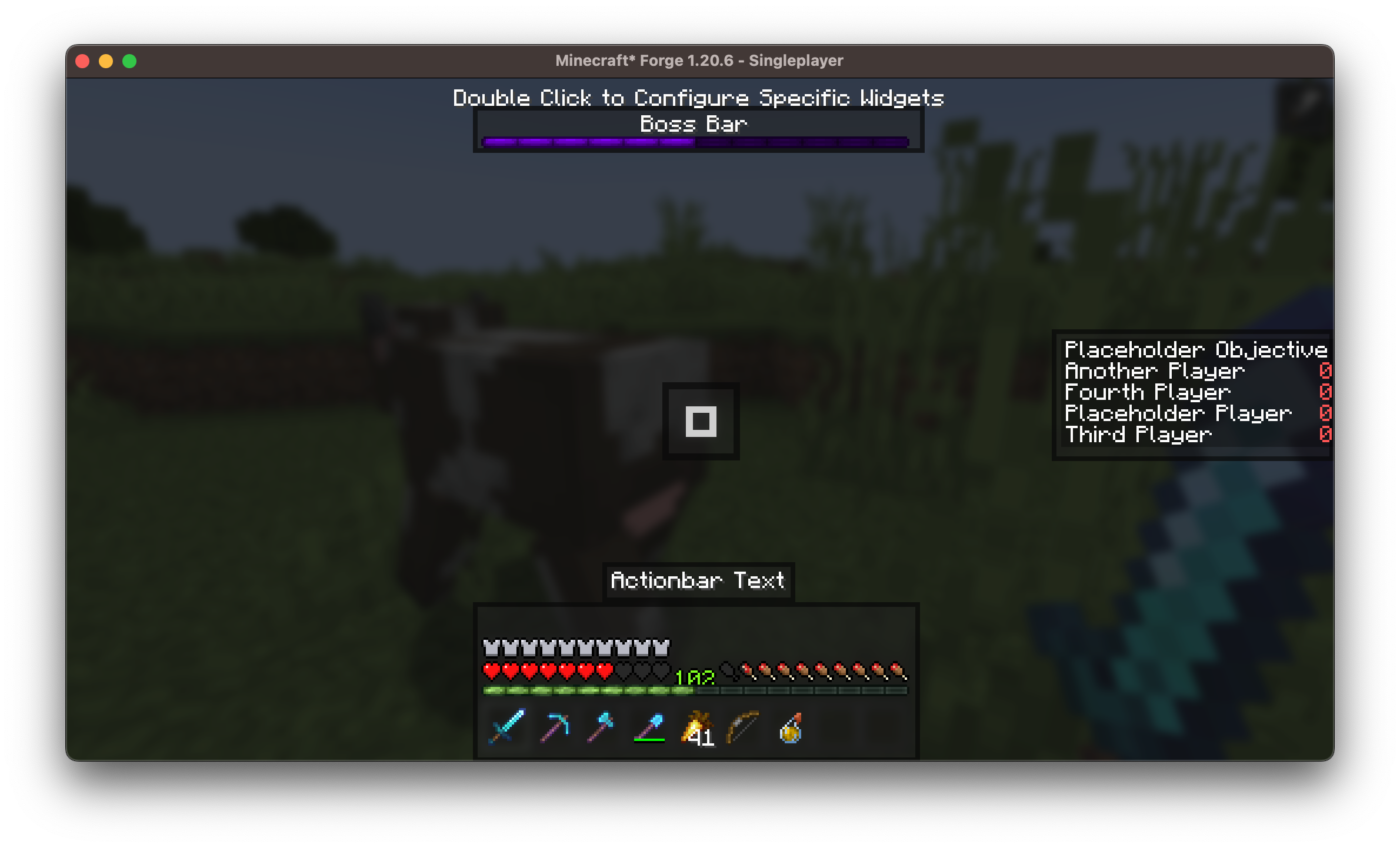
Move or hide default Minecraft HUD components such as:
- The hotbar: reposition it anywhere on screen
- The bossbar: move it out of the way or disable it
- The scoreboard: customize alignment
🧩 25 Fully Customizable Widgets
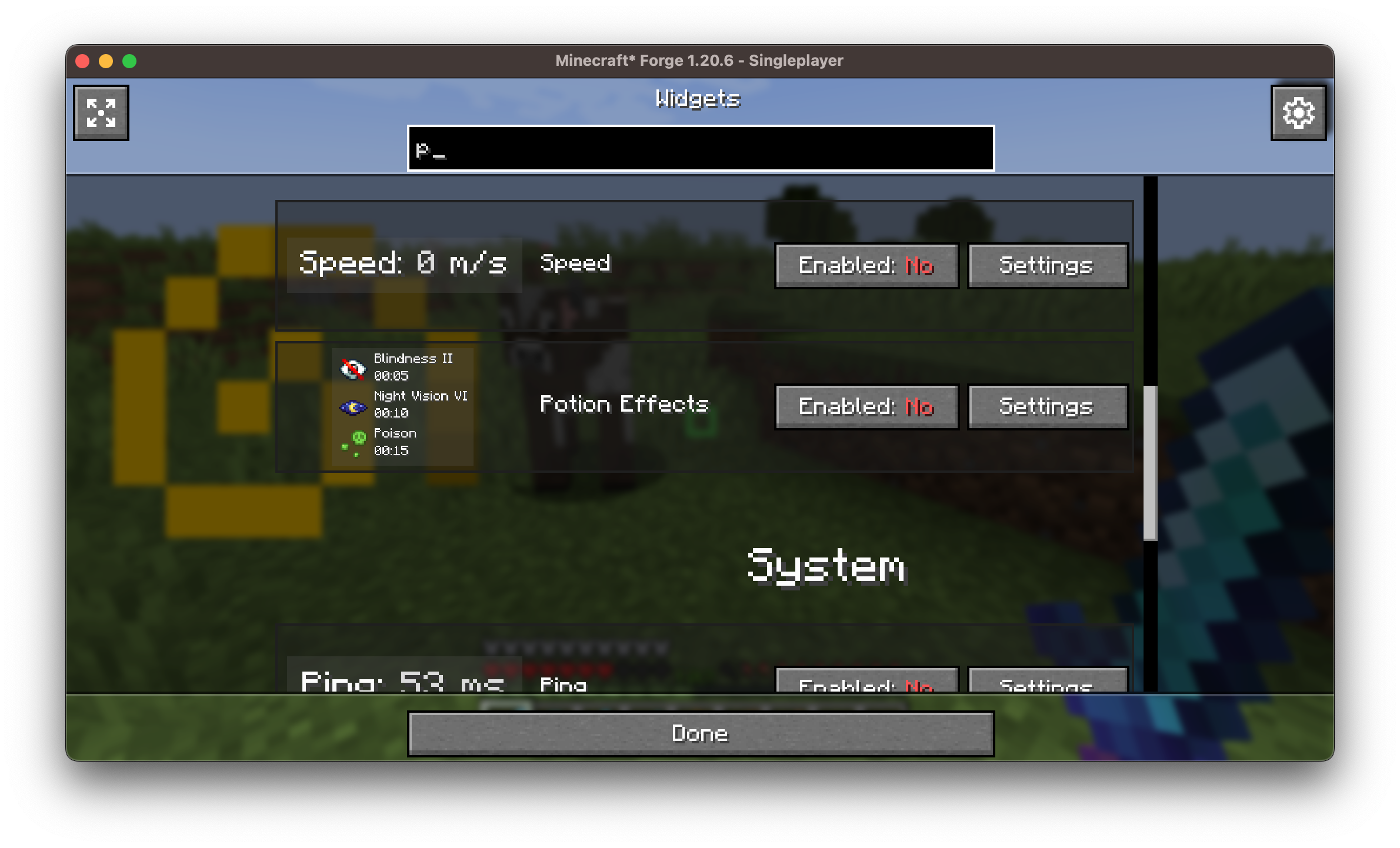
Each widget is individually configurable. You can:
- Drag and drop to reposition them
- Adjust scale, color, outline, background, and alignment
- Enable or disable any widget with a click
🗺️ Coordinates Display Compatibility
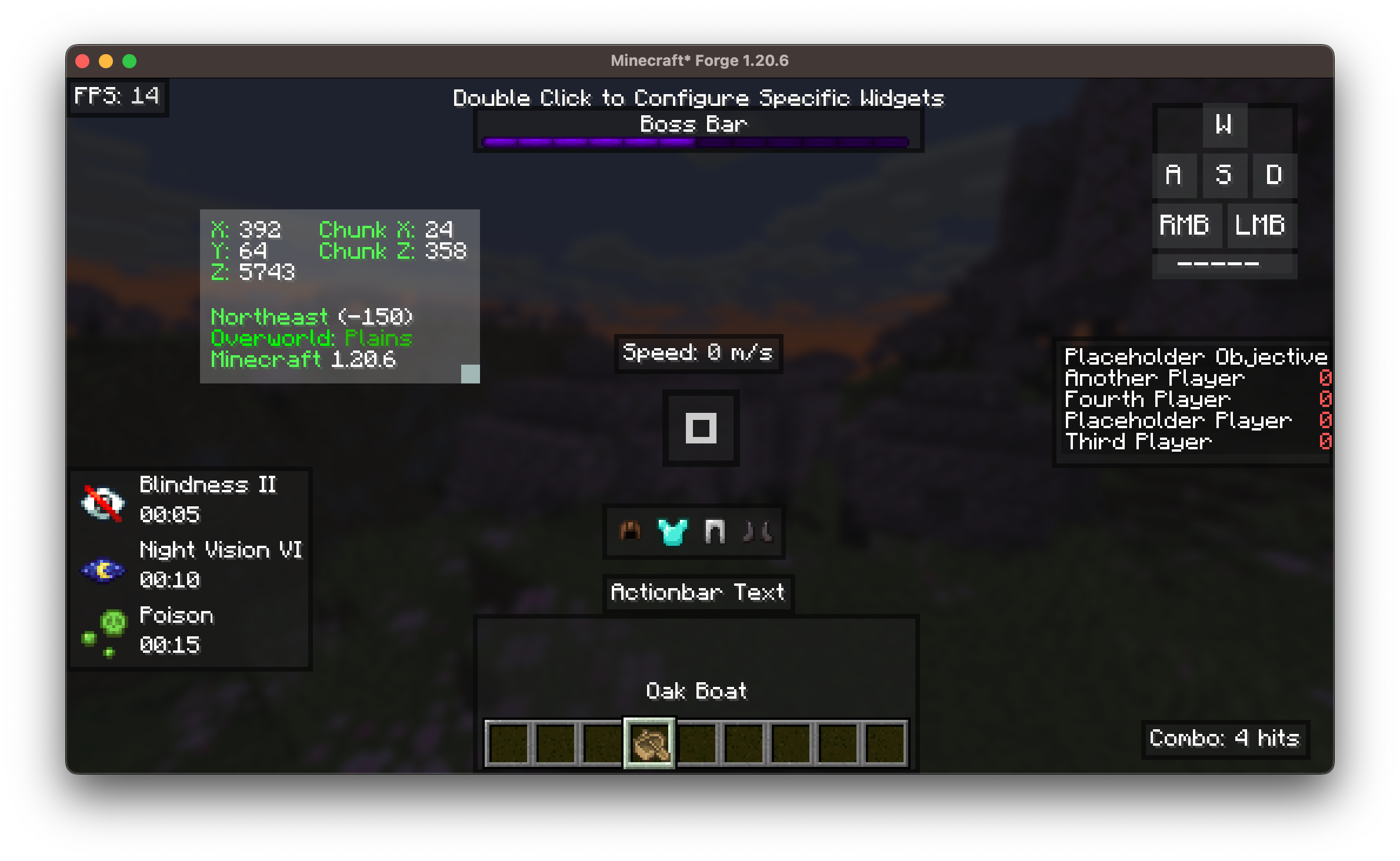
BoxHud includes its own coordinates widget to show your X, Y, Z position on screen. But if you enjoy the features in the Coordinates Display mod, BoxHud upgrades the widget automatically:
- The widget will look and behave just like it does in Coordinates Display.
- When you try to customize it in BoxHud, you’ll be taken to Coordinates Display’s settings screen instead.
- You’ll also get bonus features like dimension scaling and better formatting.
Both mods use Boxlib, so they work together seemlessly.
Just drop Coordinates Display into your mods folder and BoxHud will handle the rest.
🎯 Advanced Crosshair Customization
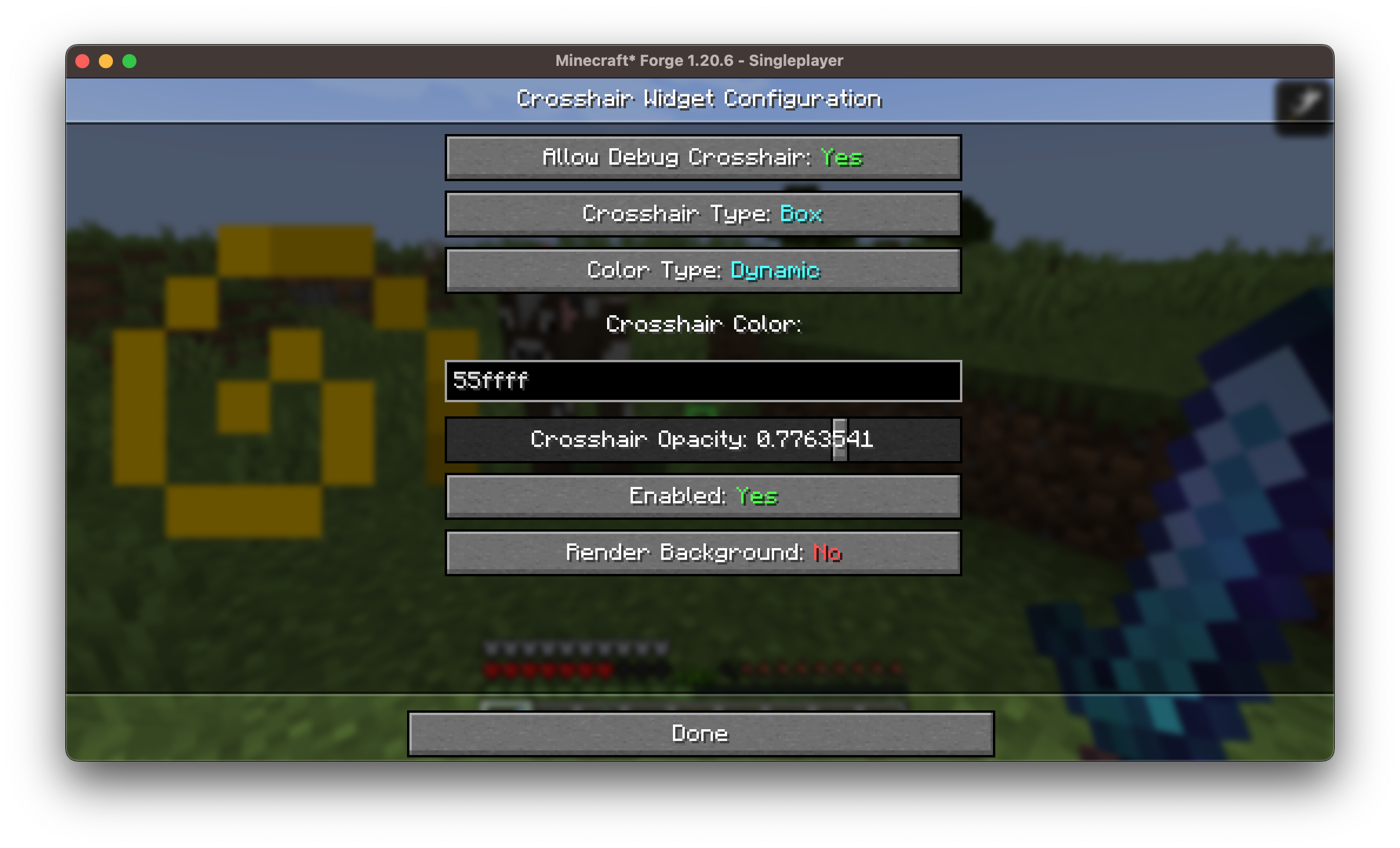
Choose from 10 crosshair styles with full color control.
Includes a Dynamic Crosshair Mode that changes color based on:
- Whether an entity is in range (red)
- If you're about to land a critical hit (dark red)
- Whether a block is within range for interaction (green)
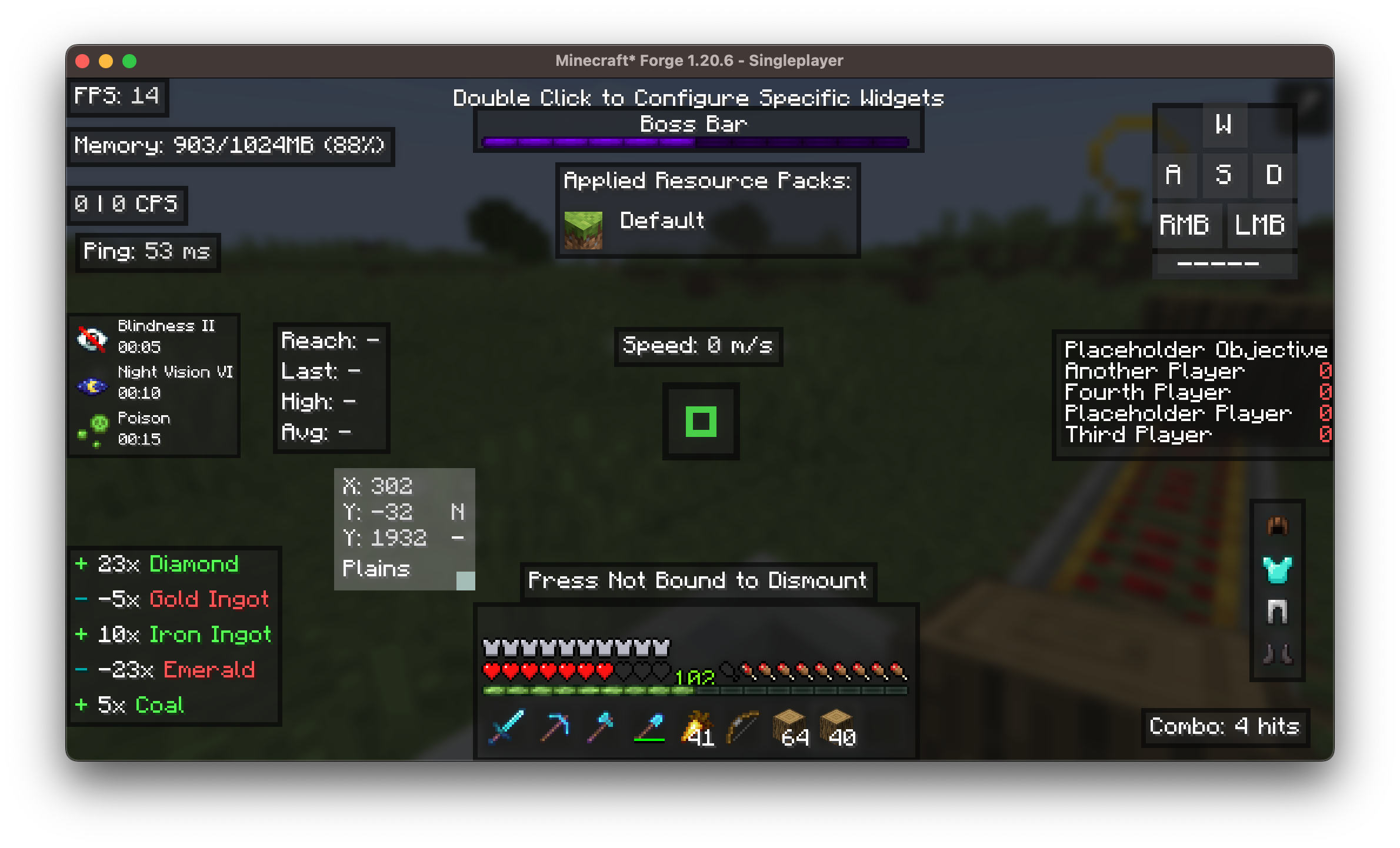
🖱️ User-Friendly Widget GUIs

A clean and intuitive in-game interface lets you:
- Double click any widget in the positioning screen to customize it
- Access all customization options without editing config files
- Preview widgets live while configuring
An example of the 25+ widget customization screens is shown below: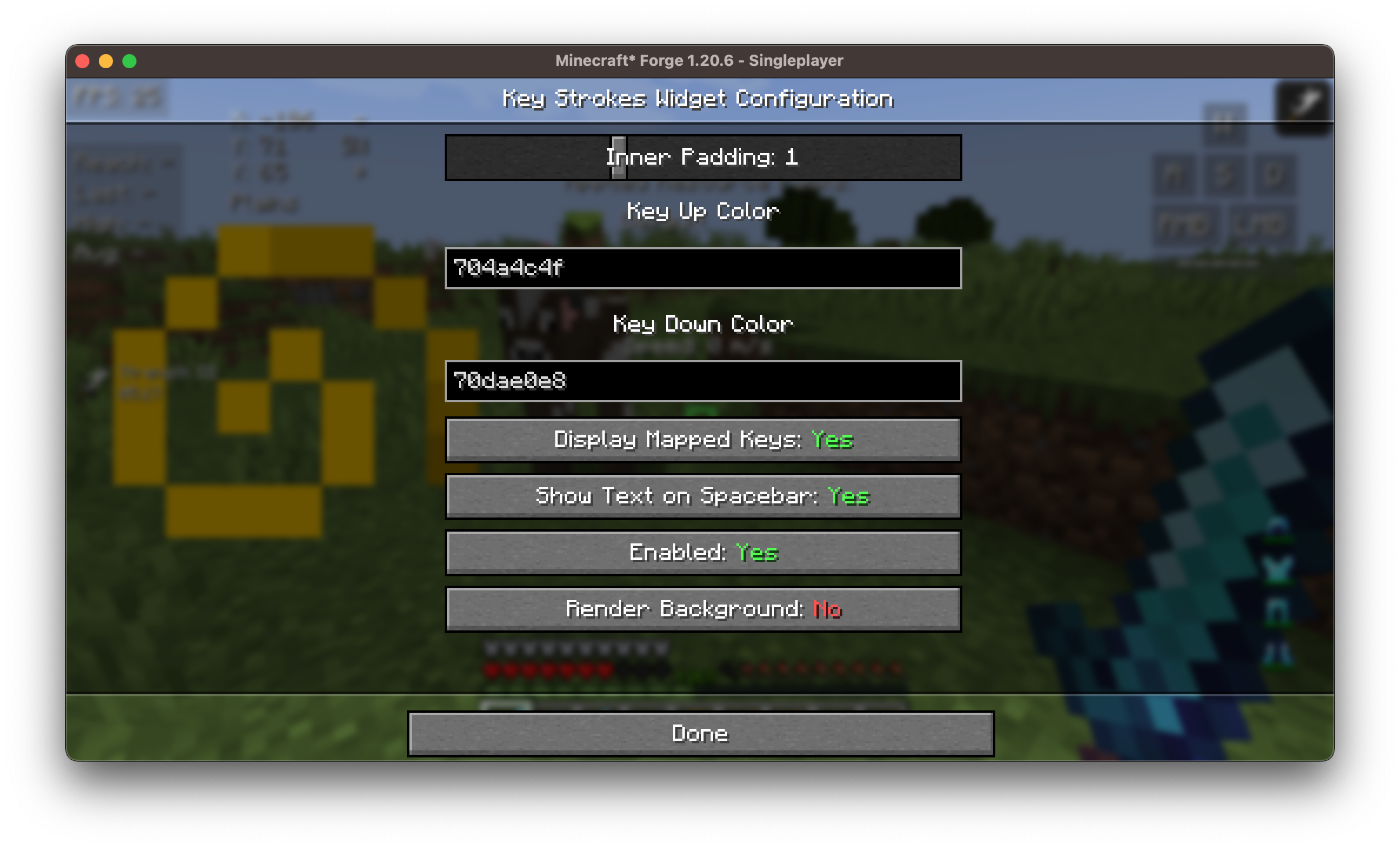
🎮 Built-In Keybinds
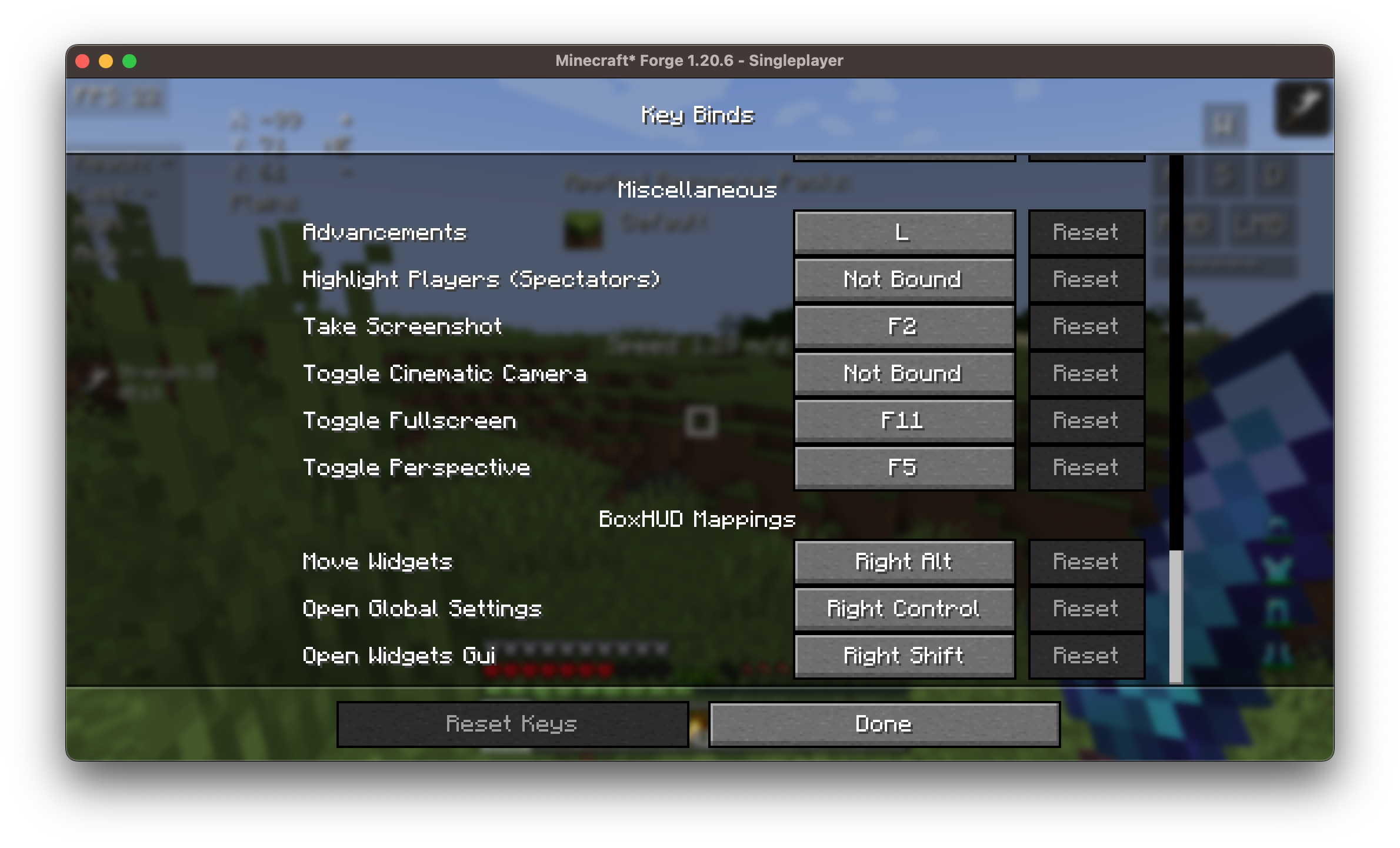
BoxHud adds several useful keybinds to make customization fast and easy in-game. You can set or change these in the Minecraft controls menu.
🧱 Available Widgets
Here’s a list of all available widgets included with BoxHud:
| Widget | Description |
|---|---|
| Ping | Shows your connection latency |
| FPS | Frames per second counter |
| CPS | Clicks per second tracker |
| Armor | Visualizes current armor durability |
| Potions | Lists active potion effects |
| Keystrokes | Shows pressed movement keys (WASD, etc.) |
| Server IP | Displays current server's address |
| Speed | Movement speed in blocks/sec |
| Scoreboard | Replaces or customizes vanilla board |
| Crosshair | Dynamic crosshair with 10 presets |
| Coordinates | Real-time player XYZ position |
| ActionBar | Customize or hide the action bar |
| BossBar | Move/resize the bossbar |
| Arrow | Tracks arrow count in inventory |
| Item Update | Shows item update information |
| Pack Display | Active resource/texture pack info |
| Real Time | Local system time |
| Reach | Displays attack reach distance |
| Hotbar | Custom positioning of the hotbar |
| Memory | JVM memory usage |
| PlayerCount | Online player count on server |
| Compass | Cardinal direction display |
| TPS | Ticks per second (server performance) |
| Combo | PvP combo counter |
| Game Clock | In-game time (tick/daylight clock) |
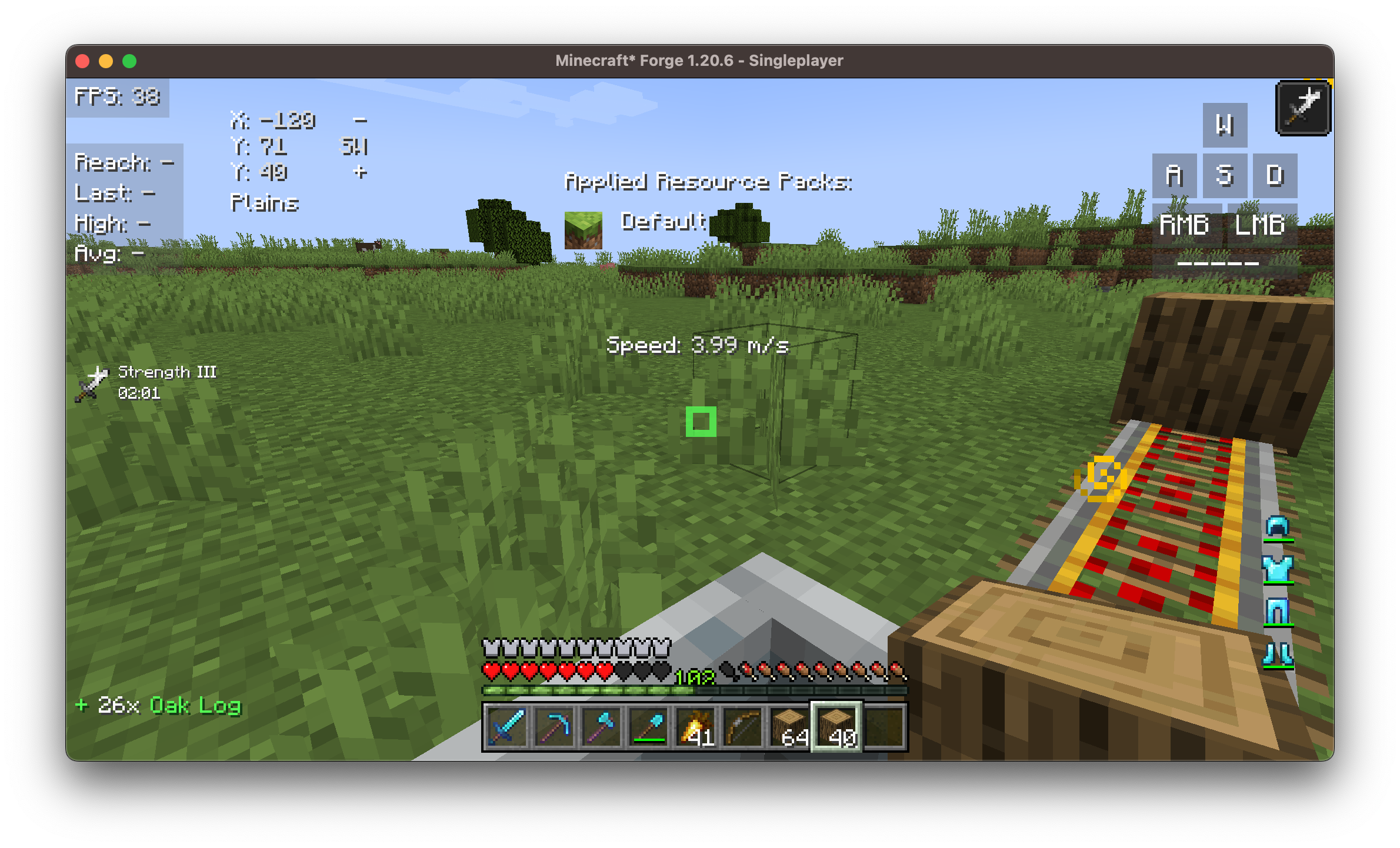
⚙️ Customization
Each widget supports:
- ✅ Dragging and scaling
- 🎨 Adjustable color, scale
- 📏 Padding, and alignment
- 🗂️ Optional background
Installation/Dependencies
This mod requires BoxLib a Client-side library mod developed by me.
- Install Minecraft Forge/Fabric/Neoforge: Download and install the appropriate modloader for your Minecraft version.
- Download the mod: Download the latest release of Coordinates Display for your specific modloader and Minecraft version
- Download BoxLib: Download the latest release of BoxLib for your specific modloader and Minecaft version
- Place the mod jars: Drop the downloaded jar files into your Minecraft mods folder. The location of this folder varies depending on your operating system.
Fabric Dependencies

Mod Menu is recommended for configuration purposes.
Forge/NeoForge Dependencies
This mod requires BoxLib a Client-side library mod developed by me.
Contributing
We encourage contributions! Don't hesitate to open issues or pull requests through our GitHub Repository. Your input helps us improve and evolve.
Translations
We welcome translations! If you're interested in translating this mod, please locate the localization files and submit a pull request. Your contributions help make the mod accessible to more users worldwide.
Support
If you encounter any issues, please open an issue on the GitHub repository.
Building
If you'd like to build this mod on your own machine, follow these steps.
- Download the source code from GitHub (Code -> Download zip)
- Make sure Java is installed
- Extract the zip file onto your local machine, and open the folder.
- Open a terminal prompt in said folder
- Run the command "gradlew build"
- The fabric build will be in "fabric/build/libs"
- The forge build will be in "forge/build/libs"
- The neoforge build will be in "neoforge/build/libs"
Available Versions
How to Install BoxHud on Your Server
Order Server
Order a Minecraft Java server with at least 3 GB RAM (4 GB recommended).
Set fabric Loader
In the panel under "Egg", select the fabric loader and matching Minecraft version (26.1.2).
Install Mod
Open the mod browser in the dashboard and search for "BoxHud". Click "Install" – done! Alternatively, upload the .jar via SFTP to the /mods folder.
Compatibility
Mod Loaders
Minecraft Versions
26.1.2, 26.1.1, 26.1 (+14 more)
Server-side
✗ UnsupportedRecommended RAM
4 GB(min. 3 GB)Frequently Asked Questions
BoxHud server crashes on startup – what to do?
Most common cause: wrong fabric version or insufficient RAM. Check the server log (latest.log) for "OutOfMemoryError" or "Mixin" errors. With Mado Hosting: ensure at least 3 GB RAM is allocated and the loader matches the mod version (26.1.2). You can switch loaders with one click in the panel.
Is BoxHud compatible with fabric and forge and neoforge and quilt?
BoxHud officially supports fabric, forge, neoforge, quilt for Minecraft 26.1.2, 26.1.1, 26.1. Note: Forge and Fabric mods are NOT cross-compatible – pick one loader and stick with it. The Mado dashboard automatically detects incompatible loader combinations.
Server lagging with BoxHud – how to optimize performance?
Recommended RAM: 4 GB (per 8 players). Use /spark profiler to check if BoxHud consumes the most tick time. Common fixes: reduce server view-distance to 8-10, install "performant" or "starlight" as supplementary mods on Forge. With Mado Hosting, your server runs on NVMe SSDs with dedicated CPU cores for minimal latency.
Rent Modded Server
Install BoxHud with just one click on your server.