Better Player Locator Bar
A Minecraft Fabric mod that adds an enhanced player locator bar. An improvement over Mojang's existing player indicator system.
About this Mod






Better Player Locator Bar is a Fabric mod. It shows players in a HUD bar above the XP bar. You can customize icons, borders, fades, and more.
🎯 Features
- HUD bar with icons representing nearby players and death markers
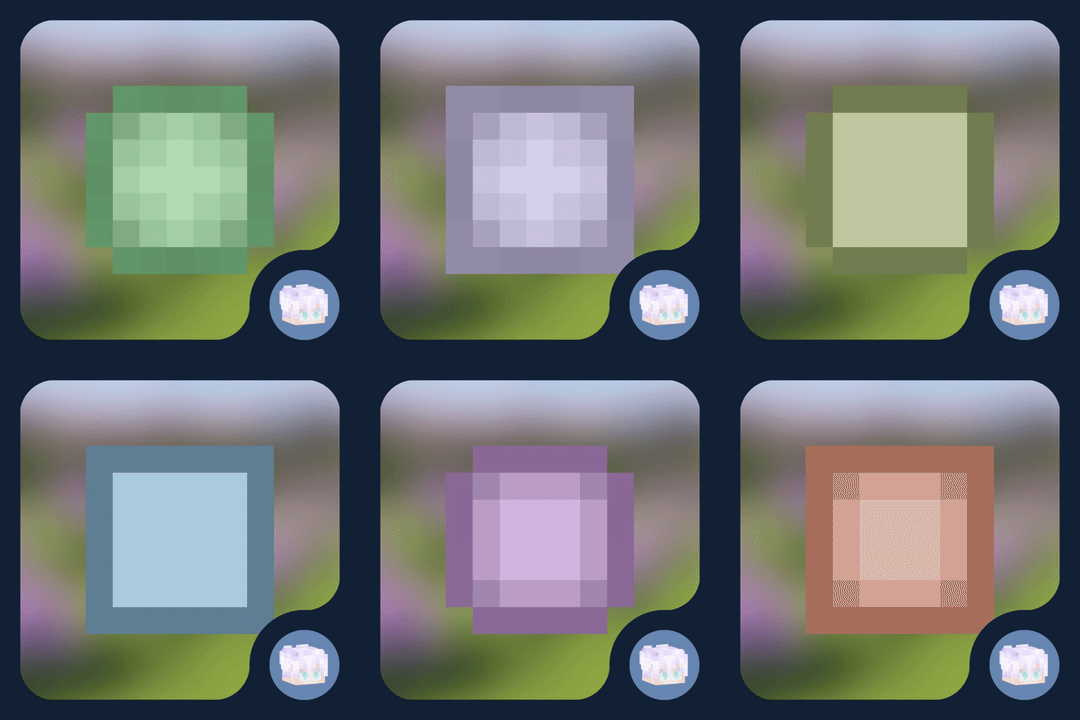
- Customizable icon style:
default,minimal,mojang,bowtie (shift + click) - Icon border styles:
roundedorsquared - Option to show player names and heads
- Vertical arrows when height difference is significant by player camera or position
- Distance-based fading (configurable start, end, alpha min/max)
- Smooth interpolation using easing
- Asset detection: scans included textures in
sprites/hud/ - Client/server sync via handshake and position payloads; fallback to local mode
- Config UI (
F8in game or useModMenu), preview, per-player overrides (color, icon, border...) - Death markers persistence and cleanup
📸 Gallery
A preview of how you would see other players with the mod
A preview of a player on the HUD

A preview of two players on the HUD

This would be a preview of the settings screen so you can customize it as much as you want

Now you can customize your friends icons

Dependencies
- Fabric API
- ModMenu
(recommended but opcional)
Installation
- Install Fabric Loader and Fabric API
- Place the
.jarmod file into yourmods/folder - Run Minecraft
Known Issues & Limitations
- Only works in Fabric, no Forge/NeoForge/... support
(yet? 🥀) - It can become inaccurate
- There may be rendering issues in other parts of the HUD
- You will most likely encounter problems with the order of the icons and the experience bar
- It is not possible to change the color of your dot/head
(yet...)
License
The contents of this repository and mod, are licensed under a Creative Commons Attribution-NonCommercial-ShareAlike 4.0 International License. (Canonical URL)
Available Versions
How to Install Better Player Locator Bar on Your Server
Order Server
Order a Minecraft Java server with at least 3 GB RAM (4 GB recommended).
Set fabric Loader
In the panel under "Egg", select the fabric loader and matching Minecraft version (1.21.3).
Install Mod
Open the mod browser in the dashboard and search for "Better Player Locator Bar". Click "Install" – done! Alternatively, upload the .jar via SFTP to the /mods folder.
Compatibility
Mod Loaders
Minecraft Versions
1.21.3, 1.21.2, 1.21.1 (+1 more)
Server-side
~ OptionalRecommended RAM
4 GB(min. 3 GB)Frequently Asked Questions
Better Player Locator Bar server crashes on startup – what to do?
Most common cause: wrong fabric version or insufficient RAM. Check the server log (latest.log) for "OutOfMemoryError" or "Mixin" errors. With Mado Hosting: ensure at least 3 GB RAM is allocated and the loader matches the mod version (1.21.3). You can switch loaders with one click in the panel.
Is Better Player Locator Bar compatible with fabric?
Better Player Locator Bar officially supports fabric for Minecraft 1.21.3, 1.21.2, 1.21.1. The Mado dashboard automatically detects incompatible loader combinations.
Server lagging with Better Player Locator Bar – how to optimize performance?
Recommended RAM: 4 GB (per 8 players). Use /spark profiler to check if Better Player Locator Bar consumes the most tick time. Common fixes: reduce server view-distance to 8-10, install "performant" or "starlight" as supplementary mods on Forge. With Mado Hosting, your server runs on NVMe SSDs with dedicated CPU cores for minimal latency.
Similar Mods




Rent Modded Server
Install Better Player Locator Bar with just one click on your server.
Details
- License
- Creative Commons Attribution Non Commercial Share Alike 4.0 International
- Server-side
- Optional