
BrainrotBeGone
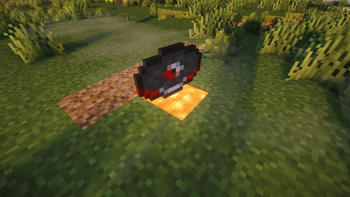
Stops "Lava Chicken" disk from assaulting your ears.
Screenshots
About this Mod
BrainrotBeGone
Prevents your ears from being assaulted by Chicken Lava by entirely stopping it from being played.
Why?
Because it's the biggest and most blatant display of hypocrisy Mojang has ever shown.
Their long-standing excuse for not adding drops to friendly mobs has been that they "protect children" and don't want to depict animal abuse - fair enough.
Then they put a chicken in a trap in the movie and pour lava on it. You could argue, they outsourced the movie, no arguments or comments from them on the matter either.
And then they add a song about it to the game.
This mod isn't useful, it's a protest against them repeatedly spitting into the face of Minecraft community.
How?
Just one client sided mixin.
Available Versions
How to Install BrainrotBeGone on Your Server
Order Server
Order a Minecraft Java server with at least 3 GB RAM (4 GB recommended).
Set fabric Loader
In the panel under "Egg", select the fabric loader and matching Minecraft version (26.1.2).
Install Mod
Open the mod browser in the dashboard and search for "BrainrotBeGone". Click "Install" – done! Alternatively, upload the .jar via SFTP to the /mods folder.
Compatibility
Mod Loaders
Minecraft Versions
26.1.2
Server-side
✗ UnsupportedRecommended RAM
4 GB(min. 3 GB)Frequently Asked Questions
BrainrotBeGone server crashes on startup – what to do?
Most common cause: wrong fabric version or insufficient RAM. Check the server log (latest.log) for "OutOfMemoryError" or "Mixin" errors. With Mado Hosting: ensure at least 3 GB RAM is allocated and the loader matches the mod version (26.1.2). You can switch loaders with one click in the panel.
Is BrainrotBeGone compatible with fabric?
BrainrotBeGone officially supports fabric for Minecraft 26.1.2. The Mado dashboard automatically detects incompatible loader combinations.
Server lagging with BrainrotBeGone – how to optimize performance?
Recommended RAM: 4 GB (per 8 players). Use /spark profiler to check if BrainrotBeGone consumes the most tick time. Common fixes: reduce server view-distance to 8-10, install "performant" or "starlight" as supplementary mods on Forge. With Mado Hosting, your server runs on NVMe SSDs with dedicated CPU cores for minimal latency.
Similar Mods





Rent Modded Server
Install BrainrotBeGone with just one click on your server.