
Brazillian Biomes
This mod adds real life biomes from Brazil.
Screenshots
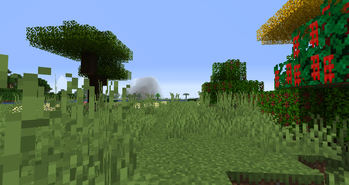
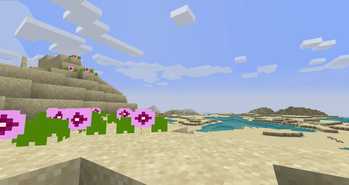
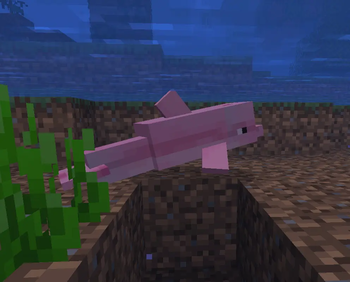
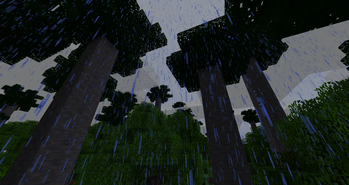
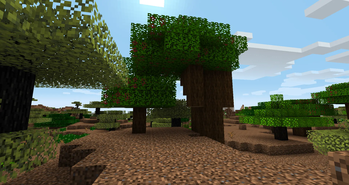
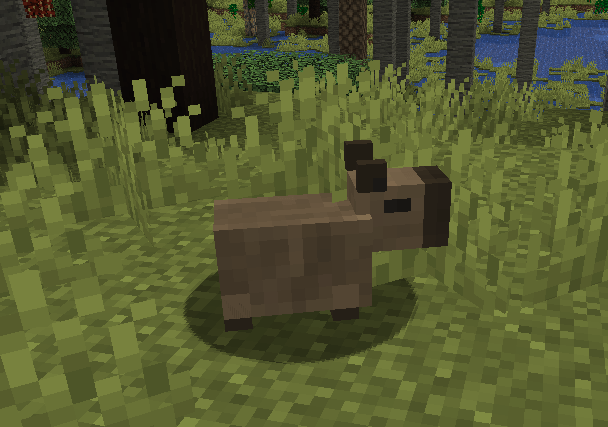
About this Mod
A mod adding real-life based biomes from Brazil to Minecraft world.
Mod Features
Biomes
Amazon Rainforest (including a Varzea and Edge variant);
Atlantic Forest (including a hills variant called Serra do Mar Coastal Forest);
Araucaria Plateau (a temperate biome biome derivated from Atlantic Forest);
Caatinga (xeric scrubland);
Cerrado (savanna);
Pampas and its variants (subtropical plains);
Dunas Restinga and Restinga Beach (beachy biomes derivated from Atlantic Forest);
Pantanal (marshland with trees).
Mobs
Mapynguari (hostile creature inhabiting Amazon Rainforest biome, albeit absent from its variants);
Maned Wolf;
Golden Lion Tamarin;
Toco Toucan;
Boto.
In addition to several wonderful biomes based in real-life brazilian biomes to be explored, this mod also adds a variety of ornamental Brazil native trees, wood, plants and food, including (but not limited to):
Cashew (found in Dunas Restinga biomes): To obtain the nut, just “craft” it putting the cashew fruit collected from the cashew leaves in the crafting table and you will get the nut and the apple, which can be eaten while the nut needs be cooked to be eaten.
Brazilnut: First, use scaffolding to scale the tall brazilnut tree in Amazon Rainforest biome, collect the fruit from the leaves and once you get it, just right click the fruit item in a rock and you will get the nut with pell and the shell, which can be used to craft a bowl. In order to pell the nut, craft it with a cobblestone. The pelled nut can be eaten both raw and cooked.
Parana Pine Nut: Found falling from the tall pine trees in Araucaria Plateau biome.
Fruits, like pitanga (“brazilian cherry”, found in Atlantic Forest and Araucaria Plateau), pineapple guava (“feijoa”, found just in Araucaria Plateau), umbu, jua (found in Caatinga), guarana (found in Amazon Rainforest, if you eat it, you will get faster), mangaba (found in Restinga and Cerrado) and wolf-apple (found in Cerrado) that won’t leave you hungry while exploring the world and encountering that (mostly) tropical biomes.
Cassava, a starchy root found in Amazon Rainforest biome that must be cooked to be eaten (WARNING: eating it without cooking can kill you). It will eventually become a crop.
Ipe tees. Besides very beautiful, their flowers also provide dyes.
Dependencias
While not strictly required, the mod has some dependences from Caio César's Biomes and Patchouli mods. The first adds sulphur to make rubber, ice cream cones and hardiness zone scanner to see what biomes are realiable to certain saplings grow there. The later adds the Brazillian Flora Guide.
JEI is optional, but recomeneded.
Using in modpacks?
You are allowed to use my mod in your modpack, fell free to it.
Support my modding by donations
Currently, my computer cannot handle newer versions of the Minecraft (1.17+) and I'm working in updates to new MC versions in total blindness. So, you can help me update my computer by donations (by PayPal) or support my work by Patreon.
My Patreon: https://www.patreon.com/c/Caio202Cesar?utm_campaign=creatorshare_creator
Available Versions
How to Install Brazillian Biomes on Your Server
Order Server
Order a Minecraft Java server with at least 4 GB RAM (6 GB recommended).
Set forge Loader
In the panel under "Egg", select the forge loader and matching Minecraft version (1.16.5).
Install Mod
Open the mod browser in the dashboard and search for "Brazillian Biomes". Click "Install" – done! Alternatively, upload the .jar via SFTP to the /mods folder.
Compatibility
Mod Loaders
Minecraft Versions
1.16.5
Server-side
✓ RequiredRecommended RAM
6 GB(min. 4 GB)Frequently Asked Questions
Brazillian Biomes server crashes on startup – what to do?
Most common cause: wrong forge version or insufficient RAM. Check the server log (latest.log) for "OutOfMemoryError" or "Mixin" errors. With Mado Hosting: ensure at least 4 GB RAM is allocated and the loader matches the mod version (1.16.5). You can switch loaders with one click in the panel.
Is Brazillian Biomes compatible with forge?
Brazillian Biomes officially supports forge for Minecraft 1.16.5. The Mado dashboard automatically detects incompatible loader combinations.
Server lagging with Brazillian Biomes – how to optimize performance?
Recommended RAM: 6 GB (per 5 players). Use /spark profiler to check if Brazillian Biomes consumes the most tick time. Common fixes: reduce server view-distance to 8-10, install "performant" or "starlight" as supplementary mods on Forge. With Mado Hosting, your server runs on NVMe SSDs with dedicated CPU cores for minimal latency.
Similar Mods




Rent Modded Server
Install Brazillian Biomes with just one click on your server.