
Better Render Distance
simple chunk optimization, also makes the minimum chunks to go below 6
Screenshots
About this Mod
BRD – Better Rendering Distance
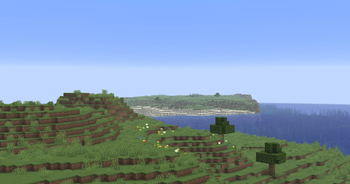
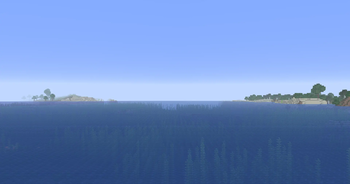
BRD (Better Rendering Distance) is a lightweight client-side mod that improves how Minecraft handles chunk rendering, while giving you more control over your render distance settings.
Unlike vanilla Minecraft, which enforces a minimum render distance of 6 chunks, BRD allows you to go lower. This can be useful for improving performance on lower-end systems or for players who prefer a more minimal rendering setup.
The mod also adjusts how chunks are processed and displayed, helping reduce unnecessary rendering work and making the overall experience feel smoother.
Installation Guide
BRD works with standard mod loaders. Install your preferred loader, then place the mod file into your mods folder.
Once installed, you can adjust your render distance in the Video Settings menu. The minimum value will now allow settings below the vanilla limit.
Configuration
No additional configuration is required. The mod works out of the box and integrates directly with Minecraft’s existing video settings.
You can freely adjust your render distance depending on your performance needs.
Compatibility
BRD is designed to be simple and non-intrusive. It should work alongside most other mods without issues.
Notes
Very low render distances may impact gameplay visibility. This is intended behavior and can be adjusted at any time through the settings menu.
Available Versions
How to Install Better Render Distance on Your Server
Order Server
Order a Minecraft Java server with at least 4 GB RAM (6 GB recommended).
Set fabric Loader
In the panel under "Egg", select the fabric loader and matching Minecraft version (1.21.11).
Install Mod
Open the mod browser in the dashboard and search for "Better Render Distance". Click "Install" – done! Alternatively, upload the .jar via SFTP to the /mods folder.
Compatibility
Mod Loaders
Minecraft Versions
1.21.11, 1.21.10
Server-side
✗ UnsupportedRecommended RAM
6 GB(min. 4 GB)Frequently Asked Questions
Better Render Distance server crashes on startup – what to do?
Most common cause: wrong fabric version or insufficient RAM. Check the server log (latest.log) for "OutOfMemoryError" or "Mixin" errors. With Mado Hosting: ensure at least 4 GB RAM is allocated and the loader matches the mod version (1.21.11). You can switch loaders with one click in the panel.
Is Better Render Distance compatible with fabric?
Better Render Distance officially supports fabric for Minecraft 1.21.11, 1.21.10. The Mado dashboard automatically detects incompatible loader combinations.
Server lagging with Better Render Distance – how to optimize performance?
Recommended RAM: 6 GB (per 5 players). Use /spark profiler to check if Better Render Distance consumes the most tick time. Common fixes: reduce server view-distance to 8-10, install "performant" or "starlight" as supplementary mods on Forge. With Mado Hosting, your server runs on NVMe SSDs with dedicated CPU cores for minimal latency.
Similar Mods




Rent Modded Server
Install Better Render Distance with just one click on your server.