
About this Mod




Potion Infused Food
Have you ever wanted to mix any food item with any potion effect!?
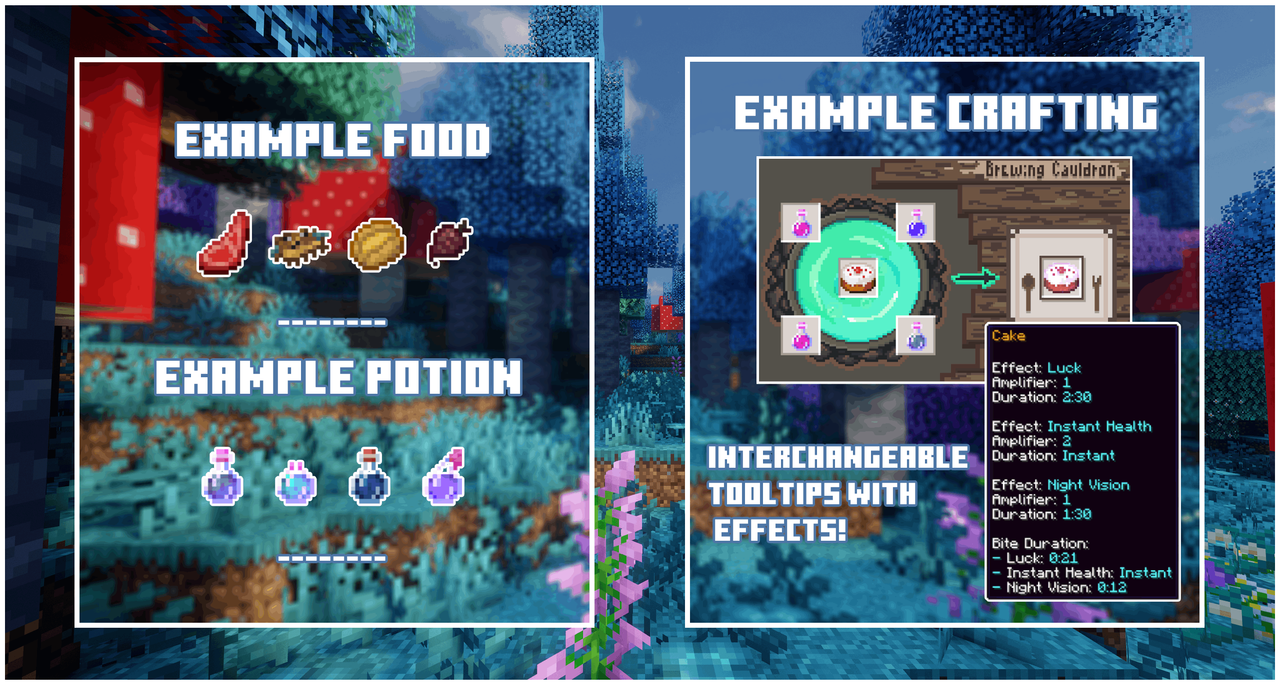
Even the witch villagers told me this was a bad idea. But who listens to them anyway?
| Brewing Cauldron | Mixing Zone |
|---|---|
| Craft this special block featuring four tabs and dynamic visuals that change based on its contents. | First tab for combining any food with potions to create infused food items with unique effects. |
| Flower Infusion | Sound Control |
| Second tab for customizing tooltip colors, a chance of discovering a new version of a potion effect, and toggling enchantment visuals on your infused foods. | Third tab to toggle the cauldron's bubbling sound effects for distraction-free brewing. |
Floriography
The fourth tab lets you open a book and check the infusion combinations you’ve unlocked.

Potion Balancing
Find 4 potion items (of any kind) and choose one food item to start experimenting!
Each potion will halve its duration to properly balance the mechanic.
When using the same potion type with different amplifiers, the output takes the highest amplifier while reducing the duration of the lower one by 8 times + 4 for each amplifier difference.
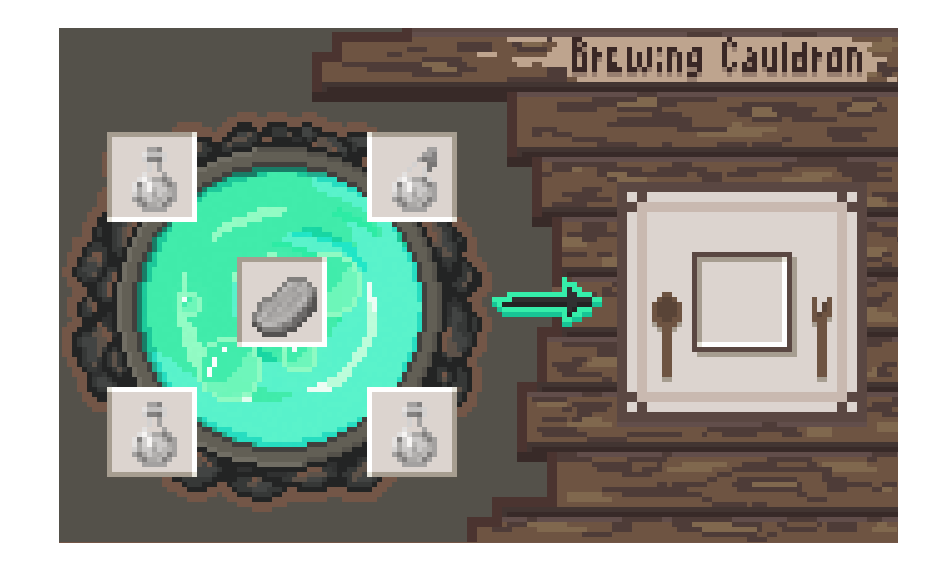
Flower Infusion
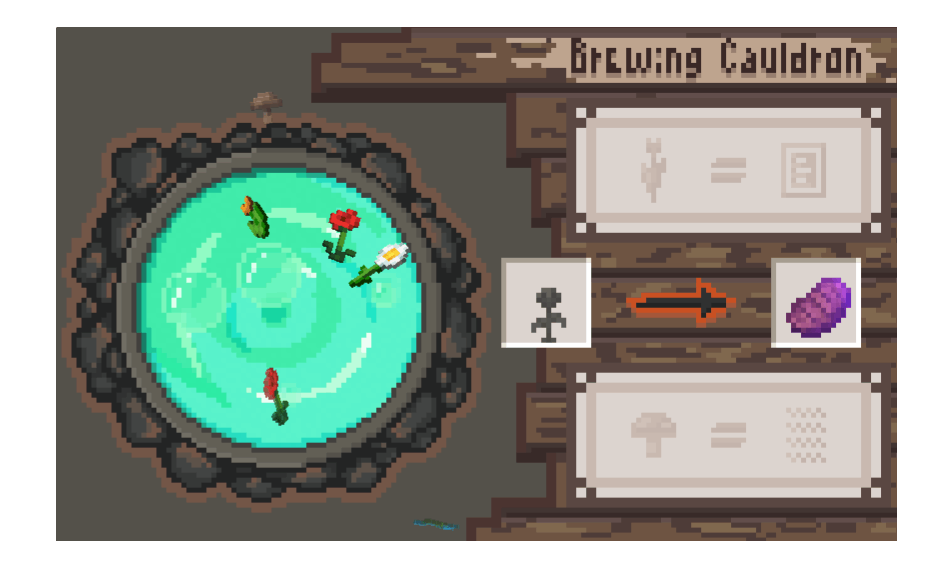
In the second tab, set up an infused flower to change the tooltip of your food item.
Different vanilla flowers and mushrooms provide unique visual modification styles.
Preview your customization with the example steak renderer (not pickable).
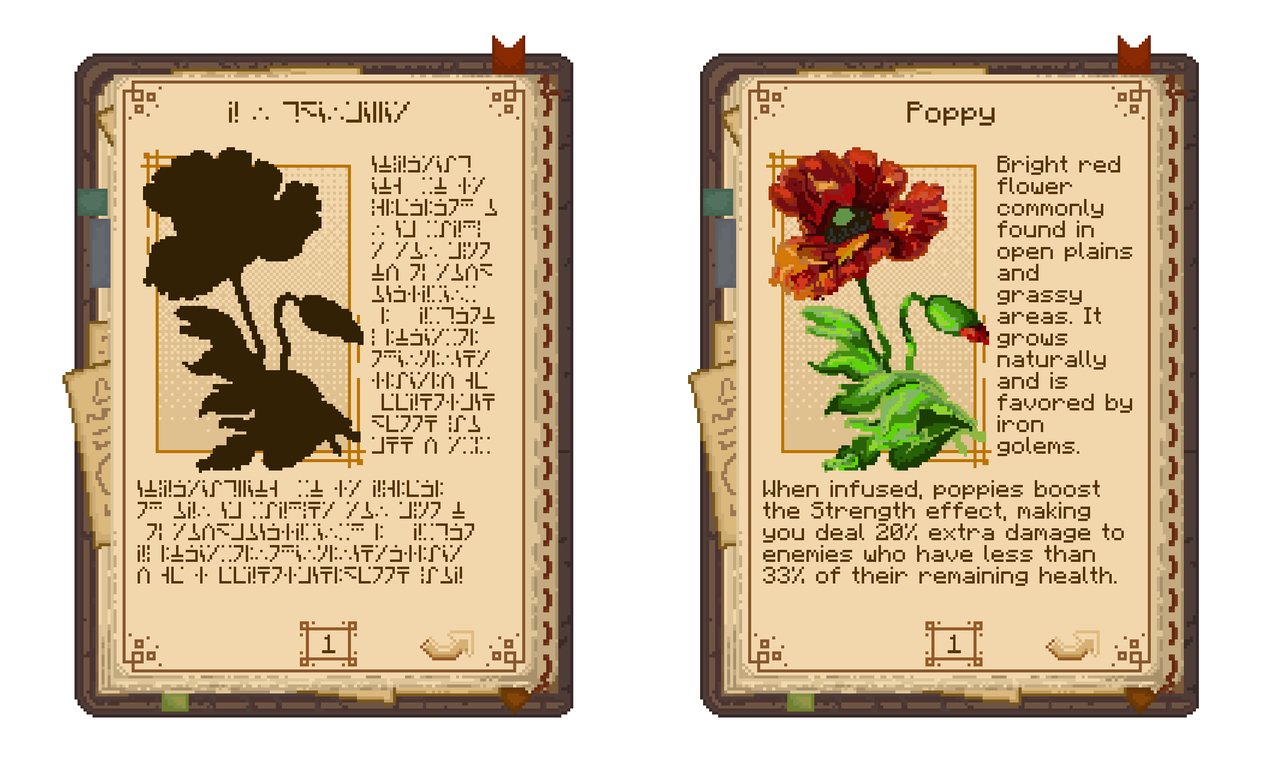
Floriography
In the fourth tab, you’ll find a set of locked flowers, displayed with their cryptic silhouettes.
Once unlocked, each flower reveals a semi realistic drawing, a brief description and the bonus effect it grants to your infused food.
Combine the right potion with a flower to unlock it and reveal its bonus.
Flower & Mushroom Styles
Warning: Spoiler alert! Don’t click the button below if you’d like to discover each effect on your own.
Spoiler
- Dandelion: Jump effect +1 level
- Poppy: Strength boost: +20% damage vs. targets below 33% health
- Blue Orchid: Adds Protection II to Slowness
- Allium: Absorption starts weaker but regenerates extra hearts over time
- Azure Bluet: 5% chance Haste triggers Speed for 5 s
- Red Tulip: Stronger Harm effect + adds Luck
- Orange Tulip: Fire Resistance +1 minute
- White Tulip: Removes slow fall motion but still prevents fall damage
- Pink Tulip: 3% chance Regeneration refills hunger
- Oxeye Daisy: Speed +20% on snow
- Cornflower: 5% chance Water Breathing grants Dolphin’s Grace for 10 s
- Lily of the Valley: Poison effect spreads to nearby enemies within 3 blocks
- Red Mushroom: Adds enchanting effect
- Brown Mushroom: Removes enchanting effect
- Wither Rose: Resets item to vanilla
Available Versions
How to Install Brew'n Chew on Your Server
Order Server
Order a Minecraft Java server with at least 3 GB RAM (4 GB recommended).
Set forge Loader
In the panel under "Egg", select the forge loader and matching Minecraft version (1.20.1).
Install Mod
Open the mod browser in the dashboard and search for "Brew'n Chew". Click "Install" – done! Alternatively, upload the .jar via SFTP to the /mods folder.
Compatibility
Mod Loaders
Minecraft Versions
1.20.1, 1.19.4, 1.19.2 (+2 more)
Server-side
✓ RequiredRecommended RAM
4 GB(min. 3 GB)Frequently Asked Questions
Brew'n Chew server crashes on startup – what to do?
Most common cause: wrong forge version or insufficient RAM. Check the server log (latest.log) for "OutOfMemoryError" or "Mixin" errors. With Mado Hosting: ensure at least 3 GB RAM is allocated and the loader matches the mod version (1.20.1). You can switch loaders with one click in the panel.
Is Brew'n Chew compatible with forge?
Brew'n Chew officially supports forge for Minecraft 1.20.1, 1.19.4, 1.19.2. The Mado dashboard automatically detects incompatible loader combinations.
Server lagging with Brew'n Chew – how to optimize performance?
Recommended RAM: 4 GB (per 8 players). Use /spark profiler to check if Brew'n Chew consumes the most tick time. Common fixes: reduce server view-distance to 8-10, install "performant" or "starlight" as supplementary mods on Forge. With Mado Hosting, your server runs on NVMe SSDs with dedicated CPU cores for minimal latency.
Rent Modded Server
Install Brew'n Chew with just one click on your server.