
BronzeBright
BronzeBright is a lightweight and highly efficient Night Vision / Fullbright utility mod for Minecraft. It allows players to instantly toggle perfect vision in the dark with a single key press, completely eliminating the need for torches or potions during
Screenshots
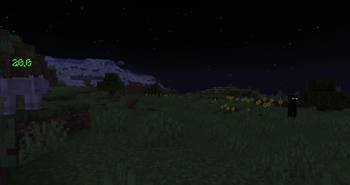
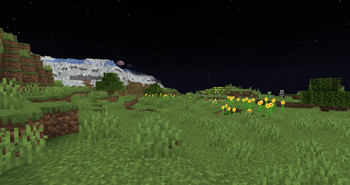
About this Mod
🌙 BronzeBright: See the Dark in a New Light
Are you tired of carrying stacks of torches, squinting in dark caves, or constantly brewing Night Vision potions? BronzeBright is a simple, lightweight Quality of Life (QoL) mod designed to give you perfect vision in the darkest environments.
Whether you are deep-slate mining, building massive structures at night, or exploring the Deep Dark, BronzeBright ensures you never miss a detail.
✨ Features:
🔦 Instant Toggle: Turn perfect Night Vision on and off instantly with a single, customizable keybind (Default: V).
🌑 Pitch-Black Removal: Smoothly illuminates your surroundings without breaking the game's aesthetic. Say goodbye to complete darkness!
⚡ Extremely Lightweight: Designed with performance in mind. It won't drop your FPS or cause any lag.
🚫 No Potion Particles: Grants you clean vision without annoying potion swirls blocking your screen.
🌍 Client-Side Friendly: (If applicable to your mod) Can be used on multiplayer servers without needing to be installed on the server side (Note: Always check server rules regarding Fullbright mods!).
⚙️ How to Use:
Install the mod and launch Minecraft.
Go to your Controls/Keybinds menu.
Find the BronzeBright category to set or check your toggle hotkey.
Press the key in-game to light up your world!
📥 Compatibility:
BronzeBright is fully compatible with most performance mods (like Sodium, Optifine, or Iris) and works seamlessly alongside shaders.
Available Versions
How to Install BronzeBright on Your Server
Order Server
Order a Minecraft Java server with at least 3 GB RAM (4 GB recommended).
Set fabric Loader
In the panel under "Egg", select the fabric loader and matching Minecraft version (1.20.6).
Install Mod
Open the mod browser in the dashboard and search for "BronzeBright". Click "Install" – done! Alternatively, upload the .jar via SFTP to the /mods folder.
Compatibility
Mod Loaders
Minecraft Versions
1.20.6, 1.20.5, 1.20.4 (+3 more)
Server-side
✗ UnsupportedRecommended RAM
4 GB(min. 3 GB)Frequently Asked Questions
BronzeBright server crashes on startup – what to do?
Most common cause: wrong fabric version or insufficient RAM. Check the server log (latest.log) for "OutOfMemoryError" or "Mixin" errors. With Mado Hosting: ensure at least 3 GB RAM is allocated and the loader matches the mod version (1.20.6). You can switch loaders with one click in the panel.
Is BronzeBright compatible with fabric?
BronzeBright officially supports fabric for Minecraft 1.20.6, 1.20.5, 1.20.4. The Mado dashboard automatically detects incompatible loader combinations.
Server lagging with BronzeBright – how to optimize performance?
Recommended RAM: 4 GB (per 8 players). Use /spark profiler to check if BronzeBright consumes the most tick time. Common fixes: reduce server view-distance to 8-10, install "performant" or "starlight" as supplementary mods on Forge. With Mado Hosting, your server runs on NVMe SSDs with dedicated CPU cores for minimal latency.
Similar Mods





Rent Modded Server
Install BronzeBright with just one click on your server.