
Brutal Typing
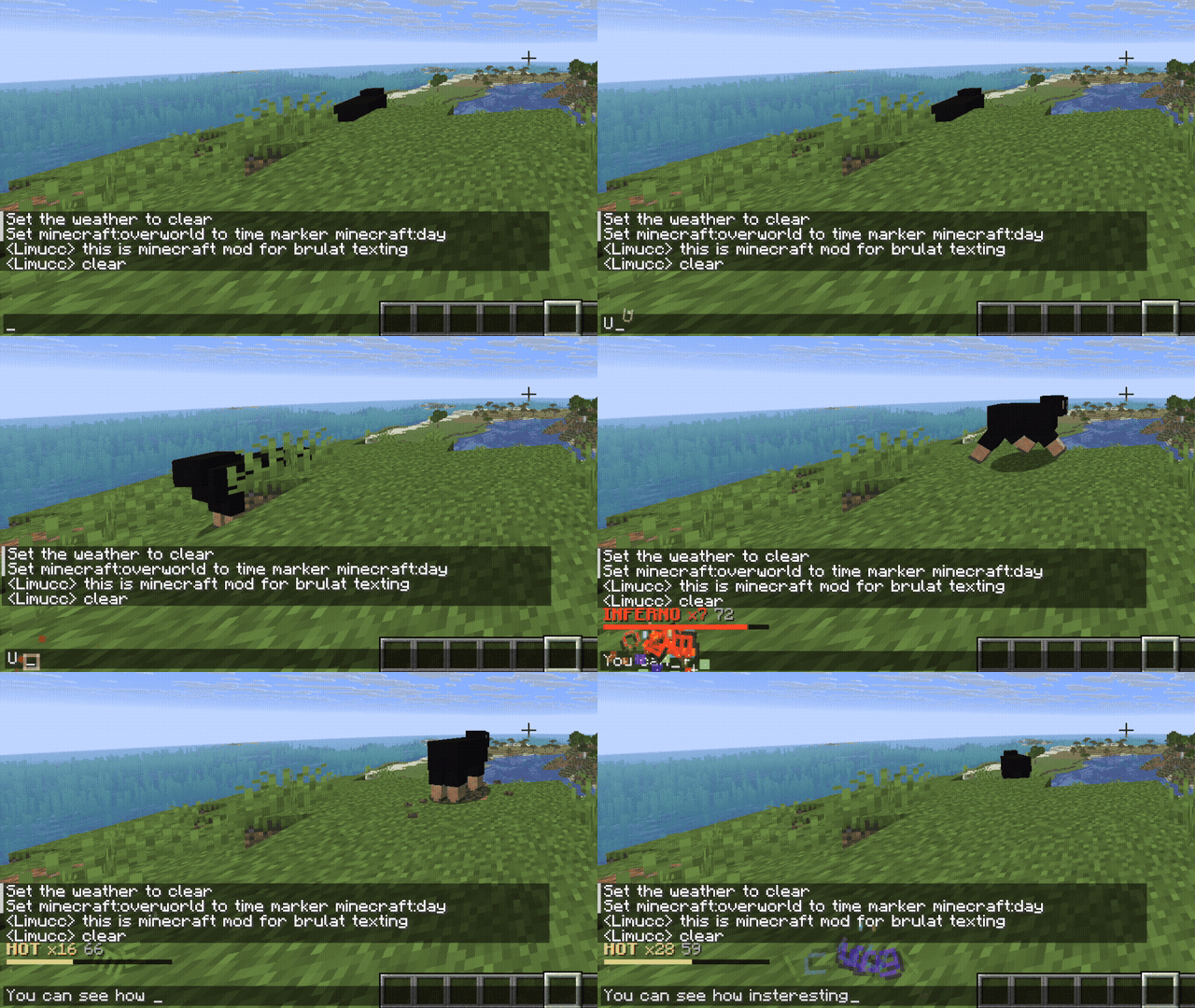
Ridiculous-Coding for Minecraft: every keystroke in chat detonates with explosions, fire and screen shake that scale with how fast you type. Client-side, purely for fun.
Screenshots
About this Mod
Brutal Typing
Ridiculous-Coding for Minecraft. Every keystroke in chat and text fields detonates - explosions, fire, soul fire, brutal flying letters, screen shake and explosion sounds. The faster you type, the hotter the amplifier gets: bigger booms, hotter letters, higher-pitched sound, harder shake. Stop typing and it cools down, draining your combo. Pure dopamine, purely for fun.
Beta - client-side only.
Features
- Explosions, fire, soul fire, brutal flying letters, screen shake & explosion sounds on every keystroke
- An amplifier that heats up the faster you type:
COLD -> WARM -> HOT -> BRUTAL -> INFERNO -> APOCALYPSE - ALL-CAPS importance, spacebar impact frames, falling weapon drops, and a send-slam animation
- Varied delete sounds, crit stars, enchant sparkles, milestone fireworks
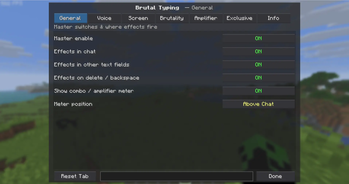
- Tabbed settings GUI (Mod Menu or a keybind) with a live "try it here" box
Requirements
Minecraft 26.1.2 (Fabric) - Fabric API - Mod Menu (optional, for the settings GUI)
Configure
Mod Menu -> Brutal Typing, or bind a key under Options -> Controls -> Brutal Typing.
Inspired by the Ridiculous Coding and Power Mode VS Code extensions.
Available Versions
How to Install Brutal Typing on Your Server
Order Server
Order a Minecraft Java server with at least 3 GB RAM (4 GB recommended).
Set fabric Loader
In the panel under "Egg", select the fabric loader and matching Minecraft version (26.1.2).
Install Mod
Open the mod browser in the dashboard and search for "Brutal Typing". Click "Install" – done! Alternatively, upload the .jar via SFTP to the /mods folder.
Compatibility
Mod Loaders
Minecraft Versions
26.1.2, 1.21.11
Server-side
✗ UnsupportedRecommended RAM
4 GB(min. 3 GB)Frequently Asked Questions
Brutal Typing server crashes on startup – what to do?
Most common cause: wrong fabric version or insufficient RAM. Check the server log (latest.log) for "OutOfMemoryError" or "Mixin" errors. With Mado Hosting: ensure at least 3 GB RAM is allocated and the loader matches the mod version (26.1.2). You can switch loaders with one click in the panel.
Is Brutal Typing compatible with fabric?
Brutal Typing officially supports fabric for Minecraft 26.1.2, 1.21.11. The Mado dashboard automatically detects incompatible loader combinations.
Server lagging with Brutal Typing – how to optimize performance?
Recommended RAM: 4 GB (per 8 players). Use /spark profiler to check if Brutal Typing consumes the most tick time. Common fixes: reduce server view-distance to 8-10, install "performant" or "starlight" as supplementary mods on Forge. With Mado Hosting, your server runs on NVMe SSDs with dedicated CPU cores for minimal latency.
Similar Mods





Rent Modded Server
Install Brutal Typing with just one click on your server.