
Bubble Boots
A Supplementaries add-on with one specialized armor item, bubble boots.
Screenshots
About this Mod
Overview
Imagine having the equivalent of two oversized bubble blowers on your feet--now you have a basic idea of what this add-on offers!
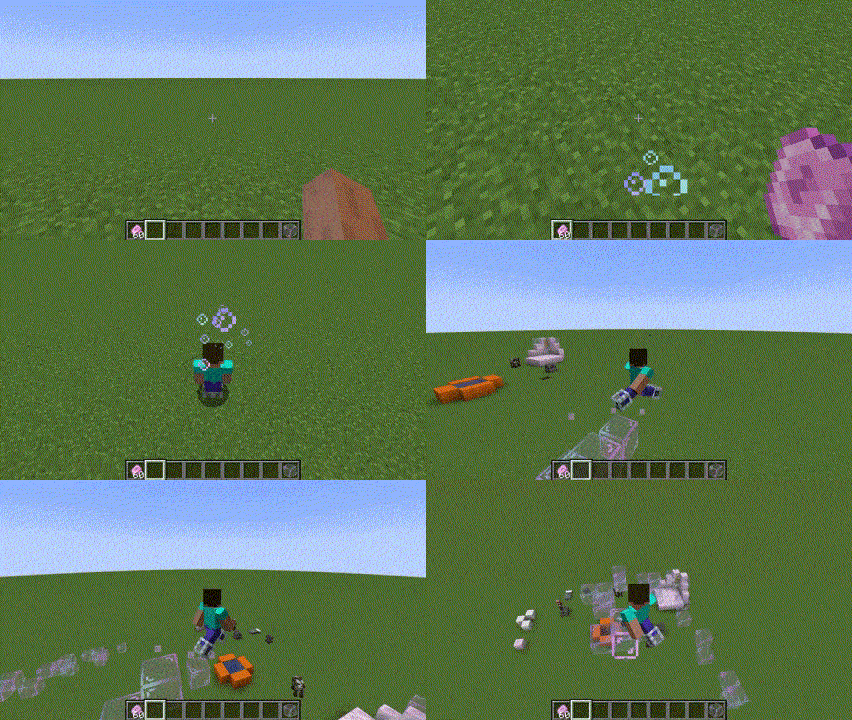
Bubble boots are obtainable from master-level Armorer villagers. Whenever there is air under the player, the boots attempt to spawn a bubble block below. Using soap in your hand or stepping on soap blocks "recharges" the item's soapiness while you're wearing them. Bubble boots are primarily a utility/traversal item: they possess no durability, and cannot be enchanted. Once they hit below a certain soapiness threshold, they will start emitting more sudsy particles as a warning. Sneaking players do not produce bubble blocks.
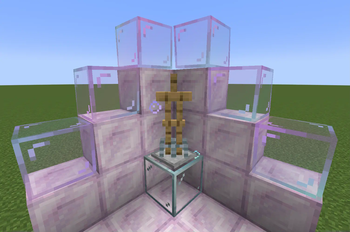
Armor stands (and other mobs) wearing soapy bubble boots will also emit sudsy particles, in case you need an ambient source of rising soap bubbles.
Config
This mod is relatively configurable. You can alter the following:
- Maximum soapiness of boots
- Amount of soapiness restored per bar of soap used
- Whether stepping on soap blocks restores soapiness
- Whether or not water and rain instantly set soapiness to 0
- (Off by default)
- Whether soapy boots cause players to slip around as if walking on soap blocks all the time
- (Off by default, but surprisingly fun)
- Whether armorers sell bubble boots
- The soapiness threshold below which a larger amount of particles is emitted
- Whether the boots emit sudsy particles at all
Requires Moonlight 1.19.2-2.3.4+, Supplementaries 1.19.2-2.4.5+, and Blueprint 6.2.0+.
Note: this mod is not affiliated with the original Supplementaries team. Any questions regarding this mod should be directed to my issue tracker, not theirs. Feel free to direct any suggestions (compat or otherwise) towards the tracker as well. Thank you!
Available Versions
How to Install Bubble Boots on Your Server
Order Server
Order a Minecraft Java server with at least 3 GB RAM (4 GB recommended).
Set forge Loader
In the panel under "Egg", select the forge loader and matching Minecraft version (1.21.1).
Install Mod
Open the mod browser in the dashboard and search for "Bubble Boots". Click "Install" – done! Alternatively, upload the .jar via SFTP to the /mods folder.
Compatibility
Mod Loaders
Minecraft Versions
1.21.1, 1.20.1, 1.19.2
Server-side
✓ RequiredRecommended RAM
4 GB(min. 3 GB)Frequently Asked Questions
Bubble Boots server crashes on startup – what to do?
Most common cause: wrong forge version or insufficient RAM. Check the server log (latest.log) for "OutOfMemoryError" or "Mixin" errors. With Mado Hosting: ensure at least 3 GB RAM is allocated and the loader matches the mod version (1.21.1). You can switch loaders with one click in the panel.
Is Bubble Boots compatible with forge and neoforge?
Bubble Boots officially supports forge, neoforge for Minecraft 1.21.1, 1.20.1, 1.19.2. The Mado dashboard automatically detects incompatible loader combinations.
Server lagging with Bubble Boots – how to optimize performance?
Recommended RAM: 4 GB (per 8 players). Use /spark profiler to check if Bubble Boots consumes the most tick time. Common fixes: reduce server view-distance to 8-10, install "performant" or "starlight" as supplementary mods on Forge. With Mado Hosting, your server runs on NVMe SSDs with dedicated CPU cores for minimal latency.
Similar Mods





Rent Modded Server
Install Bubble Boots with just one click on your server.