
Bucketable
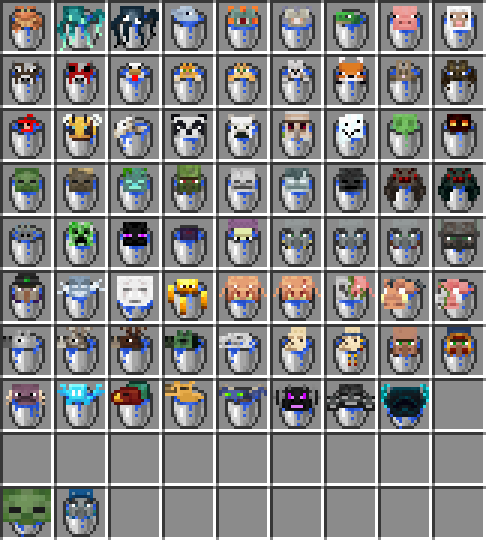
Put any mob into a bucket! Completely customizable!
Screenshots

About this Mod
NOTICE: If you are using the data pack version of Bucketable, the Download button at the top of the page WILL NOT download the required resource pack automatically! You must find the resource pack at the bottom of this page.
Bucketable allows you to bucket any mob you want! Whether it's as simple as scooping up your pet frog, or as ridiculous as entrapping an entire Ender Dragon in a tiny metal prison, you can do it all!
Still not getting it? Check out the video showcase below!
Tutorial
To bucket a mob, simply hold a water bucket, look at it, and right click! Any mob that has some other function when right clicked (ie; villagers, camels, allays) require you to sneak while right clicking to bucket them. Then right click anywhere on the ground to empty the bucket out!
Commands
Bucketable comes with several presets that only enable bucketing specific groups of mobs, as well as the ability to completely customize exactly which mobs you want to be bucketable.
Enables all mobs:/function bucketable:presets/all
Disables all mobs:/function bucketable:presets/none
Enables friendly water mobs:/function bucketable:presets/water_mobs_less
Enables all water mobs:/function bucketable:presets/water_mobs_more
Enables small mobs:/function bucketable:presets/small_mobs
Add a specific mob:/function bucketable:add/[MOB_ID]
Remove a specific mob:/function bucketable:remove/[MOB_ID]
See all enabled mobs:/function bucketable:list_enabled
In-game help menu:/function bucketable:help
Known Bugs
Should you come across any other bugs, please report them in my Discord, linked on the right. I'll do my best to fix any known bugs, as long as it's actually possible.
- Tamed cats are not easily bucketed, due to an advancement bug (MC-254899). To bucket a tamed cat, you must be out of interaction distance, hold right click and sneak, and slowly approach them.
Known Incompatibilities
Available Versions
How to Install Bucketable on Your Server
Order Server
Order a Minecraft Java server with at least 3 GB RAM (4 GB recommended).
Set datapack Loader
In the panel under "Egg", select the datapack loader and matching Minecraft version (1.21.1).
Install Mod
Open the mod browser in the dashboard and search for "Bucketable". Click "Install" – done! Alternatively, upload the .jar via SFTP to the /mods folder.
Compatibility
Mod Loaders
Minecraft Versions
1.21.1, 1.21, 1.20.4 (+4 more)
Server-side
✓ RequiredRecommended RAM
4 GB(min. 3 GB)Frequently Asked Questions
Bucketable server crashes on startup – what to do?
Most common cause: wrong datapack version or insufficient RAM. Check the server log (latest.log) for "OutOfMemoryError" or "Mixin" errors. With Mado Hosting: ensure at least 3 GB RAM is allocated and the loader matches the mod version (1.21.1). You can switch loaders with one click in the panel.
Is Bucketable compatible with datapack and fabric and forge and neoforge and quilt?
Bucketable officially supports datapack, fabric, forge, neoforge, quilt for Minecraft 1.21.1, 1.21, 1.20.4. Note: Forge and Fabric mods are NOT cross-compatible – pick one loader and stick with it. The Mado dashboard automatically detects incompatible loader combinations.
Server lagging with Bucketable – how to optimize performance?
Recommended RAM: 4 GB (per 8 players). Use /spark profiler to check if Bucketable consumes the most tick time. Common fixes: reduce server view-distance to 8-10, install "performant" or "starlight" as supplementary mods on Forge. With Mado Hosting, your server runs on NVMe SSDs with dedicated CPU cores for minimal latency.
Similar Mods





Rent Modded Server
Install Bucketable with just one click on your server.