
Builder's Inventory
Inventory utilities for creative mode
Screenshots
About this Mod
Builder's Inventory
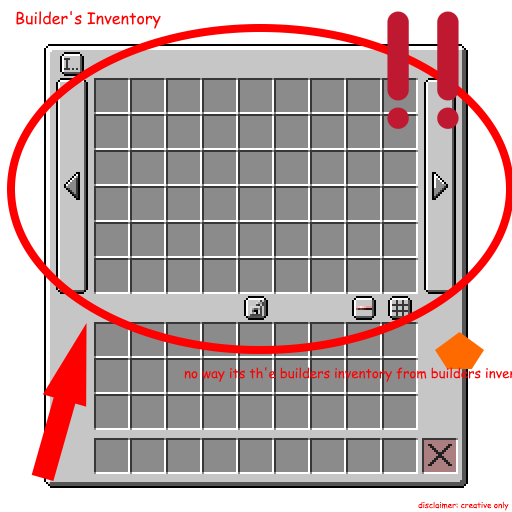
Builder's Inventory is a mod that adds a few inventory-related features to creative mode that I think are helpful for creating.
This mod tries its best to be compatible with any random mod, but please report any issues you find!
Features
- Hotbar Swapper
- Allows you to swap your hotbar row with another row of items in your inventory
- Also can swap with just 1 slot (column) rather than the full row of items
- Pressing an inventory slot key (1-9) will quickly swap
- Includes extended inventory
- Default Keybinds are:
- Full Row Swap = Mouse 5 (forwards side button)
- Single Column Swap = Left Alt
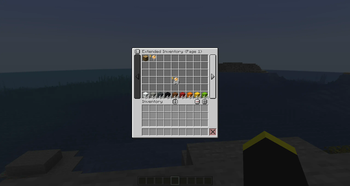
- Extended Inventory
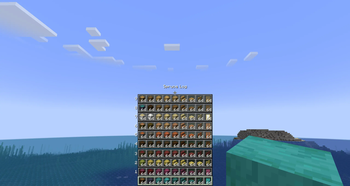
- Basically a large client-sided enderchest
- Saved to your files (
config/builders_inventory/...) and persists across servers and worlds - Great for collecting, saving, and organizing cool items you find!
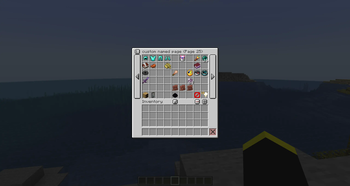
- Has multiple pages for unlimited storage space!
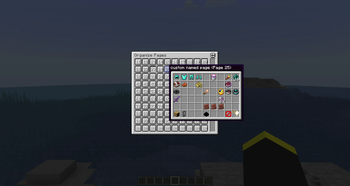
- Pages can be renamed, reordered, deleted
- Pages can be locked to prevent editing and function like a custom creative tab!
- Button in inventory or Hotkey (Default R) can be used to open it
- Operator Items Tab Force
- Removes the operator requirement to see the tab.
- Restricting this tab like that is inconvenient at best, as there are plenty of other ways to get the items anyways, and the items still cannot be used for harm.
- (You still need to enable the tab in controls)
Config
This mod is decently configurable, from tweaking the behavior of hotbar swap hotkeys to disabling the extended inventory and more, so make sure to check the config out!
Disclaimer
While this mod is generally harmless and only functions in creative mode, it's probably best to check on the rules of any server just to make sure. Particularly the hotbar swapper could be classified and/or detected as cheating. This is not me branding this as a cheat/hack mod, that is not my intent when making this, but I just don't want anyone getting banned from a creative server with excessively strict rules for using my mod.
Sponsor >:D
Available Versions
How to Install Builder's Inventory on Your Server
Order Server
Order a Minecraft Java server with at least 3 GB RAM (4 GB recommended).
Set fabric Loader
In the panel under "Egg", select the fabric loader and matching Minecraft version (26.1.1).
Install Mod
Open the mod browser in the dashboard and search for "Builder's Inventory". Click "Install" – done! Alternatively, upload the .jar via SFTP to the /mods folder.
Compatibility
Mod Loaders
Minecraft Versions
26.1.1, 26.1, 1.21.11 (+9 more)
Server-side
✗ UnsupportedRecommended RAM
4 GB(min. 3 GB)Frequently Asked Questions
Builder's Inventory server crashes on startup – what to do?
Most common cause: wrong fabric version or insufficient RAM. Check the server log (latest.log) for "OutOfMemoryError" or "Mixin" errors. With Mado Hosting: ensure at least 3 GB RAM is allocated and the loader matches the mod version (26.1.1). You can switch loaders with one click in the panel.
Is Builder's Inventory compatible with fabric and neoforge?
Builder's Inventory officially supports fabric, neoforge for Minecraft 26.1.1, 26.1, 1.21.11. The Mado dashboard automatically detects incompatible loader combinations.
Server lagging with Builder's Inventory – how to optimize performance?
Recommended RAM: 4 GB (per 8 players). Use /spark profiler to check if Builder's Inventory consumes the most tick time. Common fixes: reduce server view-distance to 8-10, install "performant" or "starlight" as supplementary mods on Forge. With Mado Hosting, your server runs on NVMe SSDs with dedicated CPU cores for minimal latency.
Similar Mods






Rent Modded Server
Install Builder's Inventory with just one click on your server.