Building Shift
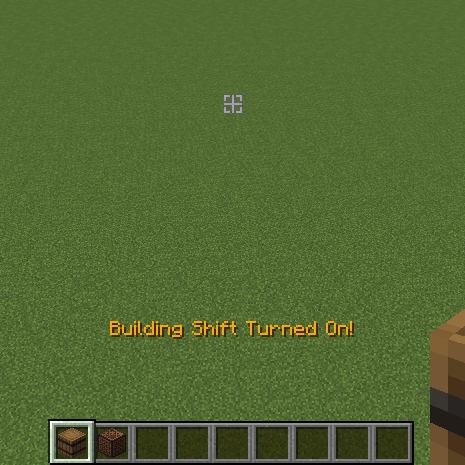
Cancels Interaction with Functional Blocks without holding Shift Key! Use Commands or Binded Key to toggle, G by default
Screenshots
About this Mod

Building Shift
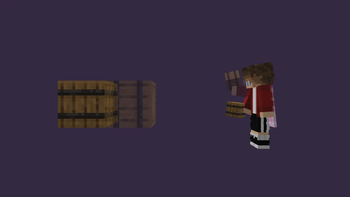
It is Minecraft Fabric Client Mod, that allows u to disable Interaction with Functional Blocks, and place Blocks next to them without holding Shift!
Use /buildingshift toggle Command or Binded Key to toggle, G by default
Server-side
Mod can be installed on server what gives better functionality.
Mod functionals being installed on Server or on Client, and gives Best Experience if installed on both sides.
Player with mod installed on client can join servers without mod and use it as client-side only,
it works well, but gives a few little bugs.
Known bugs:
- The side of placed side-related block wont depend on side of other block where player is placing it, but on player's facing in the world (link)
Player without mod can join server with mod and use its functional through command:
/buildingshift (toggle|on|off) <player target (only for ops)>
In this case player will experience a few other bugs related to missing client-side code.
Known bugs:
- No sound after placing the block
- Unabbility to spam blocks row
And, the Best Experience, is when Player with mod installed on client plays on Server with mod installed too. It makes Player and Server side of mod communicate better:
- Player will see indicator beside crosshair
- Player wont experience bug related to mod being installed either only on server or only on client
Playing in singleplayer is the same as playing with mod installed on both sides, but on integrated server.
Shows special Indicator beside Crosshair if turned on
Made with purpose to help builders in Minecraft!
Available Versions
How to Install Building Shift on Your Server
Order Server
Order a Minecraft Java server with at least 3 GB RAM (4 GB recommended).
Set fabric Loader
In the panel under "Egg", select the fabric loader and matching Minecraft version (1.21.1).
Install Mod
Open the mod browser in the dashboard and search for "Building Shift". Click "Install" – done! Alternatively, upload the .jar via SFTP to the /mods folder.
Compatibility
Mod Loaders
Minecraft Versions
1.21.1, 1.21, 1.20.4 (+4 more)
Server-side
~ OptionalRecommended RAM
4 GB(min. 3 GB)Frequently Asked Questions
Building Shift server crashes on startup – what to do?
Most common cause: wrong fabric version or insufficient RAM. Check the server log (latest.log) for "OutOfMemoryError" or "Mixin" errors. With Mado Hosting: ensure at least 3 GB RAM is allocated and the loader matches the mod version (1.21.1). You can switch loaders with one click in the panel.
Is Building Shift compatible with fabric and quilt?
Building Shift officially supports fabric, quilt for Minecraft 1.21.1, 1.21, 1.20.4. The Mado dashboard automatically detects incompatible loader combinations.
Server lagging with Building Shift – how to optimize performance?
Recommended RAM: 4 GB (per 8 players). Use /spark profiler to check if Building Shift consumes the most tick time. Common fixes: reduce server view-distance to 8-10, install "performant" or "starlight" as supplementary mods on Forge. With Mado Hosting, your server runs on NVMe SSDs with dedicated CPU cores for minimal latency.
Rent Modded Server
Install Building Shift with just one click on your server.