
Bundle Expansion
This mod expands on the existing bundles within the vanilla game.
Screenshots
About this Mod
Introducing the Bundle Expansion Mod
Tired of old bundles? Well Minecraft has just received the Bundlier Bundles update!
This mod contains:
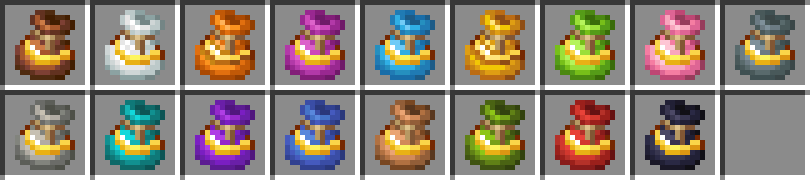
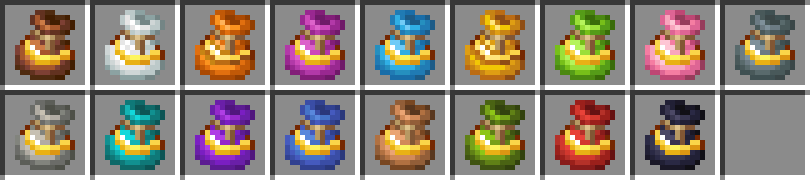
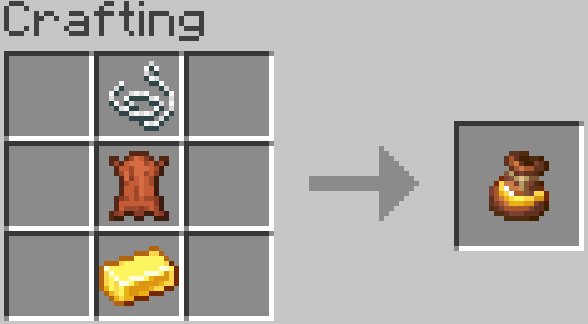
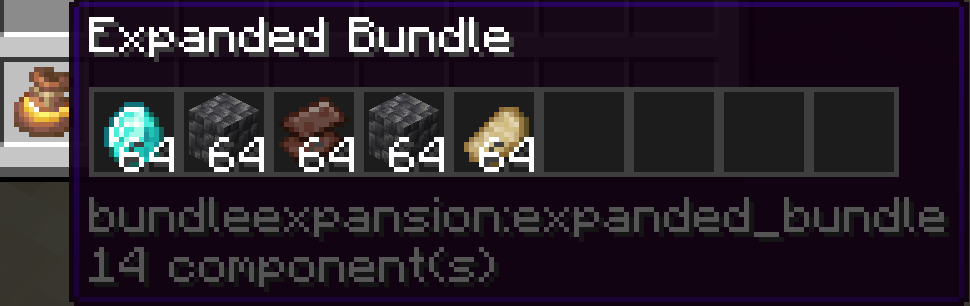
- 17 new Expanded Bundles which can hold up to 9 slots with each slot able to hold a full stack.
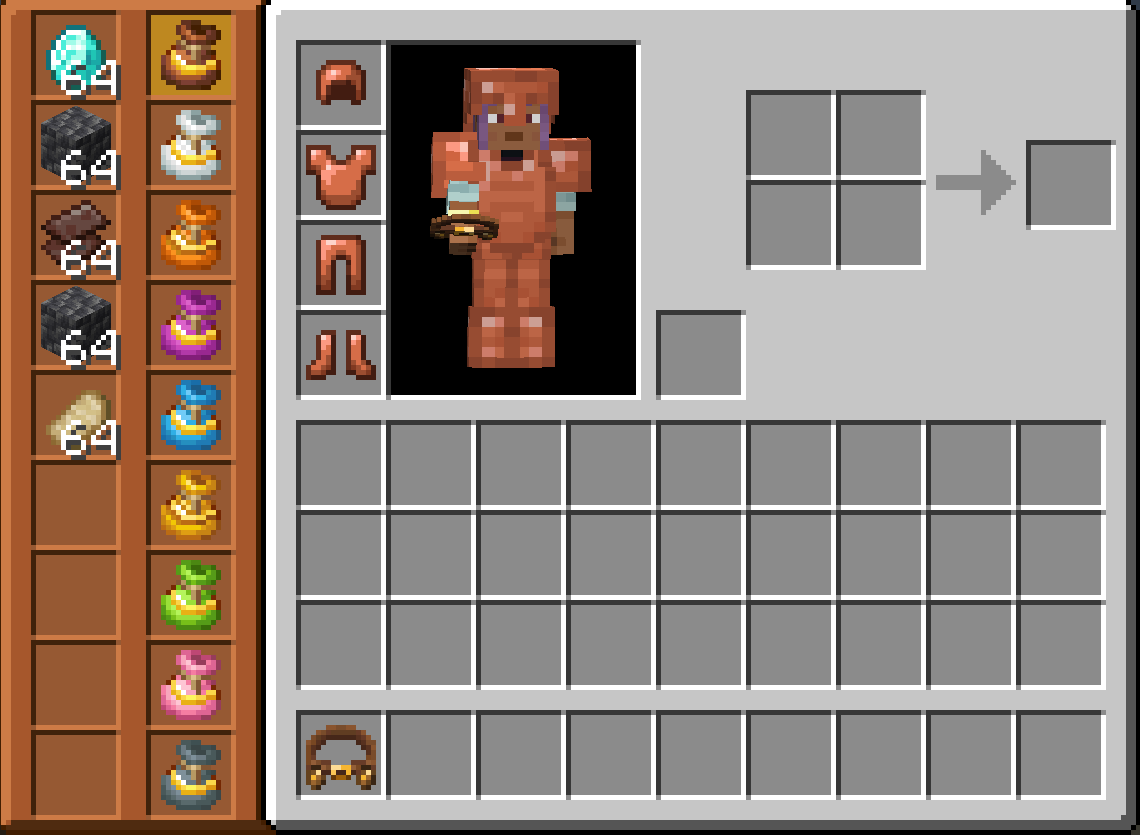
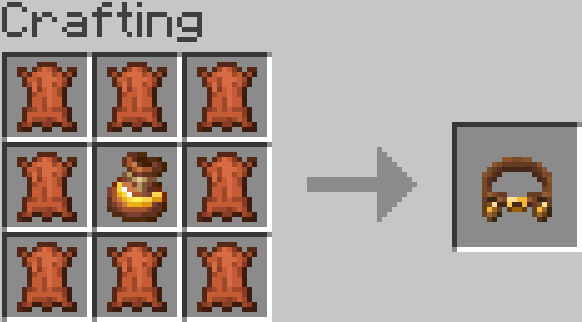
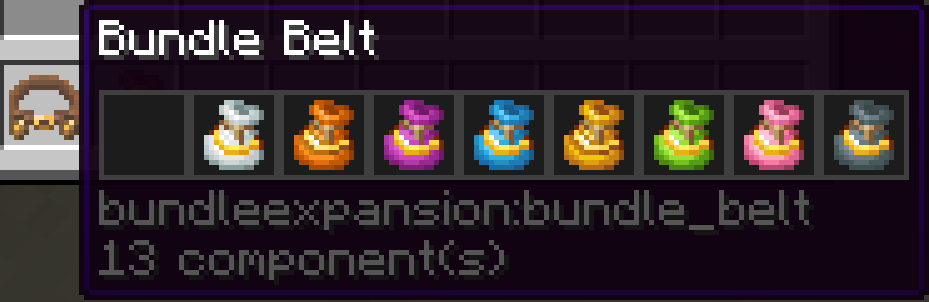
- 1 new Bundle Belt which can hold up to 9 Expanded Bundles.
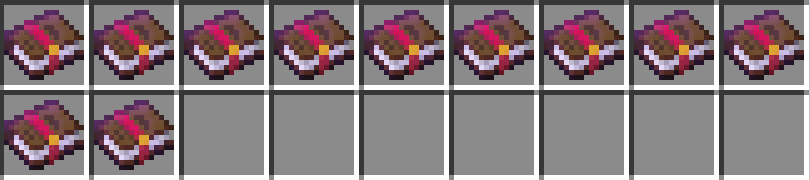
- 5 new enchantments with varying levels and abilities.
Expanded Bundles
Bundle Belt

Enchantments
Smelting
- Level 1 - Smelts ores every 8 seconds, which is 2x slower than a furnace.
- Level 2 - Smelts ores every 4 seconds, which is the same speed as a furnace.
- Level 3 - Smelts ores every 2 seconds, which is 2x faster than a furnace.
Cooking
- Level 1 - Cooks food every 8 seconds, which is 2x slower than a furnace.
- Level 2 - Cooks food every 4 seconds, which is the same speed as a furnace.
- Level 3 - Cooks food every 2 seconds, which is 2x faster than a furnace.
Magnetise
- Level 1 - Pulls in items at a 6 block radius.
- Level 2 - Pulls in items at a 10 block radius.
- Level 3 - Pulls in items at a 16 block radius.
Void
- Level 1 - Destroys the content of a bundle.
Feeding
- Level 1 - Feeds the player when hungry, if the Expanded Bundle has food.
Recipes
Bundle Belt
Expanded Bundle
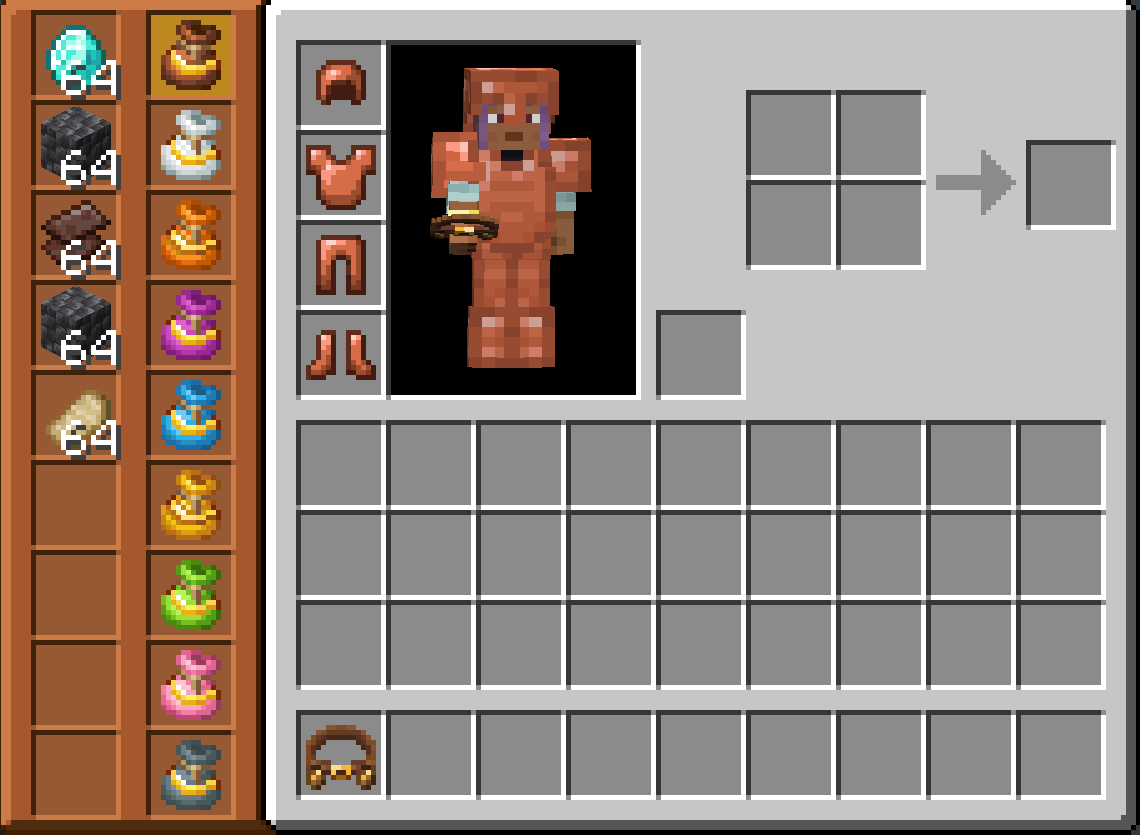
Bundle Expansion GUIs
Bundle Belt
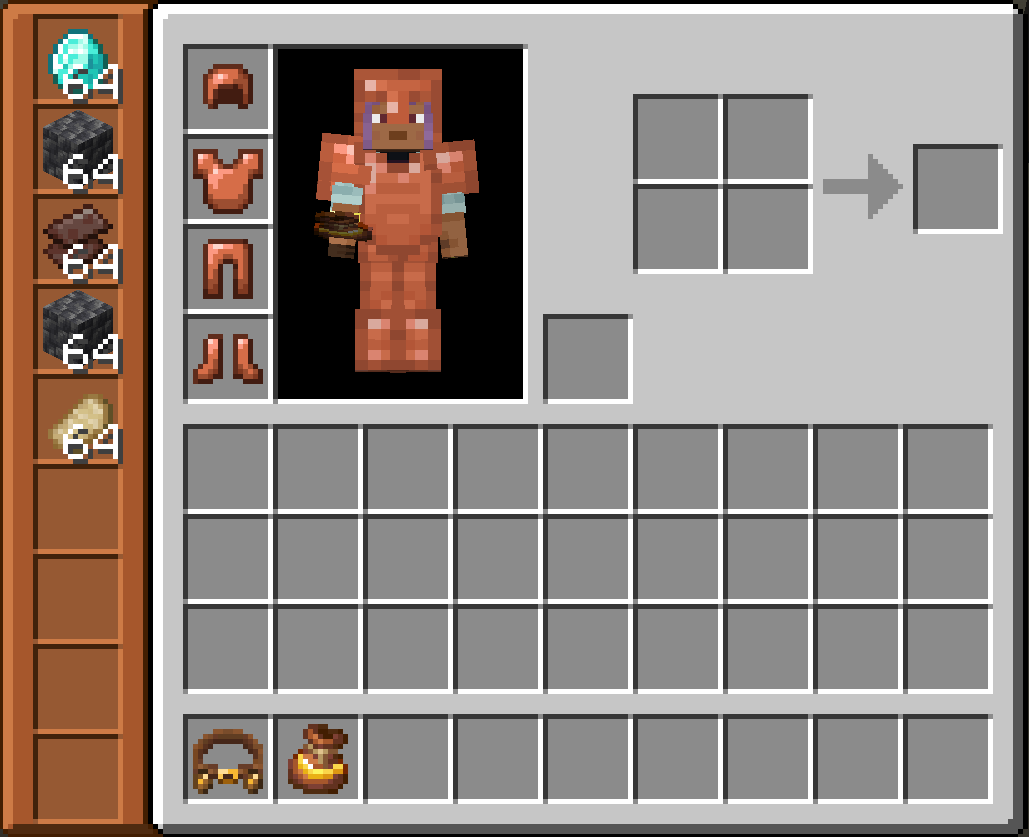
Expanded Bundle
Tool Tips
Bundle Belt
Expanded Bundle
How To Use
Bundle Belt
Press 'B' (this is the default key but can be changed in control settings) or right click whilst holding to open the GUI. Right click an Expanded Bundle on the left hand side to see and interact with it's contents.
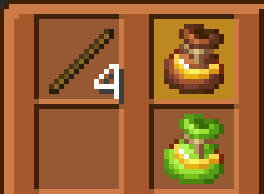
Expanded Bundle
Right click whilst holding to open the GUI.
Available Versions
How to Install Bundle Expansion on Your Server
Order Server
Order a Minecraft Java server with at least 3 GB RAM (4 GB recommended).
Set neoforge Loader
In the panel under "Egg", select the neoforge loader and matching Minecraft version (26.1.2).
Install Mod
Open the mod browser in the dashboard and search for "Bundle Expansion". Click "Install" – done! Alternatively, upload the .jar via SFTP to the /mods folder.
Compatibility
Mod Loaders
Minecraft Versions
26.1.2
Server-side
✓ RequiredRecommended RAM
4 GB(min. 3 GB)Frequently Asked Questions
Bundle Expansion server crashes on startup – what to do?
Most common cause: wrong neoforge version or insufficient RAM. Check the server log (latest.log) for "OutOfMemoryError" or "Mixin" errors. With Mado Hosting: ensure at least 3 GB RAM is allocated and the loader matches the mod version (26.1.2). You can switch loaders with one click in the panel.
Is Bundle Expansion compatible with neoforge?
Bundle Expansion officially supports neoforge for Minecraft 26.1.2. The Mado dashboard automatically detects incompatible loader combinations.
Server lagging with Bundle Expansion – how to optimize performance?
Recommended RAM: 4 GB (per 8 players). Use /spark profiler to check if Bundle Expansion consumes the most tick time. Common fixes: reduce server view-distance to 8-10, install "performant" or "starlight" as supplementary mods on Forge. With Mado Hosting, your server runs on NVMe SSDs with dedicated CPU cores for minimal latency.
Similar Mods




Rent Modded Server
Install Bundle Expansion with just one click on your server.