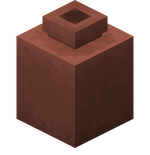
Bundle Pots
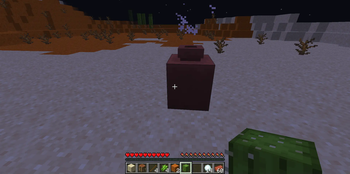
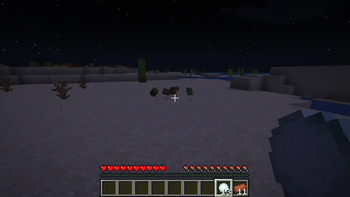
Use decorated pots as bundles. Contents they had stored inside will remain intact when breaking the pot without destroying (e.g. with your fist). They can store different stacks of items the same way bundles were able to.
Screenshots
About this Mod
what is it
- A decorated pot can now hold up to one stack of different items, exactly like the bundle e.g. 32 wheat seeds and 32 stones or 4 ender perls, 4 eggs and 32 stone slabs. Any more of the previous mentioned items won't be accepted. There can be as much as 64 different types of items. If there are other mods with non-vanilla stack-size that are powers of 2 e.g. 4, 8 or 32, this should also work.
- A decorated pot will retain its items when it doesn't shatter. Mine the pot with a pickaxe, axe, shovel, hoe or sword not enchanted with Silk Touch to get the items back. To move the items, mine with any other tool or a tool from above enchanted with Silk Touch. See Decorated Pot
- A gui will never come because I like it having no gui.
how to install
- install https://fabricmc.net/use/installer/
- in your .minecraft folder, create a directory named "mods"
- put in this directory the latest version for the snapshot you're installing this app for of Fabric API
- put this mod into the folder, check correct versions
port to forge
is not planned as no experience with forge and with the move to neoforge, I was left behind. If you want to port it to forge, feel free to do so
license and source of the icon
Available Versions
How to Install Bundle Pots on Your Server
Order Server
Order a Minecraft Java server with at least 3 GB RAM (4 GB recommended).
Set fabric Loader
In the panel under "Egg", select the fabric loader and matching Minecraft version (1.20.4).
Install Mod
Open the mod browser in the dashboard and search for "Bundle Pots". Click "Install" – done! Alternatively, upload the .jar via SFTP to the /mods folder.
Compatibility
Mod Loaders
Minecraft Versions
1.20.4, 1.20.3, 1.20.3-pre2 (+4 more)
Server-side
✓ RequiredRecommended RAM
4 GB(min. 3 GB)Frequently Asked Questions
Bundle Pots server crashes on startup – what to do?
Most common cause: wrong fabric version or insufficient RAM. Check the server log (latest.log) for "OutOfMemoryError" or "Mixin" errors. With Mado Hosting: ensure at least 3 GB RAM is allocated and the loader matches the mod version (1.20.4). You can switch loaders with one click in the panel.
Is Bundle Pots compatible with fabric?
Bundle Pots officially supports fabric for Minecraft 1.20.4, 1.20.3, 1.20.3-pre2. The Mado dashboard automatically detects incompatible loader combinations.
Server lagging with Bundle Pots – how to optimize performance?
Recommended RAM: 4 GB (per 8 players). Use /spark profiler to check if Bundle Pots consumes the most tick time. Common fixes: reduce server view-distance to 8-10, install "performant" or "starlight" as supplementary mods on Forge. With Mado Hosting, your server runs on NVMe SSDs with dedicated CPU cores for minimal latency.
Similar Mods


Rent Modded Server
Install Bundle Pots with just one click on your server.