
BuryTheLight
Radioactive optimizations for your favorite block game.
Screenshots
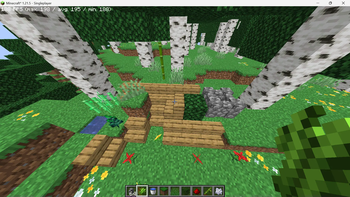
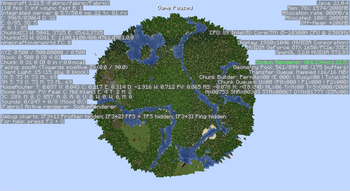

About this Mod
NOTE: When using this mod, disable smooth lighting before loading into a world.
BuryTheLight is an "optimization" mod that mostly removes/disables several non-essential internal systems. You can think of it as a (much worse) spiritual successor to Methane.
Changes
- Disables DataFixerUpper entirely
- Removes lighting and color data from terrain vertex data, reducing VRAM used for storing chunk meshes by 20%
- Stops the client from storing light and biome data, intercepting the packets before they even get parsed, saving a few megabytes of RAM
- Caches all item model transforms
- Uses faster math for entity rendering and does backface culling (Thanks Flerovium!)
This can gain a lot of performance, but at a large cost: You will no longer be able to upgrade older worlds to newer versions, mods that use DataFixerUpper may break, terrain and entities will always be rendered at full brightness, and some blocks will be tinted incorrectly. Also you won't be able to place mushrooms.
The mod is in alpha. Tinted blocks are still really ugly. Nevertheless, you may find this mod helpful if you are playing on, say, minigame servers where such features don't matter.
Available Versions
How to Install BuryTheLight on Your Server
Order Server
Order a Minecraft Java server with at least 3 GB RAM (4 GB recommended).
Set fabric Loader
In the panel under "Egg", select the fabric loader and matching Minecraft version (1.21.5).
Install Mod
Open the mod browser in the dashboard and search for "BuryTheLight". Click "Install" – done! Alternatively, upload the .jar via SFTP to the /mods folder.
Compatibility
Mod Loaders
Minecraft Versions
1.21.5, 1.21.4
Server-side
✗ UnsupportedRecommended RAM
4 GB(min. 3 GB)Frequently Asked Questions
BuryTheLight server crashes on startup – what to do?
Most common cause: wrong fabric version or insufficient RAM. Check the server log (latest.log) for "OutOfMemoryError" or "Mixin" errors. With Mado Hosting: ensure at least 3 GB RAM is allocated and the loader matches the mod version (1.21.5). You can switch loaders with one click in the panel.
Is BuryTheLight compatible with fabric?
BuryTheLight officially supports fabric for Minecraft 1.21.5, 1.21.4. The Mado dashboard automatically detects incompatible loader combinations.
Server lagging with BuryTheLight – how to optimize performance?
Recommended RAM: 4 GB (per 8 players). Use /spark profiler to check if BuryTheLight consumes the most tick time. Common fixes: reduce server view-distance to 8-10, install "performant" or "starlight" as supplementary mods on Forge. With Mado Hosting, your server runs on NVMe SSDs with dedicated CPU cores for minimal latency.
Similar Mods





Rent Modded Server
Install BuryTheLight with just one click on your server.