
Buzzy Teeth
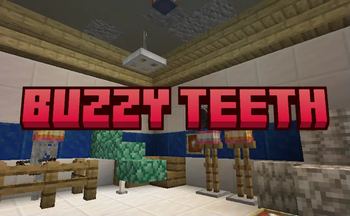
Hello, player! Welcome to Buzzy Teeth, a mod aimed at improving realism in Minecraft by adding consequences for eating golden foods with some possibilities to turn them at your own favor!
Screenshots
About this Mod
Hello, player! Welcome to Buzzy Teeth, a mod aimed at improving realism in Minecraft by adding consequences for eating golden foods with some possibilities to turn them at your own favor!
Up from now, eating golden apples (both types) as well as golden carrots will make your teeth drop. It's not necessarily bad although, because your teeth can be very useful for these following things:
Blocks
- Block of Teeth: Crafted with 9 teeth and used for building and compact storage. Can be placed with different rotations, like the logs.
Items
- Tooth: As described above, obtained from eating golden apples and carrots. Used to craft blocks of teeth, dentures and also bone meal.
- Dentures: An aesthetically pleasing piece of armor that gives you 1 unit of armor when placed in the head slot. Dentures aren't breakable.
- Iron Dentures: These dentures negate the teeth dropping.
- Golden Dentures: These have an extra benefit of increasing your teeth yield by 50%.
Other Changes
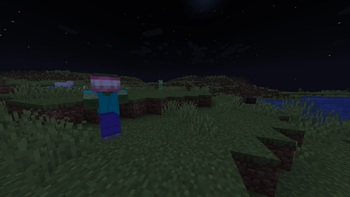
- The player isn't the only one able to wear dentures. You'll also stumble upon zombies, zombie villagers and skeletons wearing those.
Hope you enjoy! Let's show some power to those dentists! >:)
MCreator link: https://mcreator.net/modification/100881/buzzy-teeth
Available Versions
How to Install Buzzy Teeth on Your Server
Order Server
Order a Minecraft Java server with at least 3 GB RAM (4 GB recommended).
Set forge Loader
In the panel under "Egg", select the forge loader and matching Minecraft version (1.20.1).
Install Mod
Open the mod browser in the dashboard and search for "Buzzy Teeth". Click "Install" – done! Alternatively, upload the .jar via SFTP to the /mods folder.
Compatibility
Mod Loaders
Minecraft Versions
1.20.1, 1.19.4
Server-side
✓ RequiredRecommended RAM
4 GB(min. 3 GB)Frequently Asked Questions
Buzzy Teeth server crashes on startup – what to do?
Most common cause: wrong forge version or insufficient RAM. Check the server log (latest.log) for "OutOfMemoryError" or "Mixin" errors. With Mado Hosting: ensure at least 3 GB RAM is allocated and the loader matches the mod version (1.20.1). You can switch loaders with one click in the panel.
Is Buzzy Teeth compatible with forge?
Buzzy Teeth officially supports forge for Minecraft 1.20.1, 1.19.4. The Mado dashboard automatically detects incompatible loader combinations.
Server lagging with Buzzy Teeth – how to optimize performance?
Recommended RAM: 4 GB (per 8 players). Use /spark profiler to check if Buzzy Teeth consumes the most tick time. Common fixes: reduce server view-distance to 8-10, install "performant" or "starlight" as supplementary mods on Forge. With Mado Hosting, your server runs on NVMe SSDs with dedicated CPU cores for minimal latency.
Similar Mods





Rent Modded Server
Install Buzzy Teeth with just one click on your server.