
The Bygone
Have you ever wondered what time forgot? Explore a dimension accessed by archeology and find out for yourself!
Screenshots
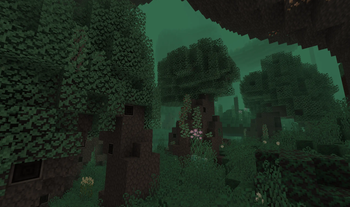
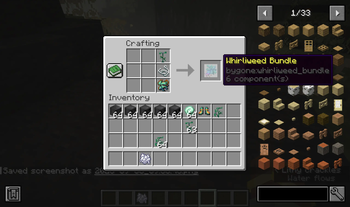


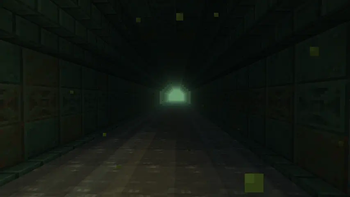
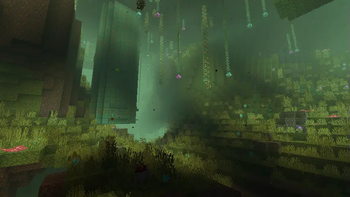
About this Mod

Journey to a prehistoric dimension through the power of archeology!
Activate a Bygone Frame with a special artifact to explore ancient biomes, battle forgotten mobs, and uncover lost Minecraft secrets.

Bygone is a mod that transforms your gameplay experience with a mysterious prehistoric realm. Unleash your inner explorer as you:
- Unlock portals using archaeology and hidden artifacts
- Discover lost biomes, ancient creatures, and rare treasures
- Survive challenging new threats lurking in a forgotten epoch
Bygone is designed for both Fabric and NeoForge. Quick to install, intuitive to play, and ideal for anyone excited to uncover ancient legends.
Whether you're a veteran archaeologist, a treasure hunter, or just chasing that next great adventure, Bygone invites you to step into a primeval land packed with secrets.
Quick Install
Fabric
- Download: Fabric API, JinxedLib, Lithostitched, Bygone (Fabric version)
NeoForge
- Download: CustomPortalAPI-Reforged, JinxedLib, Lithostitched, Bygone (NeoForge version)
Put all .jar files in your mods folder.
How to Play
1. Find a Bygone Frame
Underground or via new Cartographer maps.
2. Get an Arcane Core
Found through archaeology in Trail Ruins or Ominous Vaults.
3. Activate the Frame
Use the Arcane Core on the Bygone Frame.
4. Enter the Bygone Dimension
Step through and embark on your adventure.
Support & Links


Feedback and community ideas welcome - join our Discord!
Step through. Thrive in a world lost to time!
Available Versions
How to Install The Bygone on Your Server
Order Server
Order a Minecraft Java server with at least 4 GB RAM (6 GB recommended).
Set fabric Loader
In the panel under "Egg", select the fabric loader and matching Minecraft version (1.21.1).
Install Mod
Open the mod browser in the dashboard and search for "The Bygone". Click "Install" – done! Alternatively, upload the .jar via SFTP to the /mods folder.
Compatibility
Mod Loaders
Minecraft Versions
1.21.1, 1.21
Server-side
~ OptionalRecommended RAM
6 GB(min. 4 GB)Frequently Asked Questions
The Bygone server crashes on startup – what to do?
Most common cause: wrong fabric version or insufficient RAM. Check the server log (latest.log) for "OutOfMemoryError" or "Mixin" errors. With Mado Hosting: ensure at least 4 GB RAM is allocated and the loader matches the mod version (1.21.1). You can switch loaders with one click in the panel.
Is The Bygone compatible with fabric and neoforge?
The Bygone officially supports fabric, neoforge for Minecraft 1.21.1, 1.21. The Mado dashboard automatically detects incompatible loader combinations.
Server lagging with The Bygone – how to optimize performance?
Recommended RAM: 6 GB (per 5 players). Use /spark profiler to check if The Bygone consumes the most tick time. Common fixes: reduce server view-distance to 8-10, install "performant" or "starlight" as supplementary mods on Forge. With Mado Hosting, your server runs on NVMe SSDs with dedicated CPU cores for minimal latency.
Similar Mods




Rent Modded Server
Install The Bygone with just one click on your server.