Cactus Mod
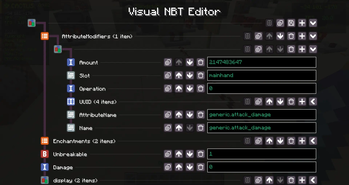
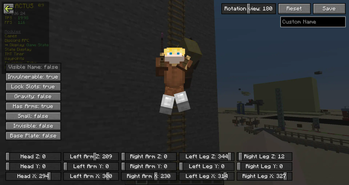
Free customizable Mod to improve Minecraft with unique QoL, Redstone Tools, Survival and Mapmaking features such as ArmorStand and NBT Editor, Capes, more HUD elements, Account Switcher and much more
Screenshots
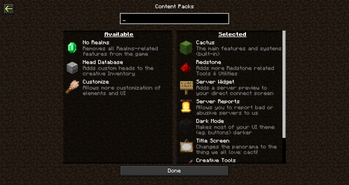
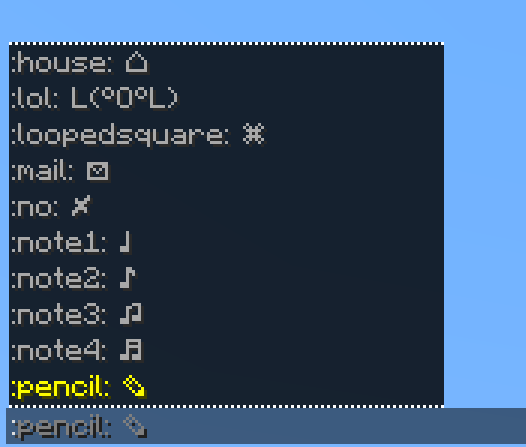
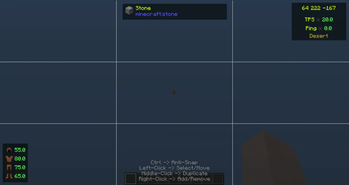
About this Mod

Cactus is your go-to toolkit mod, packed with powerful tools, quality of life enhancements, and highly customizable features for all types of players.


By using the mod, you agree to our Terms of Service

Cactus has a big variety of features. The main ones here being toggleable modules and commands (prefixed with '#' by default).
Other features include:
- Custom HUD System & Editor
- Easy creation and management of locally hosted servers
- Some cool non-buyable cosmetics
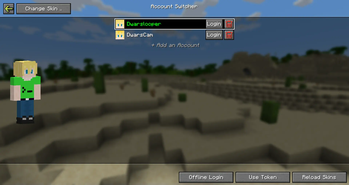
- Account & Skin switcher
- Macros for command execution
- In-game screenshot viewer
For a full feature-overview, check out our Features Page ^^

Addons are a simple way for developers to add their own content to cactus without modification of the mod itself. Currently our Addon system supports these integrations:
- Registering
- Modules
- Commands
- HUD Elements
- HUD Text Presets
- Content Packs
- Configuration Files
- Creating Hooks for Events
- Setting dependencies for other addons
- Define which addons to load before and after
There's currently no official "store" for addons. Making one is on our bucketlist, but some other things have priority over that. You can check our Discord Server for community-made addons
By the way: Our Addon API is fully open-source :)


We like to keep it simple and efficient. The entire UI is kept in Minecraft vanilla style without any overly complex or unsuitable UI designs. You can also enable and disable almost all builtin features as you like, choosing which ones you actually need and which not, preventing any unnesseccary bloat.
I started developing the mod originally as a test project in summer of 2023, which then - without having had a clear goal at that time - just by adding things I found useful or fixing issues that annoyed me, (and later by implementing more ideas from the community) the project became what it is today.
If you have any feature ideas, improvements or found any bugs, check out our Discord Server :)


Have fun!
Available Versions
How to Install Cactus Mod on Your Server
Order Server
Order a Minecraft Java server with at least 3 GB RAM (4 GB recommended).
Set fabric Loader
In the panel under "Egg", select the fabric loader and matching Minecraft version (26.1.2).
Install Mod
Open the mod browser in the dashboard and search for "Cactus Mod". Click "Install" – done! Alternatively, upload the .jar via SFTP to the /mods folder.
Compatibility
Mod Loaders
Minecraft Versions
26.1.2, 26.1.1, 26.1 (+7 more)
Server-side
✗ UnsupportedRecommended RAM
4 GB(min. 3 GB)Frequently Asked Questions
Cactus Mod server crashes on startup – what to do?
Most common cause: wrong fabric version or insufficient RAM. Check the server log (latest.log) for "OutOfMemoryError" or "Mixin" errors. With Mado Hosting: ensure at least 3 GB RAM is allocated and the loader matches the mod version (26.1.2). You can switch loaders with one click in the panel.
Is Cactus Mod compatible with fabric and quilt?
Cactus Mod officially supports fabric, quilt for Minecraft 26.1.2, 26.1.1, 26.1. The Mado dashboard automatically detects incompatible loader combinations.
Server lagging with Cactus Mod – how to optimize performance?
Recommended RAM: 4 GB (per 8 players). Use /spark profiler to check if Cactus Mod consumes the most tick time. Common fixes: reduce server view-distance to 8-10, install "performant" or "starlight" as supplementary mods on Forge. With Mado Hosting, your server runs on NVMe SSDs with dedicated CPU cores for minimal latency.
Similar Mods






Rent Modded Server
Install Cactus Mod with just one click on your server.