
CactusForage
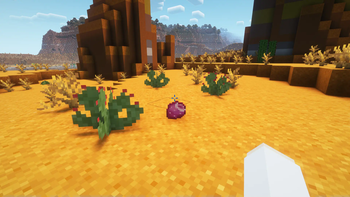
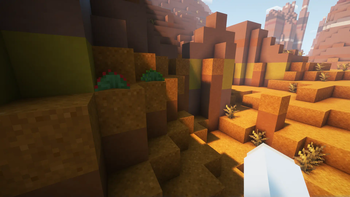
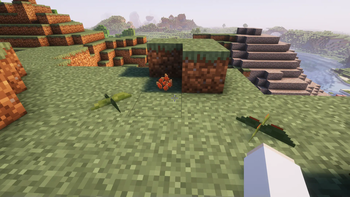
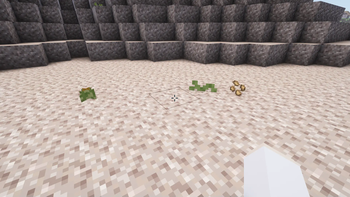
Explore and find 28 new species of cacti with beautiful flowers and delicious fruits.
Screenshots
About this Mod
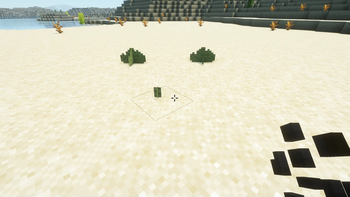
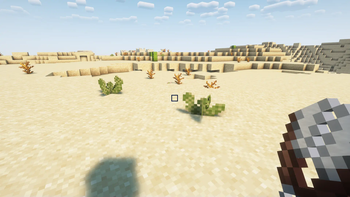
The CactusForage mod adds 28 new species of cacti to various biomes that add color and food to the world. Wait (patiently) for the cacti to grow, flower, and fruit before harvesting a fruit (might want to use shears if it's a spiny one!). Craft seeds from the fruit or simply shear off a pad (if it's a prickly pear) to plant your own seedlings and get started on your own garden.
The cactus fruit can be combined in various ways along with wheat to make 9 new baked goods items.
It can also be eaten raw, but may not be the most filling meal if done so.
Biomes the cacti spawn in include (but are not limited to) the desert, badlands, savanna, windswept hills, plains, meadow, and much more! Many are very rare and hard to spot, but you can try and collect them all.
Planned updates may include more non-cacti specific foraging options such as harvesting and leaching acorns from oak trees to make acorn baked goods, and perhaps more berries or cold-biome specific forageables.
I wonder if they grow in other dimensions?
Available Versions
How to Install CactusForage on Your Server
Order Server
Order a Minecraft Java server with at least 4 GB RAM (6 GB recommended).
Set fabric Loader
In the panel under "Egg", select the fabric loader and matching Minecraft version (1.20.1).
Install Mod
Open the mod browser in the dashboard and search for "CactusForage". Click "Install" – done! Alternatively, upload the .jar via SFTP to the /mods folder.
Compatibility
Mod Loaders
Minecraft Versions
1.20.1
Server-side
✓ RequiredRecommended RAM
6 GB(min. 4 GB)Frequently Asked Questions
CactusForage server crashes on startup – what to do?
Most common cause: wrong fabric version or insufficient RAM. Check the server log (latest.log) for "OutOfMemoryError" or "Mixin" errors. With Mado Hosting: ensure at least 4 GB RAM is allocated and the loader matches the mod version (1.20.1). You can switch loaders with one click in the panel.
Is CactusForage compatible with fabric and forge?
CactusForage officially supports fabric, forge for Minecraft 1.20.1. Note: Forge and Fabric mods are NOT cross-compatible – pick one loader and stick with it. The Mado dashboard automatically detects incompatible loader combinations.
Server lagging with CactusForage – how to optimize performance?
Recommended RAM: 6 GB (per 5 players). Use /spark profiler to check if CactusForage consumes the most tick time. Common fixes: reduce server view-distance to 8-10, install "performant" or "starlight" as supplementary mods on Forge. With Mado Hosting, your server runs on NVMe SSDs with dedicated CPU cores for minimal latency.
Similar Mods




Rent Modded Server
Install CactusForage with just one click on your server.