
Calibrated Access
A balanced solution for remote block interaction
Screenshots
About this Mod
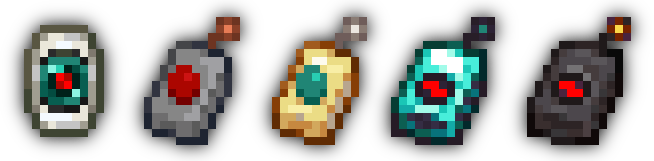
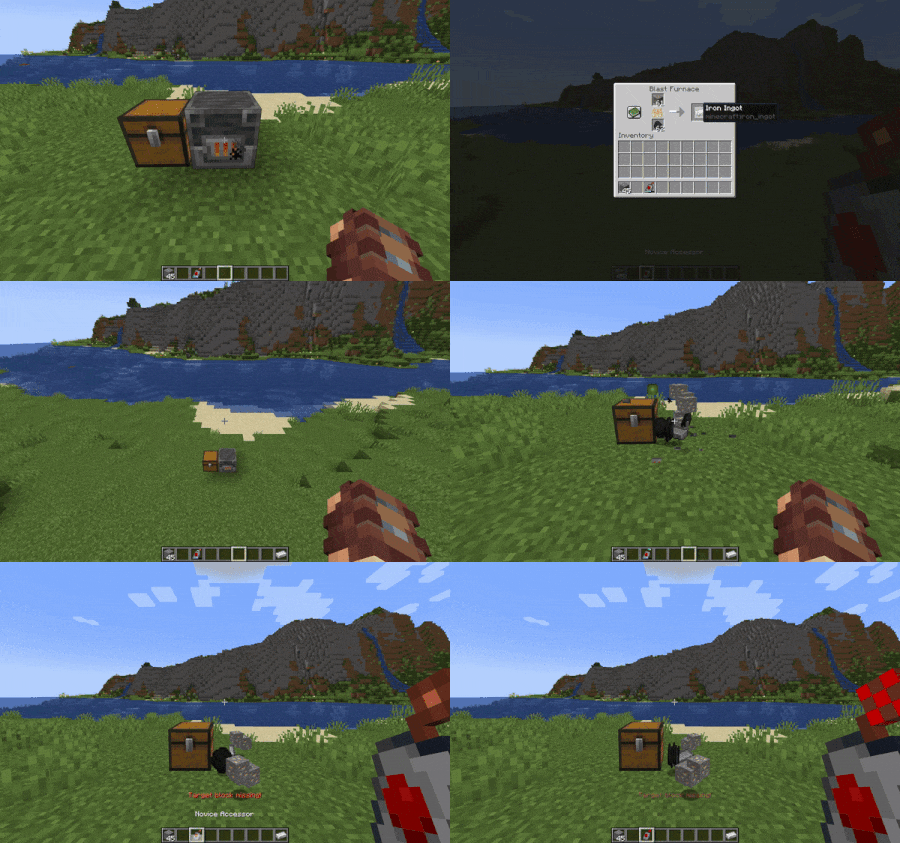
This mod adds four new Remote Accessor items that allow players to calibrate with a block and open its screen from anywhere; with higher tiers, even from different dimensions!
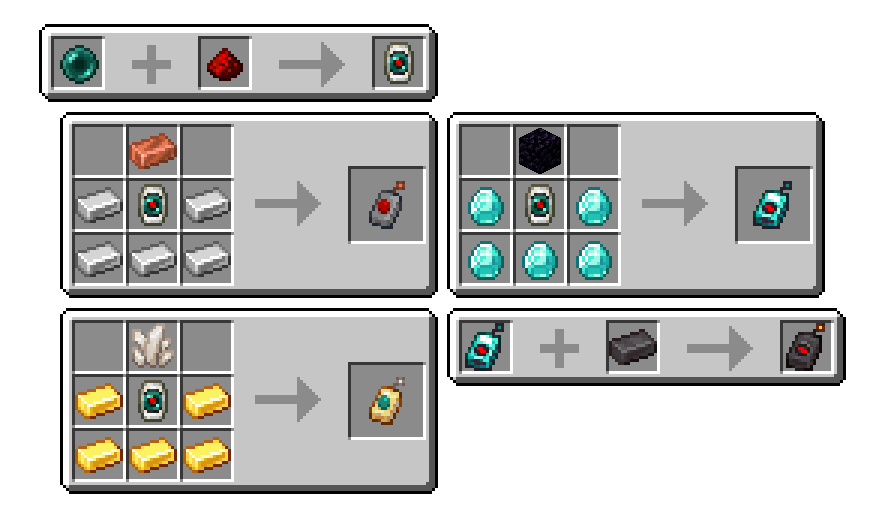
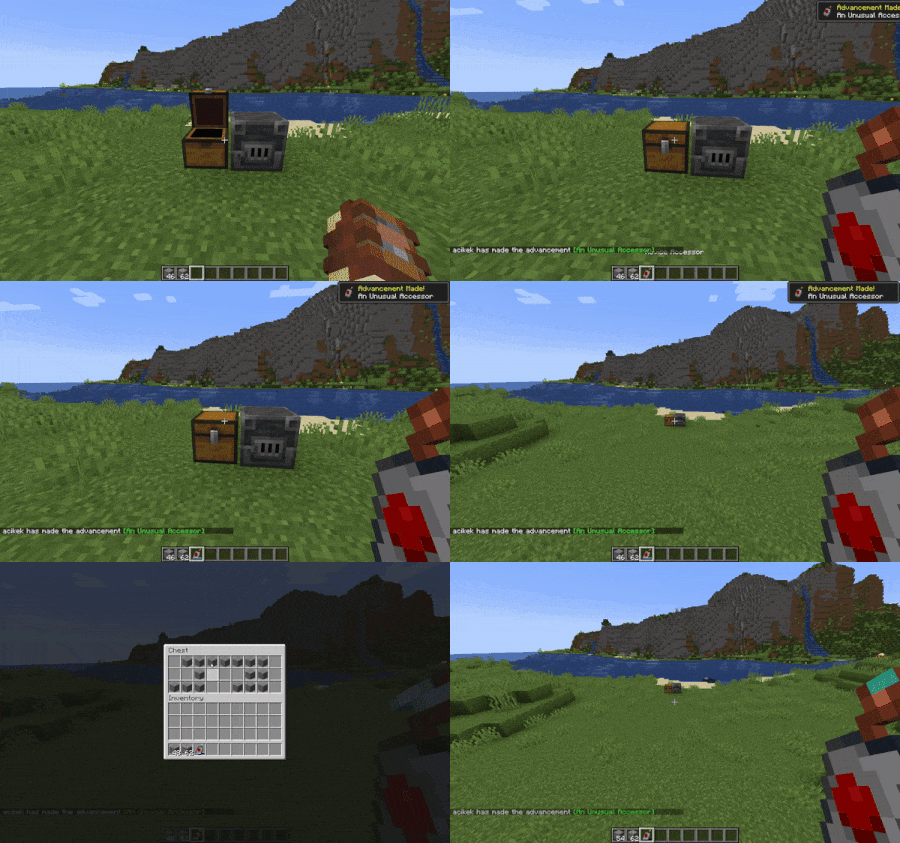
To get started, craft a Calibrator, the central component of all Accessors, by placing an Ender Pearl and some Redstone Dust in a Smithing Table. Craft an Accessor with some casing and antenna materials, sneak-interact with a functional block, and use the remote to open its screen from any distance!
Why?
This mod was created out of a need for an alternative to the keepInventory game rule. Simply put, dying in Minecraft is annoying! Keeping your inventory on death is great when the event was unintentional or unfair. However, it can be easily abused: what's stopping players from careening off a cliff so they can get back to base more easily?
Calibrated Access provides systems accessible to the early-game that, for example, could be used to "bank" items on-the-fly to prevent item loss in case disaster strikes. Concerned about balance? See the Balance section in the details below!
Details
Balance
The first tier of remote, the Novice Accessor, is simple to craft. Indeed, its recipe is designed for the early game. However, the lower tiers of Accessor are quite limited in their functionality. The most effective factor for balance is the number of accesses a specific remote has.
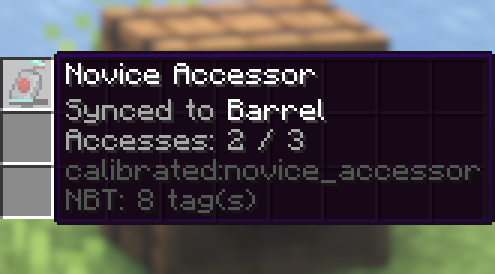
Upon using a calibrated remote, one access point is consumed. Players can only use a remote if it has at least one access point left. The only way to replenish the access counter is to recalibrate with another block. A Novice Accessor has three accesses; this amount is small enough that players will have to stop and think about whether they want to use the remote at a time. A Skilled Accessor has seven accesses; an Expert Accessor has fifteen; an Unlimited Accessor does not have an access counter.
There is also a 15-second grace period that begins when a remote is used. During this period, players can freely open and close the remote without losing another access point. Additionally, the remote will have a "zap" effect on its antenna while the grace period is active. However, an Unlimited Accessor's zap is merely visual.
Another balancing factor is the interdimensional capability of an Accessor. Only the Novice Accessor is unable to open blocks' screens from other dimensions. The second tier of remote, the Skilled Accessor, requires Quartz to craft, requiring players to first venture into a different dimension before they have that extra level of safety.
A final property is the number of remotes that can be used at once. This defaults to just one, though you can change this with a game rule described in the Additional Features section below. Go ahead and try to game the system; this is implemented with a "sessions" system that maps each calibration instance to a UUID. As a side-effect, this makes all calibrated Accessors per-player.
Additional Features
- Four new advancements in the Adventure tab
- An API to add custom behavior when accessing specific blocks.
maxRemoteSessionsgame rule to control the number of Accessors that a player can have calibrated at onceallowSyncedIdMismatchgame rule to control whether a remote can try to access a different block type at the same position it was calibrated to
License
MIT © 2023 spadeteam
Available Versions
How to Install Calibrated Access on Your Server
Order Server
Order a Minecraft Java server with at least 3 GB RAM (4 GB recommended).
Set fabric Loader
In the panel under "Egg", select the fabric loader and matching Minecraft version (1.20.1).
Install Mod
Open the mod browser in the dashboard and search for "Calibrated Access". Click "Install" – done! Alternatively, upload the .jar via SFTP to the /mods folder.
Compatibility
Mod Loaders
Minecraft Versions
1.20.1, 1.20, 1.19.4 (+5 more)
Server-side
✓ RequiredRecommended RAM
4 GB(min. 3 GB)Frequently Asked Questions
Calibrated Access server crashes on startup – what to do?
Most common cause: wrong fabric version or insufficient RAM. Check the server log (latest.log) for "OutOfMemoryError" or "Mixin" errors. With Mado Hosting: ensure at least 3 GB RAM is allocated and the loader matches the mod version (1.20.1). You can switch loaders with one click in the panel.
Is Calibrated Access compatible with fabric and quilt?
Calibrated Access officially supports fabric, quilt for Minecraft 1.20.1, 1.20, 1.19.4. The Mado dashboard automatically detects incompatible loader combinations.
Server lagging with Calibrated Access – how to optimize performance?
Recommended RAM: 4 GB (per 8 players). Use /spark profiler to check if Calibrated Access consumes the most tick time. Common fixes: reduce server view-distance to 8-10, install "performant" or "starlight" as supplementary mods on Forge. With Mado Hosting, your server runs on NVMe SSDs with dedicated CPU cores for minimal latency.
Similar Mods




Rent Modded Server
Install Calibrated Access with just one click on your server.