
Camellia
A mod that adds various types of tea with immersive brewing mechanic
Screenshots
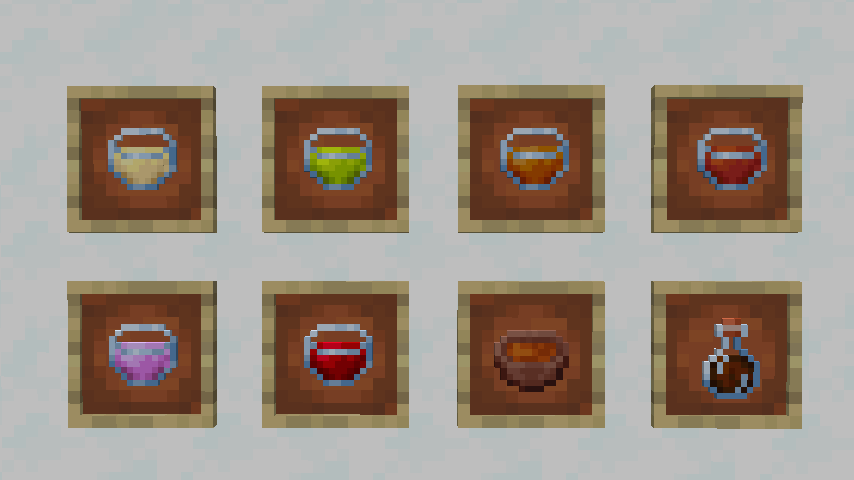
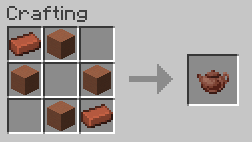
About this Mod
About
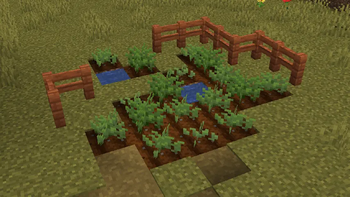
Camellia is an immersive mod that adds various types of tea.
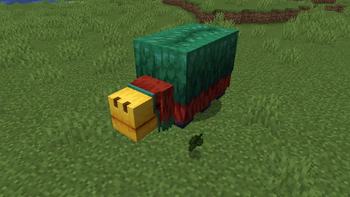
First of all, you need to obtain a tea leaf. Sniffer can now help you find it.
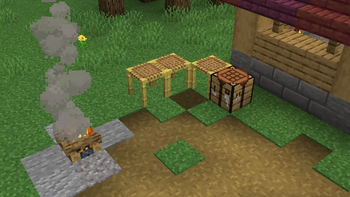
You can process your tea leaves and change their parameters by Shift + Right-Clicking on specific blocks:
| Block | Parameter Granted |
|---|---|
| Crafting Table | Rolled |
| Campfire | Withered |
| Scaffolding | Dried |
To brew a cup, you must process the tea leaves in a specific sequence unique to each tea variety:
| Tea | Ingredients | Steps |
|---|---|---|
| White Tea | Tea leaf | Withered > Dried |
| Green Tea | Tea leaf | Dried |
| Oolong Tea | Tea leaf | Dried > Rolled > Withered |
| Black Tea | Tea leaf | Dried > Withered |
| Lavender Tea | Lavender | - |
| Hibiscus Tea | Hibiscus | - |
| Shu Puer Tea | Tea leaf | Withered > Rolled > Dried > Rolled |
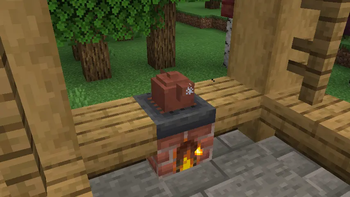
After processing your ingredients, place a teapot on block that emits heat (such as a furnace, campfire, or even magma), fill it with water, and add your processed tea leaves to it. Wait until white steam begins to rise from the pot, and your brewed tea will be ready!
Mod compatible with Farmer's Delight and Nature's Spirit
Available Versions
How to Install Camellia on Your Server
Order Server
Order a Minecraft Java server with at least 3 GB RAM (4 GB recommended).
Set neoforge Loader
In the panel under "Egg", select the neoforge loader and matching Minecraft version (1.21.1).
Install Mod
Open the mod browser in the dashboard and search for "Camellia". Click "Install" – done! Alternatively, upload the .jar via SFTP to the /mods folder.
Compatibility
Mod Loaders
Minecraft Versions
1.21.1
Server-side
✓ RequiredRecommended RAM
4 GB(min. 3 GB)Frequently Asked Questions
Camellia server crashes on startup – what to do?
Most common cause: wrong neoforge version or insufficient RAM. Check the server log (latest.log) for "OutOfMemoryError" or "Mixin" errors. With Mado Hosting: ensure at least 3 GB RAM is allocated and the loader matches the mod version (1.21.1). You can switch loaders with one click in the panel.
Is Camellia compatible with neoforge?
Camellia officially supports neoforge for Minecraft 1.21.1. The Mado dashboard automatically detects incompatible loader combinations.
Server lagging with Camellia – how to optimize performance?
Recommended RAM: 4 GB (per 8 players). Use /spark profiler to check if Camellia consumes the most tick time. Common fixes: reduce server view-distance to 8-10, install "performant" or "starlight" as supplementary mods on Forge. With Mado Hosting, your server runs on NVMe SSDs with dedicated CPU cores for minimal latency.
Similar Mods



Rent Modded Server
Install Camellia with just one click on your server.