
Capybara's Liminal Spaces
Possibly your new favorite liminal space mod!
Screenshots
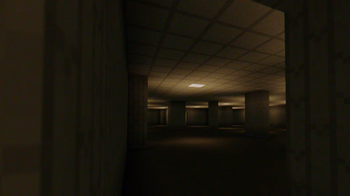
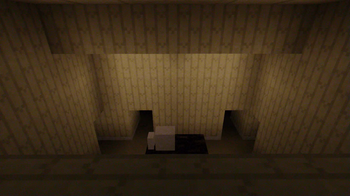

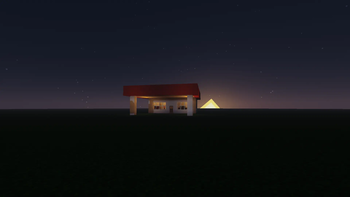


About this Mod
Capybara's Liminal Spaces
THE NEWEST UPDATE NEEDS GECKOLIB TO RUN!
I HIGHLY RECOMMEND A MOD LIKE JEI! There are some crafting recipes.
What do I do?
First, you need to craft the old computer and probably place it near a village.
A villager might think that using the computer is a good idea and will offer trades.
Buy a certain item from him and use it on the computer.
Why am I in the backrooms?
I wanted to add this as I felt it would be easy and important!
I know it's not very original so I have a solution.
You can comment level ideas on my Youtube channel!
What do I do in the backrooms?
Look for something that stands out.
You can also punch the ground for a chance at finding a dollar.
Are there any monsters?
yes
What inspired you to make this?
Kane Pixels and
"The Backrooms: Withering Reality" on the Bonelab Mod.io
My console is blowing up with warning messages!
This mod uses features to generate those random rooms. Idk why it spams warnings
in the log!
Can I...
Yes you can use it for modpacks and everything just please give me credit!
Also don't upload this anywhere else!
This mod is currently only availaible for Curseforge, Modrinth and Mcreator, don't trust anywhere else!
Here is the new mod trailer:
I hope you enjoy my mod! I will update it!
Available Versions
How to Install Capybara's Liminal Spaces on Your Server
Order Server
Order a Minecraft Java server with at least 4 GB RAM (6 GB recommended).
Set forge Loader
In the panel under "Egg", select the forge loader and matching Minecraft version (1.20.1).
Install Mod
Open the mod browser in the dashboard and search for "Capybara's Liminal Spaces". Click "Install" – done! Alternatively, upload the .jar via SFTP to the /mods folder.
Compatibility
Mod Loaders
Minecraft Versions
1.20.1
Server-side
✓ RequiredRecommended RAM
6 GB(min. 4 GB)Frequently Asked Questions
Capybara's Liminal Spaces server crashes on startup – what to do?
Most common cause: wrong forge version or insufficient RAM. Check the server log (latest.log) for "OutOfMemoryError" or "Mixin" errors. With Mado Hosting: ensure at least 4 GB RAM is allocated and the loader matches the mod version (1.20.1). You can switch loaders with one click in the panel.
Is Capybara's Liminal Spaces compatible with forge?
Capybara's Liminal Spaces officially supports forge for Minecraft 1.20.1. The Mado dashboard automatically detects incompatible loader combinations.
Server lagging with Capybara's Liminal Spaces – how to optimize performance?
Recommended RAM: 6 GB (per 5 players). Use /spark profiler to check if Capybara's Liminal Spaces consumes the most tick time. Common fixes: reduce server view-distance to 8-10, install "performant" or "starlight" as supplementary mods on Forge. With Mado Hosting, your server runs on NVMe SSDs with dedicated CPU cores for minimal latency.
Similar Mods




Rent Modded Server
Install Capybara's Liminal Spaces with just one click on your server.