
Cardinal Classes
Cardinal Classes is a simple and modular mod for Minecraft that adds a class mechanics to the game. The mod itself doesn't add any classes, but provides a framework for other mods to add their own classes. For now, it supports Fabric only.
Screenshots


About this Mod


Cardinal Classes is a simple and modular mod for Minecraft that adds a class mechanics to the game.
The mod itself doesn't add any classes, but provides a framework for other mods to add their own classes.
It's built on the Fabric modding platform and uses the Cardinal Components API.
Features
Simple Class System
The mod adds a simple class system to the game, allowing players
to acquire a class by brewing and drinking a class potion.
Each class has four passive skills, four active skills, and two perks.
Skill System
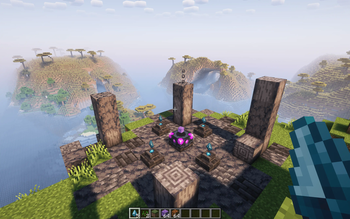
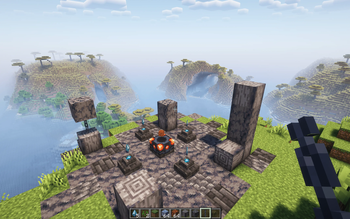
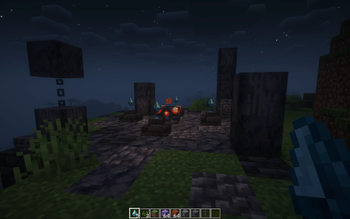
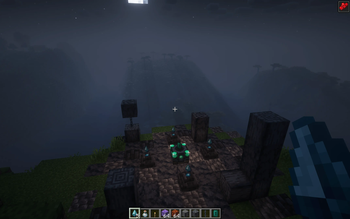
Skills and Perks can be upgraded using the skill altar.
An altar needs to have a shard holder to its north/south/east/west side with an air block in between.
By placing a shard on a holder, and charging the altar with the relevant item, the player can step on it and upgrade skills and perks.
Skills can be upgraded three times from level 0 to level 3, while only one of the two perks can be ascended once.
Charge Items
- Shard Holder: Skill Shard - Consumed to upgrade skills and perks.
- Skill Altar: Magma Block - Used to upgrade active skills.
- Skill Altar: Amethyst Block - Used to upgrade passive skills.
- Skill Altar: Sage's Emerald - Used to ascend perks.
Consuming a class potion allows a player to reset their class and will
refund all their Skill Shards - but not any Sage's Emeralds.
Modularity & Customization
The mod is designed to be as customizable as possible,
allowing modders to create their own classes and users to
build and balance their own modpacks by selecting only the classes they want to include.
Future plans
- A Rogue class mod called CC - Rogue is in the works, this will be hopefully the first of many.
- More hud options
- Some config options
- Separate UI screen for class info (instead of advancements)
- Functionality to more easily implement certain standardised skill behaviour
- (Possibly) data driven options
Available Versions
How to Install Cardinal Classes on Your Server
Order Server
Order a Minecraft Java server with at least 3 GB RAM (4 GB recommended).
Set fabric Loader
In the panel under "Egg", select the fabric loader and matching Minecraft version (1.19.4).
Install Mod
Open the mod browser in the dashboard and search for "Cardinal Classes". Click "Install" – done! Alternatively, upload the .jar via SFTP to the /mods folder.
Compatibility
Mod Loaders
Minecraft Versions
1.19.4
Server-side
✓ RequiredRecommended RAM
4 GB(min. 3 GB)Frequently Asked Questions
Cardinal Classes server crashes on startup – what to do?
Most common cause: wrong fabric version or insufficient RAM. Check the server log (latest.log) for "OutOfMemoryError" or "Mixin" errors. With Mado Hosting: ensure at least 3 GB RAM is allocated and the loader matches the mod version (1.19.4). You can switch loaders with one click in the panel.
Is Cardinal Classes compatible with fabric?
Cardinal Classes officially supports fabric for Minecraft 1.19.4. The Mado dashboard automatically detects incompatible loader combinations.
Server lagging with Cardinal Classes – how to optimize performance?
Recommended RAM: 4 GB (per 8 players). Use /spark profiler to check if Cardinal Classes consumes the most tick time. Common fixes: reduce server view-distance to 8-10, install "performant" or "starlight" as supplementary mods on Forge. With Mado Hosting, your server runs on NVMe SSDs with dedicated CPU cores for minimal latency.
Similar Mods




Rent Modded Server
Install Cardinal Classes with just one click on your server.