
Carnation
Graves designed to minimise bugs, but maximise visual quality
Screenshots
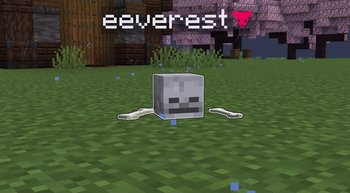

About this Mod

A Fabric mod that adds simple, lag-efficient graves
This mod was made to fix my issue with ugly-looking gravestones, or buggy block-based grave mods. This mod looks good, and functions properly
⚠️ AS OF TIME OF WRITING, HAS NOT BEEN TESTED WITH 1.20.2 - 1.20.6 ⚠️
Gallery
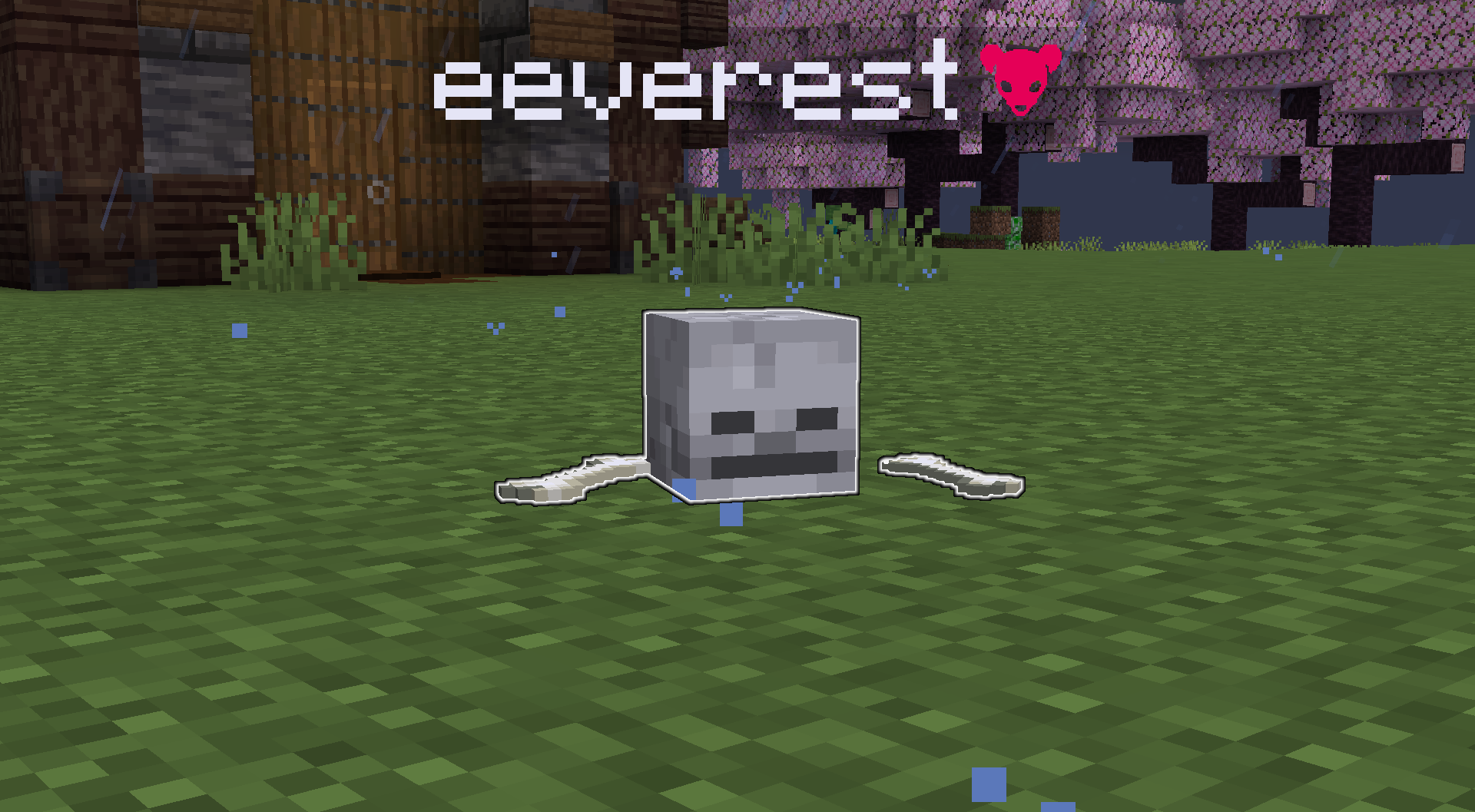
Current Features
Graves
- Pick up by standing over them, very simple, good-looking grave entities that are lag efficient
- On death, death coordinates are sent into chat
- Graves glow for ease of seeing
Gamerules
xpSavingPercentagechanges the amount of xp you save in graves on a death, defaults to 50%saveXptrue or false of weather to save xp or not
Commands
/restore <position> <graveUuid>restores grave contents to the owner, get the uuid by hovering your death message with the coordinates
FAQ
Q: Can I port this mod to Forge?
A: Yes, but you must provide credits to me, and I will not answer questions about the Forge port.
Q: Can I port this mod to Bedrock?
A: Yes, I am fine with you making a version of this mod for Minecraft Bedrock edition.
Q: Can you backport this mod to 1.x? When will you update to 1.x?
A: No. I mod Minecraft as a hobby with very limited time. Therefore, I will not backport this mod to older versions of Minecraft, and I will update it to future versions when I feel like it. Don't come begging.
Q: Can I include this mod in a modpack?
A: Yes, you can. Go ahead, don't bother asking. Please, however, provide credit and a link to the Modrinth project page, or, of course, if it's in a modrinth modpack, that's fine, mods are listed on there automatically
Copyright (C) 2025 Aconite Studios
Need a server?
The official lag-free server host that we use here at Aconite Studios!
Visithttps://wepwawet.net/p/aconiteand use codeaconitefor 20% off your first invoice!Wepwawet. Quality over Quantity

Available Versions
How to Install Carnation on Your Server
Order Server
Order a Minecraft Java server with at least 3 GB RAM (4 GB recommended).
Set fabric Loader
In the panel under "Egg", select the fabric loader and matching Minecraft version (1.20.1).
Install Mod
Open the mod browser in the dashboard and search for "Carnation". Click "Install" – done! Alternatively, upload the .jar via SFTP to the /mods folder.
Compatibility
Mod Loaders
Minecraft Versions
1.20.1
Server-side
✓ RequiredRecommended RAM
4 GB(min. 3 GB)Frequently Asked Questions
Carnation server crashes on startup – what to do?
Most common cause: wrong fabric version or insufficient RAM. Check the server log (latest.log) for "OutOfMemoryError" or "Mixin" errors. With Mado Hosting: ensure at least 3 GB RAM is allocated and the loader matches the mod version (1.20.1). You can switch loaders with one click in the panel.
Is Carnation compatible with fabric?
Carnation officially supports fabric for Minecraft 1.20.1. The Mado dashboard automatically detects incompatible loader combinations.
Server lagging with Carnation – how to optimize performance?
Recommended RAM: 4 GB (per 8 players). Use /spark profiler to check if Carnation consumes the most tick time. Common fixes: reduce server view-distance to 8-10, install "performant" or "starlight" as supplementary mods on Forge. With Mado Hosting, your server runs on NVMe SSDs with dedicated CPU cores for minimal latency.
Similar Mods




Rent Modded Server
Install Carnation with just one click on your server.