CC: Drones
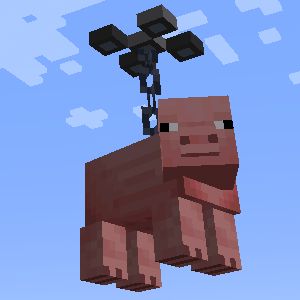
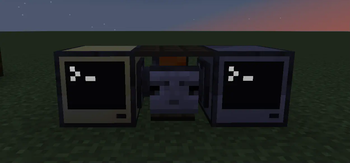
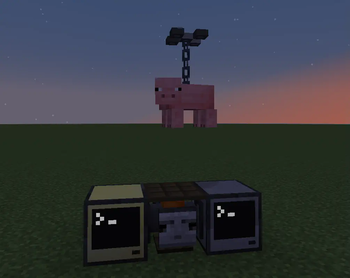
Drones for CC Tweaked! they do turtle things, but with additional jank.
Screenshots
About this Mod
CC: Drones
Drones for CC: Tweaked
Currently I am unlikely to update this any further, you should have a look at CC: Drones+
currently drones can:
- Go forward (using
drone.engineOn(true)) - Turn (using
drone.left(number)anddrone.right(number)) - Go up and down (using
drone.up(number)anddrone.down(number)) - Look forward and back (
drone.lookForward()drone.lookBack()) - Mine forward (
drone.breakForward()) - see the Drones rotation (
drone.rotation()) - see if the drone is colliding (
drone.isColliding()) - turn the drones hover function on (
drone.hoverOn(true)) - pick up blocks (and keep there data) below (
drone.pickupBlock()) - drop the block (
drone.dropBlock()) - pick up entities below (
drone.pickUpEntity()) - drop the entity below (
drone.dropEntity())
Programming
using the Drone Workbench as a peripheral you can use two commands
(let a be the wrap e.g a = peripheral.wrap("left"))
a.api()will reboot the computer after installing the drone api for ease of programminga.export(path)will take the lua program atpathand send it to the first drone within 2 blocks of the workbench, this will then reboot the drone and start it executing
you can probably just use your favorite item mod to find the recipes but here they are anyway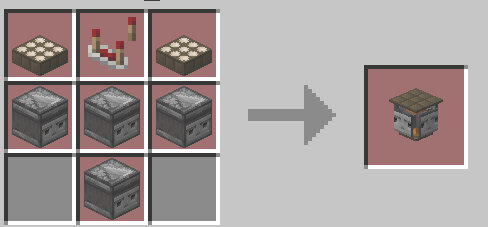
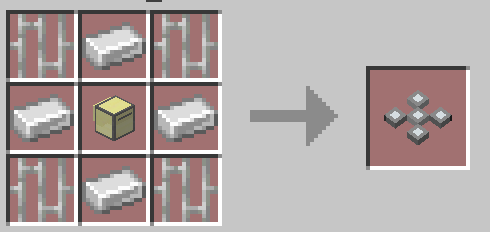
Further development
There are a few things I want to add, but I don't know when I'll add them:
- drones survey environments, this data can be reviewed in a holographic display
- drone cameras (like spectator mode)
- drone chunk loaders
Note
This is certainly an early development build but I thought it was pretty cool so here it is, in all its alpha glory
Available Versions
How to Install CC: Drones on Your Server
Order Server
Order a Minecraft Java server with at least 3 GB RAM (4 GB recommended).
Set fabric Loader
In the panel under "Egg", select the fabric loader and matching Minecraft version (1.20.6).
Install Mod
Open the mod browser in the dashboard and search for "CC: Drones". Click "Install" – done! Alternatively, upload the .jar via SFTP to the /mods folder.
Compatibility
Mod Loaders
Minecraft Versions
1.20.6, 1.20.5, 1.20.4 (+3 more)
Server-side
✓ RequiredRecommended RAM
4 GB(min. 3 GB)Frequently Asked Questions
CC: Drones server crashes on startup – what to do?
Most common cause: wrong fabric version or insufficient RAM. Check the server log (latest.log) for "OutOfMemoryError" or "Mixin" errors. With Mado Hosting: ensure at least 3 GB RAM is allocated and the loader matches the mod version (1.20.6). You can switch loaders with one click in the panel.
Is CC: Drones compatible with fabric?
CC: Drones officially supports fabric for Minecraft 1.20.6, 1.20.5, 1.20.4. The Mado dashboard automatically detects incompatible loader combinations.
Server lagging with CC: Drones – how to optimize performance?
Recommended RAM: 4 GB (per 8 players). Use /spark profiler to check if CC: Drones consumes the most tick time. Common fixes: reduce server view-distance to 8-10, install "performant" or "starlight" as supplementary mods on Forge. With Mado Hosting, your server runs on NVMe SSDs with dedicated CPU cores for minimal latency.
Similar Mods





Rent Modded Server
Install CC: Drones with just one click on your server.