
CC:LiftLink
CC:LiftLink provides ComputerCraft integration for Create elevators, allowing full control through a single redstone contact. Instead of wiring every floor or connecting to the pulley, you can manage floor calls, track real-time movement, and query elevato
Screenshots
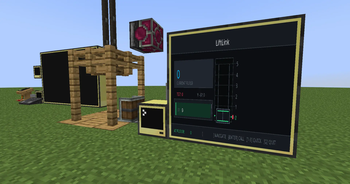
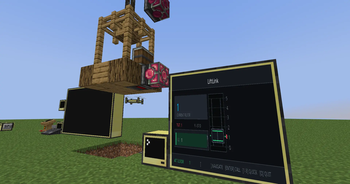
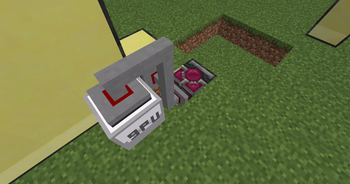
About this Mod
CC:LiftLink
- CC:LiftLink by Tom
- Copyright (c) 2026 Tom
- Licensed under the Mozilla Public License 2.0
ComputerCraft support for Create elevators.
CC:LiftLink provides a bridge between the Create mod and CC: Tweaked, allowing for programmatic control of elevator systems. By connecting a computer to a single redstone contact within an elevator column, you gain access to the entire elevator network without complex wiring or pulley attachments.
Setup
Build: Assemble and test your Create elevator normally.
Connect: Place a ComputerCraft computer or wired modem against any one redstone contact in the elevator column.
Initialize: Wrap the peripheral in your Lua script using:
Lua
local elevator = peripheral.find("create_elevator")
API Functions
listFloors() Returns all floors in the column.
callToFloor(name) Calls the elevator to a named floor.
callToY(y) Calls the elevator to a floor by Y level.
getState() Returns the main elevator state table.
getFloors() Returns floor names mapped to Y levels.
getCurrentLevel() Returns current elevator Y level.
getTargetLevel() Returns target Y level.
getTargetY() Returns target Y level.
isMoving() Returns true if the elevator is moving.
isActive() Returns true if the elevator is active.
getCabY() Returns cab Y position.
getSpeed() Returns current speed.
getDirection() Returns "up", "down", or "idle".
getColumnInfo() Returns combined floor and state info.
getCurrentFloor() Returns the exact current floor name and Y.
getNearestFloor() Returns the nearest floor name and Y.
hasFloor(name) Checks if a floor exists.
isAtFloor(name) Checks if the elevator is at that floor.
Technical Details
Requirements:
Minecraft: 1.20.1
Create: 0.5.1.f (6.0.8)
CC: Tweaked: 1.116.1
Platform: Forge
Note: You do not need to connect to the elevator pulley. A single connection to any redstone contact in the column provides full access to the elevator's functions.
Available Versions
How to Install CC:LiftLink on Your Server
Order Server
Order a Minecraft Java server with at least 3 GB RAM (4 GB recommended).
Set forge Loader
In the panel under "Egg", select the forge loader and matching Minecraft version (1.21.1).
Install Mod
Open the mod browser in the dashboard and search for "CC:LiftLink". Click "Install" – done! Alternatively, upload the .jar via SFTP to the /mods folder.
Compatibility
Mod Loaders
Minecraft Versions
1.21.1, 1.20.1
Server-side
✓ RequiredRecommended RAM
4 GB(min. 3 GB)Frequently Asked Questions
CC:LiftLink server crashes on startup – what to do?
Most common cause: wrong forge version or insufficient RAM. Check the server log (latest.log) for "OutOfMemoryError" or "Mixin" errors. With Mado Hosting: ensure at least 3 GB RAM is allocated and the loader matches the mod version (1.21.1). You can switch loaders with one click in the panel.
Is CC:LiftLink compatible with forge and neoforge?
CC:LiftLink officially supports forge, neoforge for Minecraft 1.21.1, 1.20.1. The Mado dashboard automatically detects incompatible loader combinations.
Server lagging with CC:LiftLink – how to optimize performance?
Recommended RAM: 4 GB (per 8 players). Use /spark profiler to check if CC:LiftLink consumes the most tick time. Common fixes: reduce server view-distance to 8-10, install "performant" or "starlight" as supplementary mods on Forge. With Mado Hosting, your server runs on NVMe SSDs with dedicated CPU cores for minimal latency.
Similar Mods





Rent Modded Server
Install CC:LiftLink with just one click on your server.