
CGRocket
A mod that adds various missiles, a satellite surveillance system and other various mechanics.
Screenshots


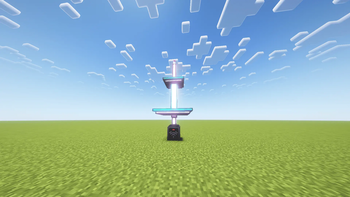

About this Mod
At the moment, the mod adds two types of missiles: Orbital and Ground-based.
1. Orbital Missile (SS-X-31)
To launch an orbital missile, you will need:
1.Laptop
2.Launchpad
3.Nuclear Tablet bound to you (press right-click)
4.The "SS-X-31" item
Instructions:
Place the SS-X-31 missile and your bound Nuclear Tablet into their respective slots in the Launchpad. Activate the pad with a redstone signal to send the missile into orbit.
Next, use the Laptop to set the target coordinates and press "Launch". The missile will strike the target immediately.
You can send several missiles into orbit first and launch them all later. The missile counter will not reset until all orbital missiles have been fired at their targets.
2. Ground-based Missile (Tomahawk, Sculk Rocket)
To launch a ground-based missile, you will need:
- Laptop
- Launchpad
- Nuclear Tablet bound to you (press right-click)
- Tomahawk missile item
Instructions:
Place the Tomahawk missile and your bound Nuclear Tablet directly into the Launchpad slots.
Open your Laptop, select the "Tomahawk" missile type, set the coordinates, and press "Launch" to fire(Also, after the missile disappears from the sky, it will begin to fall to the ground after 3 seconds). Unlike orbital missiles, these do not require a separate orbiting phase.
Missile defense system
To activate it, you need to use a nuclear tablet to right click on a radar station block and place it in the launchpad along with a Patriot missile.
If the radar station detects an incoming missile within 100 blocks, it will send a Patriot missile to intercept it (the Patriot missile must be within 100 blocks of the radar station).
Radar will launch up to four Patriots to intercept missile.
Satellite Surveillance System
You can launch an Orbital Observation Satellite via a carrier rocket to unlock satellite surveillance and targeting features on your Nuclear Laptop. (Don’t forget to have your Nuclear Tablet linked to you) To select target coordinates simply click the desired location on the map the coordinates will be entered automaticall leaving you only to launch the missile. If you open a location with ungenerated chunks the map may take a moment to load.
Satellite surveillance can be jammed using a Jammer Block. Jammer is activated by a redstone signal.
General Info:
*Crafting missiles requires a significant amount of redstone, so it is recommended to have mods that help you mine resources faster.
The mod features a simple quarry that is activated by a lever. After mining a certain number of blocks, the quarry will run out of power. To recharge it you need to click it with a 3x Compressed Redstone Block. While the quarry has its own internal storage it’s best to place an external container on top to collect the loot. If the quarry's internal storage becomes full it will stop working.
*There is also a command "/rocket x z" available, which launches a strike without requiring any rockets to be in orbit or crafted(requires administrator rights on the server).
The Fabric version of the mod requires the latest version of the Fabric API.
Available Versions
How to Install CGRocket on Your Server
Order Server
Order a Minecraft Java server with at least 3 GB RAM (4 GB recommended).
Set fabric Loader
In the panel under "Egg", select the fabric loader and matching Minecraft version (1.19.4).
Install Mod
Open the mod browser in the dashboard and search for "CGRocket". Click "Install" – done! Alternatively, upload the .jar via SFTP to the /mods folder.
Compatibility
Mod Loaders
Minecraft Versions
1.19.4, 1.19.3, 1.19.2
Server-side
✓ RequiredRecommended RAM
4 GB(min. 3 GB)Frequently Asked Questions
CGRocket server crashes on startup – what to do?
Most common cause: wrong fabric version or insufficient RAM. Check the server log (latest.log) for "OutOfMemoryError" or "Mixin" errors. With Mado Hosting: ensure at least 3 GB RAM is allocated and the loader matches the mod version (1.19.4). You can switch loaders with one click in the panel.
Is CGRocket compatible with fabric and forge?
CGRocket officially supports fabric, forge for Minecraft 1.19.4, 1.19.3, 1.19.2. Note: Forge and Fabric mods are NOT cross-compatible – pick one loader and stick with it. The Mado dashboard automatically detects incompatible loader combinations.
Server lagging with CGRocket – how to optimize performance?
Recommended RAM: 4 GB (per 8 players). Use /spark profiler to check if CGRocket consumes the most tick time. Common fixes: reduce server view-distance to 8-10, install "performant" or "starlight" as supplementary mods on Forge. With Mado Hosting, your server runs on NVMe SSDs with dedicated CPU cores for minimal latency.
Similar Mods





Rent Modded Server
Install CGRocket with just one click on your server.