
Chat-With-NPC
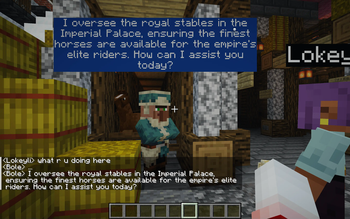
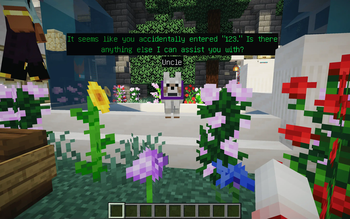
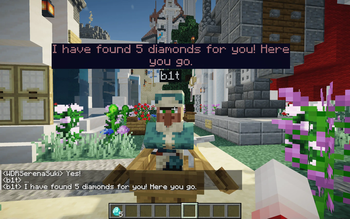
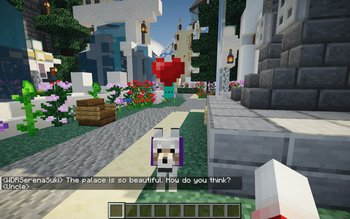
Chat-With-NPC allows players to freely chat with NPCs, who will answer questions based on his setting (Basic Prompt) and the setting of their Groups (Nation, City, Town ,etc.). Suitable for RPG maps or puzzle maps.
Screenshots
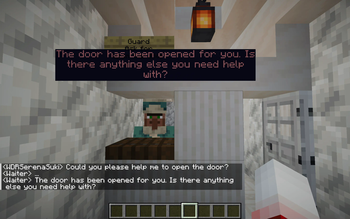
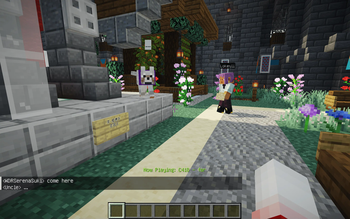
About this Mod
Chat-with-NPC



The mod is still in public test, please submit an issue if you find any problems. If you want to use the latest version,
please compile the source code yourself, see Build.
1. Introduction
Chat With NPC allows players to freely chat with NPCs, who will answer questions based on his setting (Basic Prompt)
and the setting of their Groups (Nation, City, Town ,etc.). Suitable for RPG maps or puzzle maps. The NPCs would not
change the game rule (if you don't use the advanced features). NPC can also perform some actions based on the chat
content if you define it.
In the future version, we will add innovative features such as NPCs chatting with each other, NPCs' viewpoints on
events, etc., so that NPCs in the same Group can interact with each other.
2. How to use
Any player can talk to NPCs by shift+clicking on them, if the NPC has been registered by OPs. Then the NPC will
greet with players.
The NPC's speech can be seen by everyone (in the chat bubble above their head), or by players within a certain range
around NPC (in the Chat bar).
Any nearby players can reply to the NPC in the chat bar directly (or the nearest NPC if there are multiple NPCs near
the player).
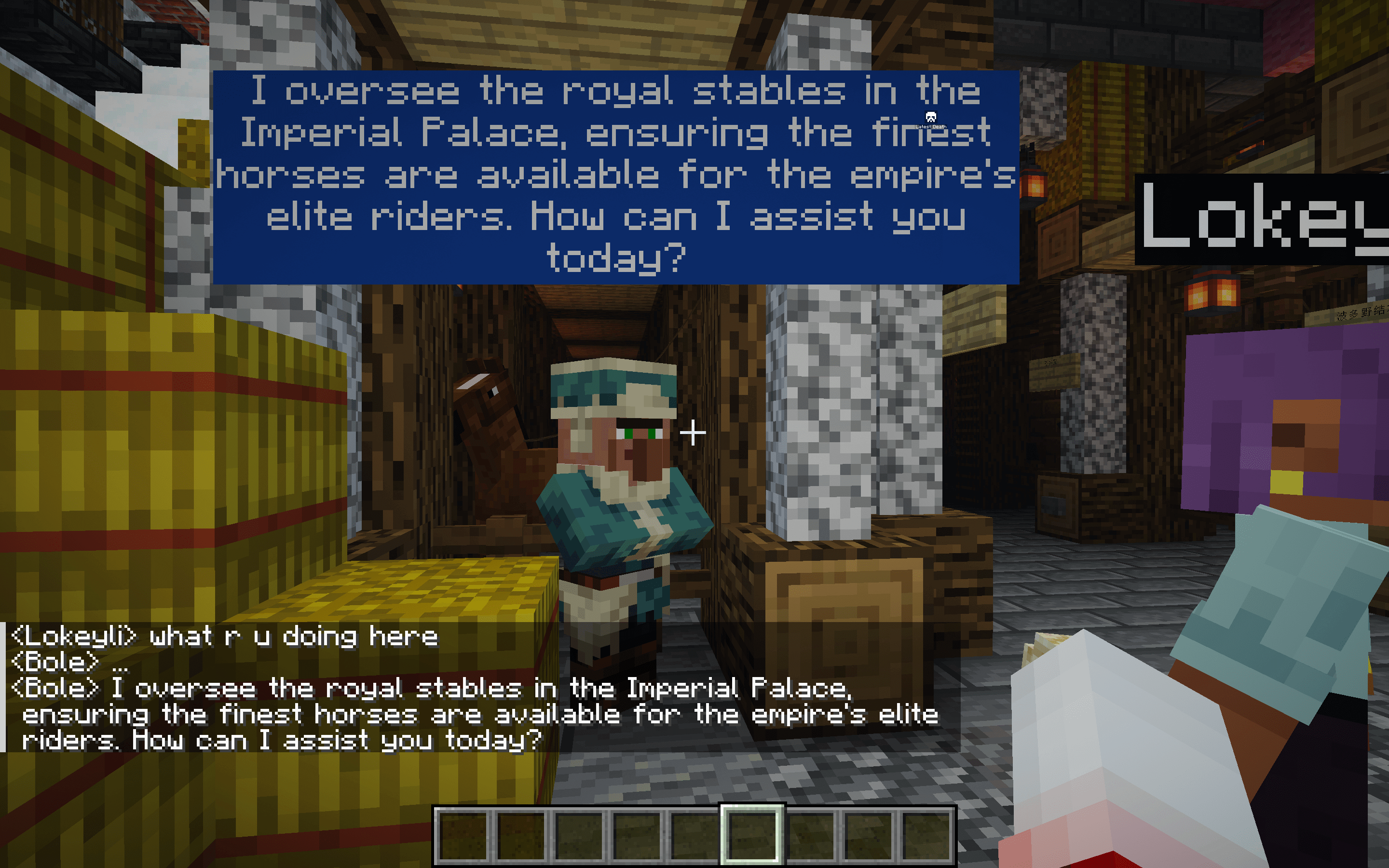
If you are administrator, see the Installation for more information.
3. Features
- Each
NPChas his ownInstructions, and he can belong to aGroup. - Each
NPCwill manager their context of the conversation automatically by OpenAI. - Each
Groupalso has its ownInstructionsto describe them, and can also record someEventthat can be easy to
change. - Each
Groupcan record aParentGroupuntil the group's parent group isGlobal,Globalcannot have a parent
group. - Each
NPC's conversation will combine his ownInstructions, the context of this
conversation (or all the conversation if needMemory is true), theIntructionsof hisGroupand all
itsParentGroup, and the content ofEvent. - You can define the
Functionsthat could be call by the NPC in the conversation.
4. Requirements
- Minecraft Server 1.19.4 or higher
- Fabric Loader 0.12.0 or higher
- Fabric API included
5. Installation
- After installing the mod in
modsfolder, grab your OpenAI API key
from here, and set it with the/npchat setkey <key>command. - You can use the command in Commands to set the basic configuration of the mod.
- For register the NPCs, please read RegisterNPC.
- For register the Groups, please read RegisterGroup.
- To know about the configuration of the mod, please read Configuration.
- If you want to use some advanced features, please read Advanced.
6. Commands
/npchat- View configuration status/npchat help- View commands help/npchat enable/disable- Enable/disable the mod/npchat setKey <key>- Set OpenAI API key/npchat setModel <model>- Set AI model/npchat setRange <range>- Set the range of the conversation/npchat setLanguage <language>- Set the response language/npchat setWordLimit <wordLimit>- Set the word limit of the response/npchat setURL <url>- Set the OpenAI API proxy URL/npchat saveAll- Save all the data to the disk/npchat setChatBar <true/false>- Set to display the conversation at the chat bat at the bottom left or not,trueto display,falseto hide./npchat setBubble <true/false>- Set to display the bubble of the conversation above our lovely NPC or not,trueto display,falseto hide./npchat setBubbleStyle Color <color preset>- Set the preset colors for font and background./npchat setBubbleStyle timeLastingPerChar <time>- Set the time lasting for a character in unit of second. For example, setting the time to 1.5 seconds means a sentence with 6 characters will have its bubble displayed for a total of 9 seconds.
7. To do list
- Improve the chat bubble.
- NPCs chat with each other and communicate their opinion of events. (See Advanced)
- NPCs have their opinion on every event in their
Group. - NPCs performing actions based on the chat content. (See Advanced)
8. Reference
- AIMobs by rebane2001
and Eianex
Available Versions
How to Install Chat-With-NPC on Your Server
Order Server
Order a Minecraft Java server with at least 3 GB RAM (4 GB recommended).
Set fabric Loader
In the panel under "Egg", select the fabric loader and matching Minecraft version (1.21.4).
Install Mod
Open the mod browser in the dashboard and search for "Chat-With-NPC". Click "Install" – done! Alternatively, upload the .jar via SFTP to the /mods folder.
Compatibility
Mod Loaders
Minecraft Versions
1.21.4, 1.21.3, 1.21.2 (+10 more)
Server-side
✓ RequiredRecommended RAM
4 GB(min. 3 GB)Frequently Asked Questions
Chat-With-NPC server crashes on startup – what to do?
Most common cause: wrong fabric version or insufficient RAM. Check the server log (latest.log) for "OutOfMemoryError" or "Mixin" errors. With Mado Hosting: ensure at least 3 GB RAM is allocated and the loader matches the mod version (1.21.4). You can switch loaders with one click in the panel.
Is Chat-With-NPC compatible with fabric?
Chat-With-NPC officially supports fabric for Minecraft 1.21.4, 1.21.3, 1.21.2. The Mado dashboard automatically detects incompatible loader combinations.
Server lagging with Chat-With-NPC – how to optimize performance?
Recommended RAM: 4 GB (per 8 players). Use /spark profiler to check if Chat-With-NPC consumes the most tick time. Common fixes: reduce server view-distance to 8-10, install "performant" or "starlight" as supplementary mods on Forge. With Mado Hosting, your server runs on NVMe SSDs with dedicated CPU cores for minimal latency.
Similar Mods




Rent Modded Server
Install Chat-With-NPC with just one click on your server.