
Screenshots
About this Mod
Mod Introduction
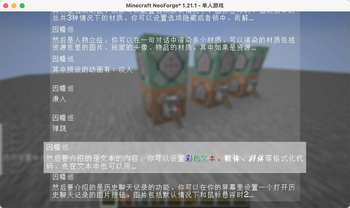
ChatBox is a dialog box mod designed for Minecraft, inspired by the dialog systems found in Galgames. You can configure it using data packs:
Pre-set multiple themes for dialog boxes and switch between them anytime using commands.
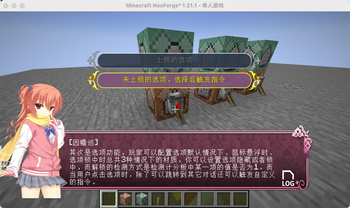
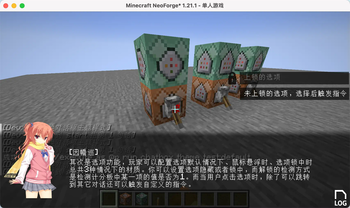
Customize the appearance, position, and size of dialog boxes, option boxes, history buttons, and character portraits.
Character portraits support multiple types: images, player avatars, and item textures. You can define custom entry animations for these portraits, with images having 3 preset animations.
Configure dialog text and multiple options for each line. Clicking options can trigger custom commands and jump to other dialogs.
All text elements (dialogs, options) support translation keys.
Since all dialog configurations are implemented through data packs, you can reload all dialog settings directly using the /reload command. Create beautiful dialog systems without modifying any code!
Built-in Commands
Switch themes:
/chatbox theme
Jump to a specific dialog:
/chatbox skip
Open dialog box:
/chatbox open
Event System
For KubeJS users, the mod provides predefined events:
//client_script

// Triggered BEFORE dialog rendering. Provides GuiGraphics for custom rendering. Cancellable.
ChatBoxEvents.renderPre(event=>{
  let getGuiGraphics = event.getGuiGraphics()
  event.cancel()
})

// Triggered AFTER dialog rendering. Provides GuiGraphics for custom rendering.
ChatBoxEvents.renderPost(event=>{
  let getGuiGraphics = event.getGuiGraphics()
})

// Triggered when jumping to a dialog. Provides dialog metadata for custom functionality.
ChatBoxEvents.skipChat(event => {
  let { chatBoxScreen, resourceLocation, group, index } = event
})
Additional Information
Example data packs and documentation are available on GitHub.
Upcoming feature: The author is developing a web-based JSON generator to simplify dialog configuration. Stay tuned for its release!
Available Versions
How to Install chatbox on Your Server
Order Server
Order a Minecraft Java server with at least 3 GB RAM (4 GB recommended).
Set fabric Loader
In the panel under "Egg", select the fabric loader and matching Minecraft version (1.21.11).
Install Mod
Open the mod browser in the dashboard and search for "chatbox". Click "Install" – done! Alternatively, upload the .jar via SFTP to the /mods folder.
Compatibility
Mod Loaders
Minecraft Versions
1.21.11, 1.21.8, 1.21.1 (+2 more)
Server-side
✓ RequiredRecommended RAM
4 GB(min. 3 GB)Frequently Asked Questions
chatbox server crashes on startup – what to do?
Most common cause: wrong fabric version or insufficient RAM. Check the server log (latest.log) for "OutOfMemoryError" or "Mixin" errors. With Mado Hosting: ensure at least 3 GB RAM is allocated and the loader matches the mod version (1.21.11). You can switch loaders with one click in the panel.
Is chatbox compatible with fabric and forge and neoforge?
chatbox officially supports fabric, forge, neoforge for Minecraft 1.21.11, 1.21.8, 1.21.1. Note: Forge and Fabric mods are NOT cross-compatible – pick one loader and stick with it. The Mado dashboard automatically detects incompatible loader combinations.
Server lagging with chatbox – how to optimize performance?
Recommended RAM: 4 GB (per 8 players). Use /spark profiler to check if chatbox consumes the most tick time. Common fixes: reduce server view-distance to 8-10, install "performant" or "starlight" as supplementary mods on Forge. With Mado Hosting, your server runs on NVMe SSDs with dedicated CPU cores for minimal latency.
Similar Mods





Rent Modded Server
Install chatbox with just one click on your server.