
ChatGPT Assistant
An assistant that allows you to do anything without commands.
About this Mod
Minecraft ChatGPT Assistant


Source code: https://github.com/RIvance/minecraft-chatgpt-assistant
Please give me a star🌟 if you like it!
This mod is still at a very early stage of development and may have some bugs.
If you find any bugs, please report them to GitHub Issues.
Usage
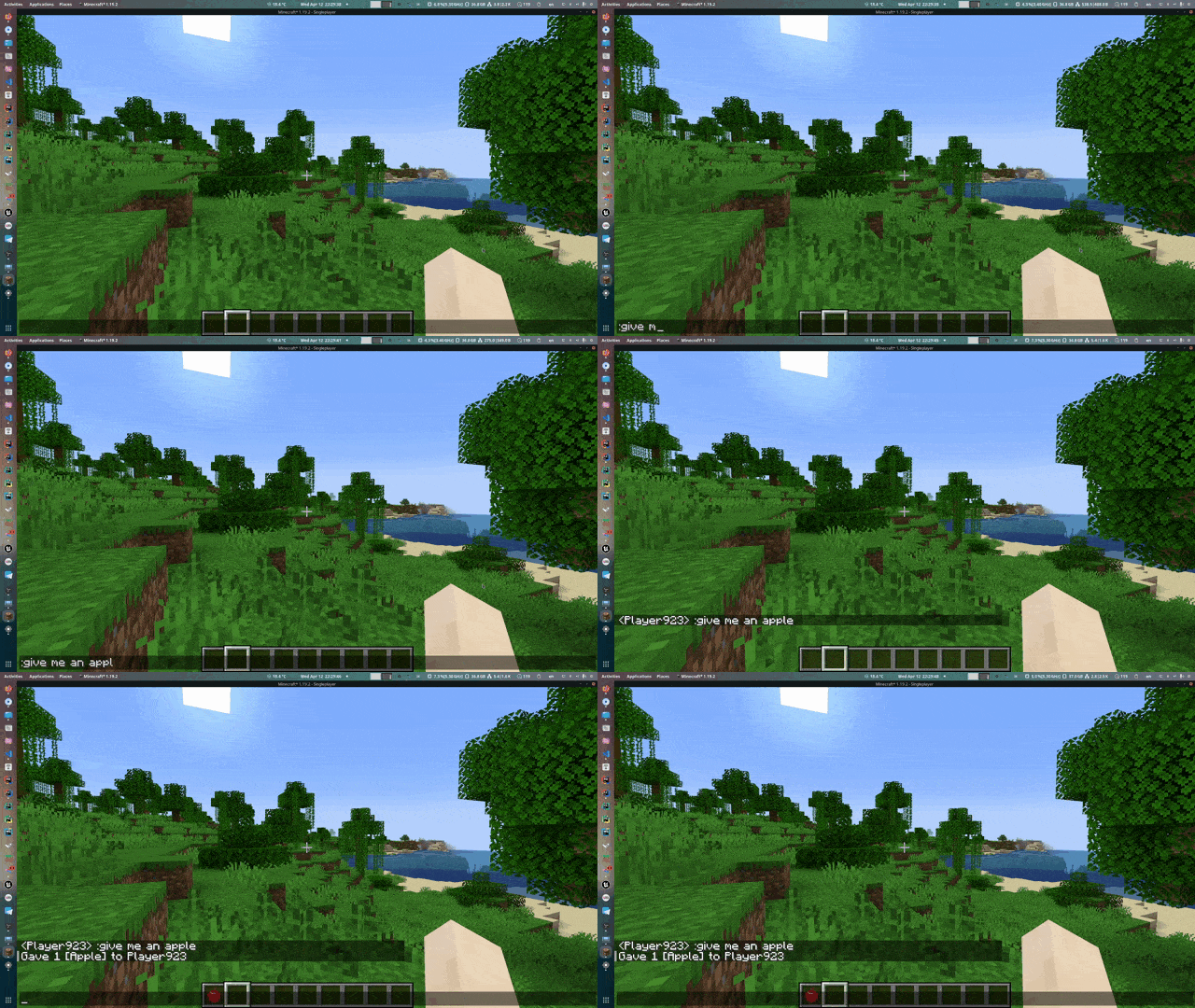
Press t to open the chat HUD. Type whatever you want prefixed with : in nature languages and press enter. For example:
:give me an apple
:give me a diamond sword with the best enchants
:kill all mobs
:kill the dragon
:easy mode
:disable mob spawning
:spawn a zombie with all enchanted diamond armors
or even something shorter
:food
:hard
:day
:night
:stop rainning
:64 golden apples
:speed 2
Configuration
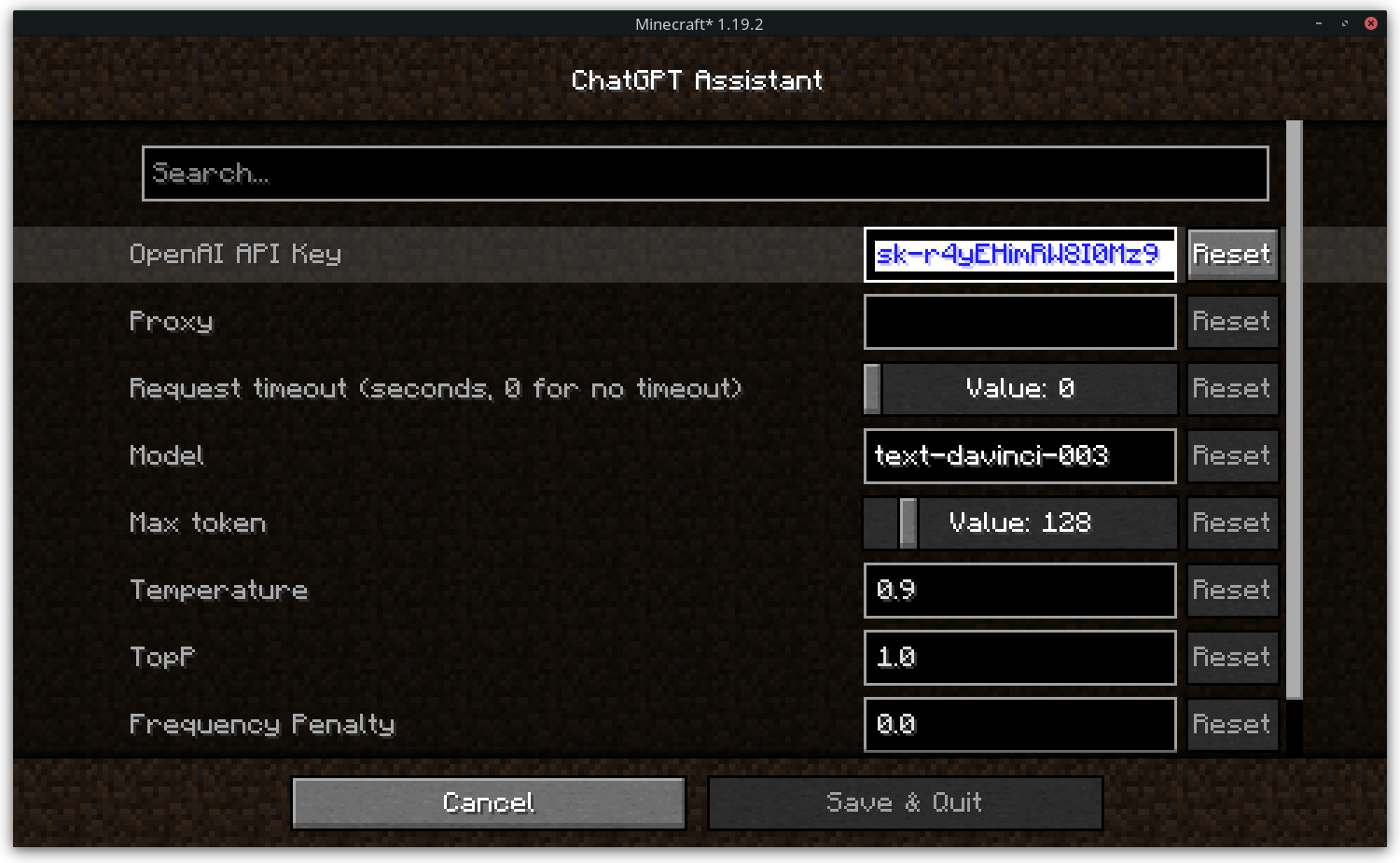
API Key
The API key is used to access the OpenAI API.
Please set the API key in the configuration menu before using the mod.
Otherwise, the mod will not work.
Proxy (Optional)
If you want to access the OpenAI API through a proxy, you can set the proxy in the configuration menu.
Response Timeout
The response timeout is used to set the timeout of the OpenAI API response.
Set the value to 0 to disable the timeout.
Model
The model used by the OpenAI API.
See OpenAI API Documentation for more information.
How can I get the API key?
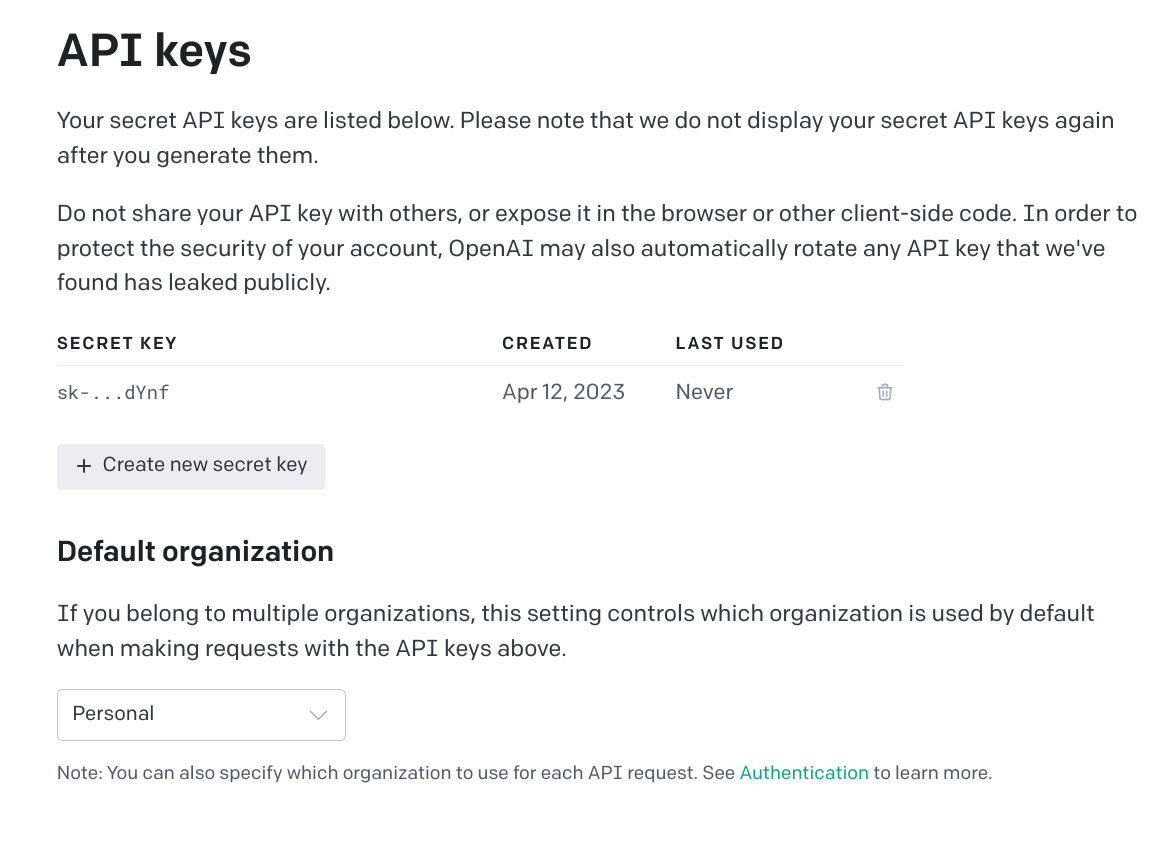
You can get the API key from OpenAI.
Click the "Create new secret key" button to create a new key.
Available Versions
How to Install ChatGPT Assistant on Your Server
Order Server
Order a Minecraft Java server with at least 3 GB RAM (4 GB recommended).
Set fabric Loader
In the panel under "Egg", select the fabric loader and matching Minecraft version (1.19.4).
Install Mod
Open the mod browser in the dashboard and search for "ChatGPT Assistant". Click "Install" – done! Alternatively, upload the .jar via SFTP to the /mods folder.
Compatibility
Mod Loaders
Minecraft Versions
1.19.4, 1.18.2, 1.16.5
Server-side
✗ UnsupportedRecommended RAM
4 GB(min. 3 GB)Frequently Asked Questions
ChatGPT Assistant server crashes on startup – what to do?
Most common cause: wrong fabric version or insufficient RAM. Check the server log (latest.log) for "OutOfMemoryError" or "Mixin" errors. With Mado Hosting: ensure at least 3 GB RAM is allocated and the loader matches the mod version (1.19.4). You can switch loaders with one click in the panel.
Is ChatGPT Assistant compatible with fabric?
ChatGPT Assistant officially supports fabric for Minecraft 1.19.4, 1.18.2, 1.16.5. The Mado dashboard automatically detects incompatible loader combinations.
Server lagging with ChatGPT Assistant – how to optimize performance?
Recommended RAM: 4 GB (per 8 players). Use /spark profiler to check if ChatGPT Assistant consumes the most tick time. Common fixes: reduce server view-distance to 8-10, install "performant" or "starlight" as supplementary mods on Forge. With Mado Hosting, your server runs on NVMe SSDs with dedicated CPU cores for minimal latency.
Similar Mods






Rent Modded Server
Install ChatGPT Assistant with just one click on your server.