
Chimera Studio's: Corrupted Mobs
Adds a lot of new corrupted mobs and entities to your Minecraft world (Forge)
Screenshots
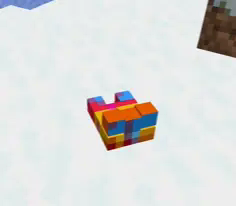

About this Mod
Corruption and Creatures Mod
Introduction
Welcome to the Corruption and Creatures Mod for Minecraft, where your world will never be the same again! This mod brings an eerie twist to the game, introducing a variety of new mobs and corrupted items that will challenge even the most seasoned adventurers.
Features
- New Mobs: Encounter mysterious and dangerous creatures that add a new level of challenge and excitement to your Minecraft experience.
- Corrupted Items: Discover powerful and enigmatic items, each with unique properties that can either aid or hinder your journey.
Installation
- Download the Mod: Get the latest version of the Corruption and Creatures Mod from here.
- Install Forge: Ensure you have Minecraft Forge installed. If not, download and install it from here.
- Add to Mods Folder: Move the downloaded mod file into your Minecraft
modsfolder. - Launch Minecraft: Start Minecraft with the Forge profile and enjoy the new challenges and adventures!
Compatibility
- Minecraft Version: 1.20.1
- Forge Version: Compatible with Forge versions 36.1.0 and above
- Mod Conflicts: Ensure no other mods alter the same biomes or entities to prevent conflicts.
Credits
- Lead Developer: Chimera Studios
- Artist: Chimera Studios Art Productions
- Special Thanks: All Chimera supporters
Feedback and Support
For any issues, suggestions, or feedback, please leave comments
Unleash the corruption and face the unknown creatures that dwell in the shadows! Will you survive the ordeal and harness the power of the corrupted items, or will you fall prey to the new horrors that await?
Available Versions
How to Install Chimera Studio's: Corrupted Mobs on Your Server
Order Server
Order a Minecraft Java server with at least 3 GB RAM (4 GB recommended).
Set forge Loader
In the panel under "Egg", select the forge loader and matching Minecraft version (1.20.1).
Install Mod
Open the mod browser in the dashboard and search for "Chimera Studio's: Corrupted Mobs". Click "Install" – done! Alternatively, upload the .jar via SFTP to the /mods folder.
Compatibility
Mod Loaders
Minecraft Versions
1.20.1
Server-side
✓ RequiredRecommended RAM
4 GB(min. 3 GB)Frequently Asked Questions
Chimera Studio's: Corrupted Mobs server crashes on startup – what to do?
Most common cause: wrong forge version or insufficient RAM. Check the server log (latest.log) for "OutOfMemoryError" or "Mixin" errors. With Mado Hosting: ensure at least 3 GB RAM is allocated and the loader matches the mod version (1.20.1). You can switch loaders with one click in the panel.
Is Chimera Studio's: Corrupted Mobs compatible with forge?
Chimera Studio's: Corrupted Mobs officially supports forge for Minecraft 1.20.1. The Mado dashboard automatically detects incompatible loader combinations.
Server lagging with Chimera Studio's: Corrupted Mobs – how to optimize performance?
Recommended RAM: 4 GB (per 8 players). Use /spark profiler to check if Chimera Studio's: Corrupted Mobs consumes the most tick time. Common fixes: reduce server view-distance to 8-10, install "performant" or "starlight" as supplementary mods on Forge. With Mado Hosting, your server runs on NVMe SSDs with dedicated CPU cores for minimal latency.
Similar Mods





Rent Modded Server
Install Chimera Studio's: Corrupted Mobs with just one click on your server.