
Chroma Realms
Immerse yourself in the challenging challenge of researching measurements, mines and mob behavior in the Chroma Realms mod!
Screenshots
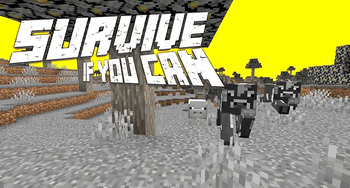


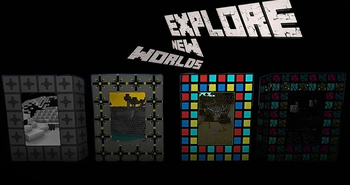
About this Mod
Chroma Realms
There are 4 worlds in the mod, many strong mobs and bosses, as well as tools and blocks! The mod is updated, and the bugs are fixed. Stay tuned for new updates!
Mobs
Now in this mod you can spawn and see 8 mobs:
- Chroma Cow
- Chroma Pig
- Boss Zombie
- Boss Cow
- Boss Spider
- Boss Chicken
- Best dog ever
- Demon Villager
Worlds
Now in this mod you can activate 4 portals:
- Chroma World
- Chroma Realm
- Metaverse
- Purgatory
Ores, ingots
Now in this mod you can find 5 ores
- Andrezite ore - Andrezite Ingot
- Mytherite ore - Mytherite Ingot
- Realmize ore - Realmize Ingot
- Chroma ore - Chroma Dust - Chroma Ingot
- Mikolite ore - Mikolite Ingot
Tools
Now in this mod you can craft 9 tools
- Andrezite pickaxe
- Mytherite pickaxe
- Realmize pickaxe
- Chroma pickaxe (3x3 mining)
- Chroma World Portal Igniter
- Chroma Realm Portal Igniter
- Meta Verse Portal Igniter
- Brokened Igniter
- Disc Launcher
Food
Now in this mod you can eat 6 food
- Boss meat
- Baked boss meat
- Bloody eye
- Poop
- Rib
- Brain
Available Versions
How to Install Chroma Realms on Your Server
Order Server
Order a Minecraft Java server with at least 3 GB RAM (4 GB recommended).
Set forge Loader
In the panel under "Egg", select the forge loader and matching Minecraft version (1.16.5).
Install Mod
Open the mod browser in the dashboard and search for "Chroma Realms". Click "Install" – done! Alternatively, upload the .jar via SFTP to the /mods folder.
Compatibility
Mod Loaders
Minecraft Versions
1.16.5
Server-side
✓ RequiredRecommended RAM
4 GB(min. 3 GB)Frequently Asked Questions
Chroma Realms server crashes on startup – what to do?
Most common cause: wrong forge version or insufficient RAM. Check the server log (latest.log) for "OutOfMemoryError" or "Mixin" errors. With Mado Hosting: ensure at least 3 GB RAM is allocated and the loader matches the mod version (1.16.5). You can switch loaders with one click in the panel.
Is Chroma Realms compatible with forge?
Chroma Realms officially supports forge for Minecraft 1.16.5. The Mado dashboard automatically detects incompatible loader combinations.
Server lagging with Chroma Realms – how to optimize performance?
Recommended RAM: 4 GB (per 8 players). Use /spark profiler to check if Chroma Realms consumes the most tick time. Common fixes: reduce server view-distance to 8-10, install "performant" or "starlight" as supplementary mods on Forge. With Mado Hosting, your server runs on NVMe SSDs with dedicated CPU cores for minimal latency.
Similar Mods




Rent Modded Server
Install Chroma Realms with just one click on your server.