Chronological Chronicles
Alpha 1.1.2_01 mod that adds new items, combat, blocks, enemies, and world generation changes
Screenshots

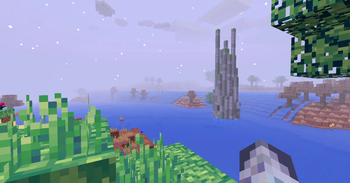

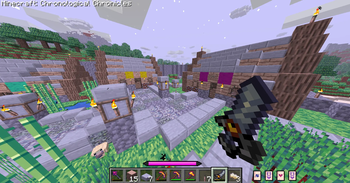
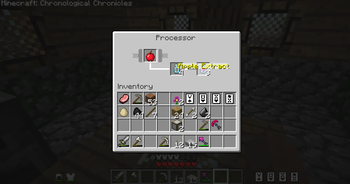
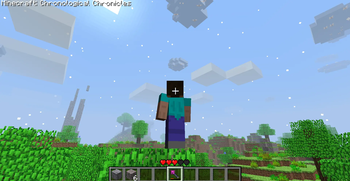
About this Mod
Chronological Chronicles
Modloader NOT required, see install instructions below
The Chronological Chronicles mod is a Minecraft Alpha 1.1.2_01 mod based around exploring, and combat.
It adds:
- Cards, that grant passive effects upon being equipped
- New weapons and armors
- Many new magical staves
- New structures
- Ability to set spawn point
- Hub world functionality
- New decorative blocks
- New artisan food crafting system
- New mobs
- A new world type: Desert
- Two texture modes
- Bug fixes
And reworks:
- All textures
- Mobs to be much more agressive
- Day/Night
- Dungeons
- World generation
- HUD
This mod was originally hosted on my website https://chimneyegg.github.io/#Chronological%20Chronicles, where older versions can also be found alongside the wiki!
Also check out the latest trailer!
This mod's aesthetics were inspired by the Minecraft Alpha 1.0.16 Versions YouTube ARG and associated mods! Check them out!
Install Instructions
Due to the introduction of the hub (and my laziness in implementing a proper system), Chronological Chronicles is now distributed as a zip file that contains two things:
The actual modded .jar and
The Hub world
In order for everything to work properly, the .jar and the saved world need to be put into their correct places
BetaCraft (recommended)
1. Download the provided zip file
2. Create a new alpha 1.1.2_01 instance, name it 'Chronological Chronicles'
3. Launch the instance at least once (to set up everything according to your system and download resources)
4. Extract the zip file, this will extract the 'Hub' world file and the 'chronological_chronicles' .jar. The world file MUST be placed in the instance's 'saves' directory (if a 'saves' directory does NOT exist, create one). The .jar must be placed in the betacraft's 'versions' directory
5. Change the instance version from alpha 1.1.2_01 to the 'chronological_chronicles' .jar at the bottom of the Select Version list
Prism Launcher
1. Download the provided zip file
2. Create a new alpha 1.1.2_01 instance, name it 'Chronological Chronicles'
3. Extract the zip file anywhere
4. Take the .jar file and place it into the libraries directory of the instance (or graphically, pick 'Replace Minecraft.jar' in the edit window, and select the .jar
5. Take the directory that contains the 'saves' directory, and copy the **contents** of it into the .Minecraft directory of the instance
For socials and contact:
https://linktr.ee/chimneyeggs
Available Versions
How to Install Chronological Chronicles on Your Server
Order Server
Order a Minecraft Java server with at least 3 GB RAM (4 GB recommended).
Set modloader Loader
In the panel under "Egg", select the modloader loader and matching Minecraft version (a1.1.2_01).
Install Mod
Open the mod browser in the dashboard and search for "Chronological Chronicles". Click "Install" – done! Alternatively, upload the .jar via SFTP to the /mods folder.
Compatibility
Mod Loaders
Minecraft Versions
a1.1.2_01
Server-side
✓ RequiredRecommended RAM
4 GB(min. 3 GB)Frequently Asked Questions
Chronological Chronicles server crashes on startup – what to do?
Most common cause: wrong modloader version or insufficient RAM. Check the server log (latest.log) for "OutOfMemoryError" or "Mixin" errors. With Mado Hosting: ensure at least 3 GB RAM is allocated and the loader matches the mod version (a1.1.2_01). You can switch loaders with one click in the panel.
Is Chronological Chronicles compatible with modloader?
Chronological Chronicles officially supports modloader for Minecraft a1.1.2_01. The Mado dashboard automatically detects incompatible loader combinations.
Server lagging with Chronological Chronicles – how to optimize performance?
Recommended RAM: 4 GB (per 8 players). Use /spark profiler to check if Chronological Chronicles consumes the most tick time. Common fixes: reduce server view-distance to 8-10, install "performant" or "starlight" as supplementary mods on Forge. With Mado Hosting, your server runs on NVMe SSDs with dedicated CPU cores for minimal latency.
Similar Mods




Rent Modded Server
Install Chronological Chronicles with just one click on your server.