
Chunk Tracker
A client-side Fabric mod that logs blocks in loaded chunks and alerts you when watched blocks appear nearby.
Screenshots
About this Mod
Chunk Tracker
Chunk Tracker is a client-side Fabric mod for Minecraft 1.21.1 that automatically logs every block in each chunk you load and alerts you when watched blocks appear nearby.
⚠️ Work in progress – bugs are expected.
Please visit my GitHub page to see my other mods and for sending bug reports, suggestions, and questions.
⛔ Server Warning — Chunk Tracker can make it easier to locate other players bases and structures. Always check the server rules and get permission from staff before using it, and never use it to harass or grief other players.
How It Works
Every chunk you load is automatically scanned and saved to a log file. You can search through your chunk history at any time and set waypoints to navigate back to specific blocks. If a watched block is found in a newly loaded or reloaded chunk, you'll get an in-game sound alert.
GUI
Open the GUI with /chunktrack gui or set a keybind in the settings menu.
🔍 Search Tab
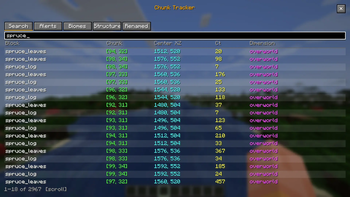
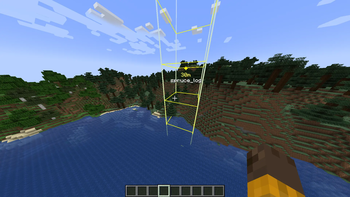
Search your chunk history by block name; results update live and you can place waypoints on any result.
🔔 Alerts Tab
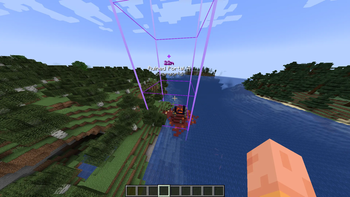
Shows chunks containing watched blocks and lets you waypoint them quickly.
🗺️ Biomes Tab
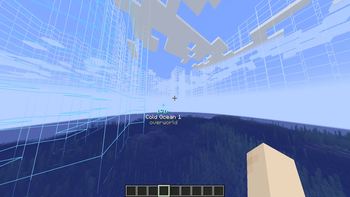
Lists discovered biomes; highlights borders and sets a waypoint to the center.
🏰 Structures Tab
Tracks structures along your journey and highlights their chunks. (Does not currently work on servers and only highlights one chunk)
🏷️ Renamed Tab
Shows chunks and biomes renamed with /chunktrack rename
Alert List
Add blocks to your watchlist and get a sound alert the moment they appear in a loaded chunk.
Commands
/chunktrack gui – Open the Chunk Tracker GUI.
/chunktrack list – List all blocks in the current chunk.
/chunktrack alert add/remove/list – Manage the block alert watchlist.
/chunktrack alert addmod/removemod – Add or remove all blocks from a mod (currently experimental and not recommended).
/chunktrack rename biome/chunk – Rename the current biome or chunk.
/chunktrack rename list/remove – Manage renamed chunks and biomes.
Notes
- Client-side only — works on any server, no server-side installation needed
- Chunk logs are saved in your Minecraft instance folder
- All results in the GUI are sorted from closest to farthest
Available Versions
How to Install Chunk Tracker on Your Server
Order Server
Order a Minecraft Java server with at least 3 GB RAM (4 GB recommended).
Set fabric Loader
In the panel under "Egg", select the fabric loader and matching Minecraft version (1.21.11).
Install Mod
Open the mod browser in the dashboard and search for "Chunk Tracker". Click "Install" – done! Alternatively, upload the .jar via SFTP to the /mods folder.
Compatibility
Mod Loaders
Minecraft Versions
1.21.11, 1.21.10, 1.21.9 (+8 more)
Server-side
✗ UnsupportedRecommended RAM
4 GB(min. 3 GB)Frequently Asked Questions
Chunk Tracker server crashes on startup – what to do?
Most common cause: wrong fabric version or insufficient RAM. Check the server log (latest.log) for "OutOfMemoryError" or "Mixin" errors. With Mado Hosting: ensure at least 3 GB RAM is allocated and the loader matches the mod version (1.21.11). You can switch loaders with one click in the panel.
Is Chunk Tracker compatible with fabric?
Chunk Tracker officially supports fabric for Minecraft 1.21.11, 1.21.10, 1.21.9. The Mado dashboard automatically detects incompatible loader combinations.
Server lagging with Chunk Tracker – how to optimize performance?
Recommended RAM: 4 GB (per 8 players). Use /spark profiler to check if Chunk Tracker consumes the most tick time. Common fixes: reduce server view-distance to 8-10, install "performant" or "starlight" as supplementary mods on Forge. With Mado Hosting, your server runs on NVMe SSDs with dedicated CPU cores for minimal latency.
Similar Mods






Rent Modded Server
Install Chunk Tracker with just one click on your server.