CIDE-CC
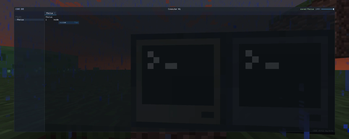
A better, more user friendly computer craft editor that is entirely in-game, including built-in wiki, jumping to definitions and many of the familiar shortcuts.
Screenshots
About this Mod
In-game editor for computer craft is practically unusable - very small screen, no copy and paste, no undo and redo. Anyone that is actually busy with computer craft use an external editor, like VSC.
This mod aims to rectify such problem as multiplayer makes using an external editor hard and giving a proper editor for computer craft code would make quick editing much easier. Right clicking a function name will try to jump to where its defined in the file, right clicking computer craft (or lua) functions will open a wiki in game. a file tree, and so on.
What is currently working:
- variable autocomplete in a given context (Wont offer you the variable that is declared inside a for loop 300 lines up
- fully functional file/folder tree, paired with zoom
- right clicking a variable / function name will jump to its definition in that file
- Peripherals that is wrapped in a variable will send you to the wiki of that peripheral if the variable is right clicked, doesnt work if the peripheral is not hardcoded, with the exception being of wrapping sides of the computer - that will correctly give you the wiki page.
By default, only Advanced computer is given such functionality, and is opened by shift-right clicking the PC. But can be given to all computers via config.
Its not feature complete, but you'll likely have a better experience than the Computer craft editor, if you find any issues (Like a variable being suggested when it shouldn't be or otherwise should be when it isn't) feel free to make an issue report on the issue tracker.
Requires CC:Tweaked. Lua and CC functions for wiki are baked in, everything else is not.
For adding your own autocomplete, read the example mod that adds both autocomplete and a wiki entry Click me for example mod
Available Versions
How to Install CIDE-CC on Your Server
Order Server
Order a Minecraft Java server with at least 3 GB RAM (4 GB recommended).
Set neoforge Loader
In the panel under "Egg", select the neoforge loader and matching Minecraft version (1.21.1).
Install Mod
Open the mod browser in the dashboard and search for "CIDE-CC". Click "Install" – done! Alternatively, upload the .jar via SFTP to the /mods folder.
Compatibility
Mod Loaders
Minecraft Versions
1.21.1
Server-side
✓ RequiredRecommended RAM
4 GB(min. 3 GB)Frequently Asked Questions
CIDE-CC server crashes on startup – what to do?
Most common cause: wrong neoforge version or insufficient RAM. Check the server log (latest.log) for "OutOfMemoryError" or "Mixin" errors. With Mado Hosting: ensure at least 3 GB RAM is allocated and the loader matches the mod version (1.21.1). You can switch loaders with one click in the panel.
Is CIDE-CC compatible with neoforge?
CIDE-CC officially supports neoforge for Minecraft 1.21.1. The Mado dashboard automatically detects incompatible loader combinations.
Server lagging with CIDE-CC – how to optimize performance?
Recommended RAM: 4 GB (per 8 players). Use /spark profiler to check if CIDE-CC consumes the most tick time. Common fixes: reduce server view-distance to 8-10, install "performant" or "starlight" as supplementary mods on Forge. With Mado Hosting, your server runs on NVMe SSDs with dedicated CPU cores for minimal latency.
Similar Mods





Rent Modded Server
Install CIDE-CC with just one click on your server.