CinderStride Lava Walker
Hidden in Bastions lies a relic that grants the power to walk on lava. With it, the Nether’s oceans become your highway.
Screenshots
About this Mod
CinderStride – Walk on Lava
Walk on lava in Minecraft.
A vanilla friendly mod that adds lava walking boots, similar to Frost Walker but for the Nether.
Hidden in Bastions is a relic that lets you cross lava oceans like they’re solid ground.
Works great with HearthGuard. HearthFires get stronger and mobs really don’t like them.
1.1.0 Update
This update adds a full upgrade path and a few survival improvements that make the boots feel a lot better to use long term.
- Upgradeable boots
- No durability loss while walking on lava
- Magma block protection
- You can walk on magma without taking damage
- Lava fall safety
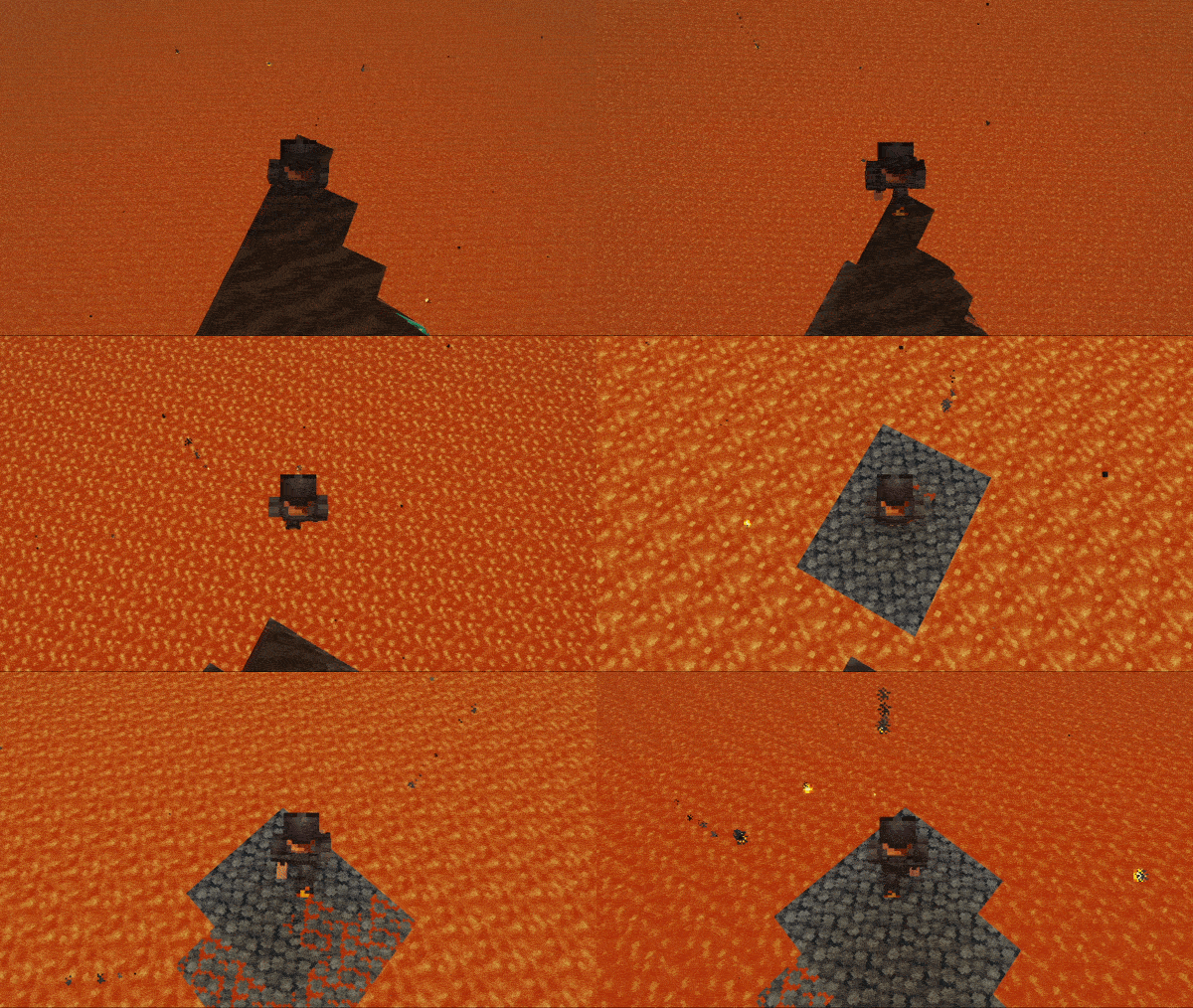
- Falling into lava creates a temporary basalt platform under you
- You still take fall damage, this just saves you from the lava
- HearthFire
- Use a Cinder Core on a campfire to upgrade it
Early on the boots feel risky. Later on they become something you can rely on.
Features
- Walk across lava without bridges or fire resistance
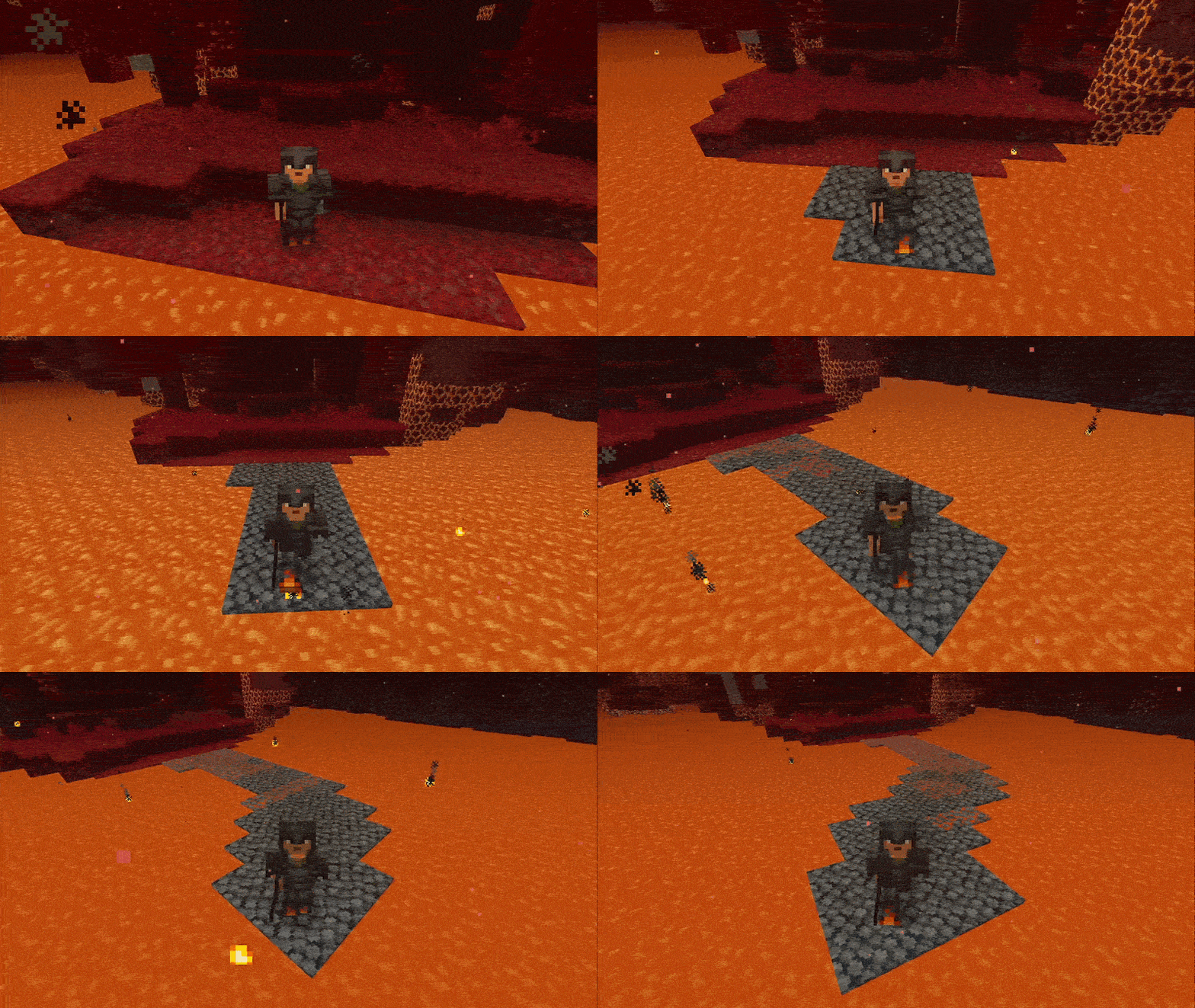
- Lava turns into temporary basalt under your feet
- The path collapses behind you if you stop moving
- Designed to encourage exploration of Bastions by adding rewards
- Campfires can be upgraded into HearthFires
Walking on Lava
Falling into a lava lake
HearthFire
- Right-click a campfire with a Cinder Core to turn it into a HearthFire
- Has stronger visuals and burns hotter
- Cooks food twice as fast
- Works with HearthGuard
- Mobs are pushed back even harder
CinderStride Boots
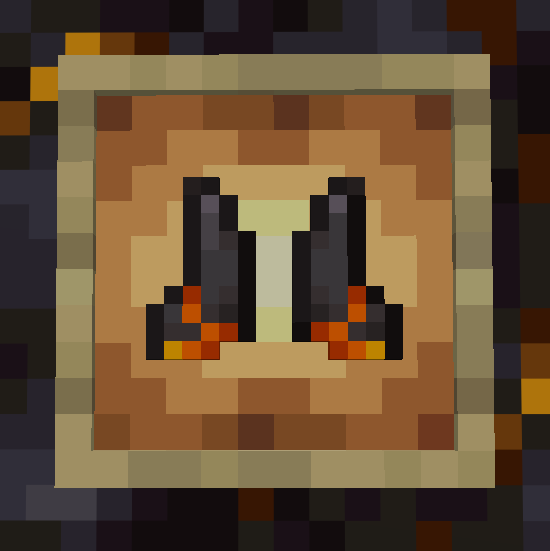
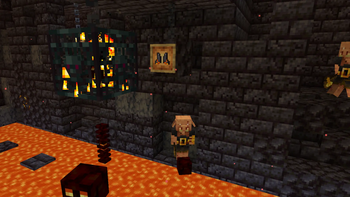
- Found in Bastion Treasure Rooms
- Displayed on an item frame, similar to Elytra
- Turn lava into temporary basalt as you walk
- Basalt slowly turns back into lava
- Standing still too long can leave you stranded
- Uses durability while walking on lava
- Won’t break completely, but can become unusable until repaired
- Can be enchanted. Mending and Unbreaking help a lot
You are meant to keep moving.
Repairing the Boots
- Repair with Netherite Ingots
- Or use Cinder Shards for double the effect
Progression & Upgrades
Step 1 – Find the boots
- Only found in Treasure Bastions
- Not craftable
Step 2 – Get materials
Found in Bastions:
Cinder Shards
- Found in chests
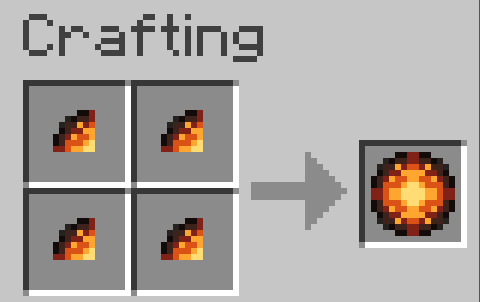
- 4 shards = 1 Cinder Core
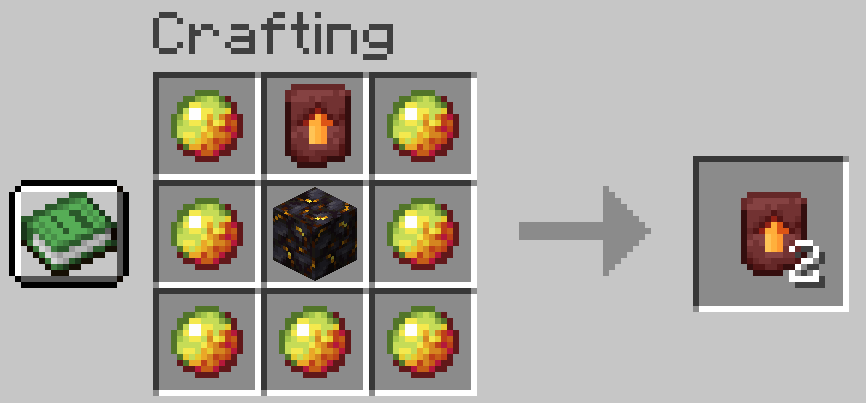
Cinder Template
- Found in Treasure Bastions
- Can be duplicated like Netherite templates
Step 3 – Make a core
- 4 Cinder Shards → 1 Cinder Core
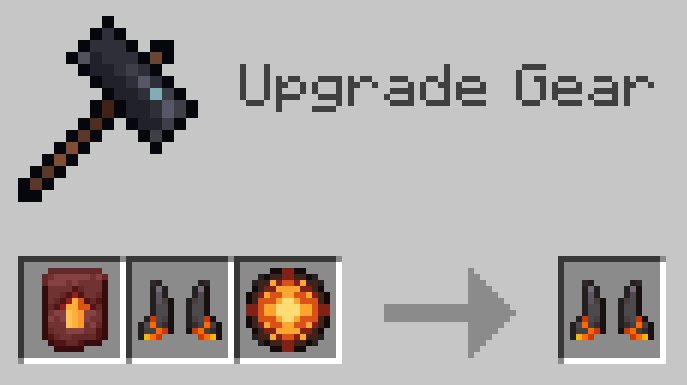
Step 4 – Upgrade the boots
Use a Smithing Table:
- Template + Boots + Core → Upgraded Boots
Result
Upgraded boots:
- No durability loss from lava walking
- Immune to magma blocks
- Create a platform if you fall into lava
Configuration
Everything can be adjusted with commands or config.
Config & Commands
Config File
config/cinderstride/cinderstride.json
Options
- radius (default 1)
- decayTicks (default 40)
- durabilityLossChance (default 0.25)
Commands
- /cinderstride config show
- /cinderstride config get
- /cinderstride config set
- /cinderstride config reload
Admin permissions required to change values.
Changelog
1.1.0
- Added upgrade system
- Added magma protection
- Added lava fall platform
- Added shards, core, and template
- Added HearthFire
- Added sound effects when lava is cooled and then when it reverts
1.0.0
- Initial release
Permissions
You can include this mod in modpacks.
License: MIT
Source: https://github.com/kingnhcomcast/cinderstride
Permissions: You are welcome to use this mod in your modpack. If you do, feel free to leave a comment and let me know.
If you want support for other minecraft versions or feature requests, leave a comment!
Enjoy!
Available Versions
How to Install CinderStride Lava Walker on Your Server
Order Server
Order a Minecraft Java server with at least 3 GB RAM (4 GB recommended).
Set fabric Loader
In the panel under "Egg", select the fabric loader and matching Minecraft version (26.1.2).
Install Mod
Open the mod browser in the dashboard and search for "CinderStride Lava Walker". Click "Install" – done! Alternatively, upload the .jar via SFTP to the /mods folder.
Compatibility
Mod Loaders
Minecraft Versions
26.1.2, 26.1.1, 26.1 (+2 more)
Server-side
✓ RequiredRecommended RAM
4 GB(min. 3 GB)Frequently Asked Questions
CinderStride Lava Walker server crashes on startup – what to do?
Most common cause: wrong fabric version or insufficient RAM. Check the server log (latest.log) for "OutOfMemoryError" or "Mixin" errors. With Mado Hosting: ensure at least 3 GB RAM is allocated and the loader matches the mod version (26.1.2). You can switch loaders with one click in the panel.
Is CinderStride Lava Walker compatible with fabric and neoforge?
CinderStride Lava Walker officially supports fabric, neoforge for Minecraft 26.1.2, 26.1.1, 26.1. The Mado dashboard automatically detects incompatible loader combinations.
Server lagging with CinderStride Lava Walker – how to optimize performance?
Recommended RAM: 4 GB (per 8 players). Use /spark profiler to check if CinderStride Lava Walker consumes the most tick time. Common fixes: reduce server view-distance to 8-10, install "performant" or "starlight" as supplementary mods on Forge. With Mado Hosting, your server runs on NVMe SSDs with dedicated CPU cores for minimal latency.
Similar Mods




Rent Modded Server
Install CinderStride Lava Walker with just one click on your server.