
Cinematic Zoom (Fabric)
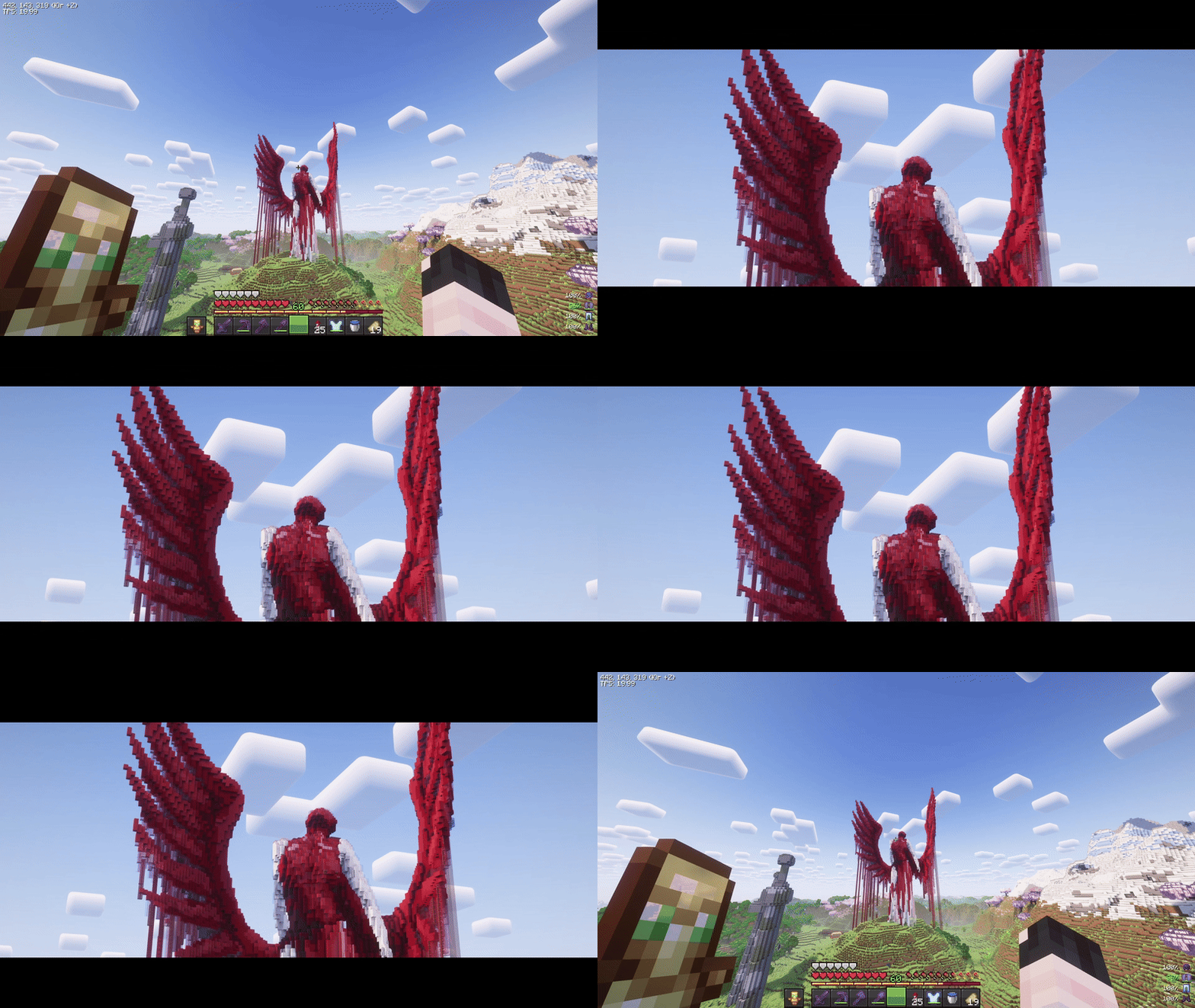
Smooth, cinematic zoom for Minecraft with animated black bars, per-frame easing, and optional mouse wheel control. Built for Fabric 1.21.7-1.21.11.
About this Mod
CinematicZoom (Fabric 1.21.7-1.21.11)
Smooth, cinematic zoom for Minecraft with animated black bars, per-frame easing, and optional mouse wheel control. Built for Fabric 1.21.7-1.21.11.
Features
- Hold-to-zoom (default key:
C, rebindable). - Per-frame smoothing (no “steppy” 20 TPS feel).
- Animated black bars (top & bottom, configurable height).
- Mouse wheel adjustment while zooming (optional).
- Hide HUD & crosshair while zooming (optional).
- Cinematic (smooth) camera toggle while zooming (optional).
- Multi-language: English & Russian.
Requirements
- (Optional) Mod Menu (for in-game settings entry)
- (Optional) Cloth Config (for a nice config screen)
Installation
- Install Fabric Loader & Fabric API for Minecraft 1.21.7-1.21.11.
- Put this mod’s JAR into your
mods/folder. - (Optional) Add Mod Menu and Cloth Config for an in-game settings UI.
Usage
- Hold the zoom key (default C) to zoom in.
- While holding zoom, scroll the mouse wheel to fine-tune zoom level (if enabled).
- Release the key to smoothly return to normal FOV and hide the bars.
Zoom, HUD hiding, and cinematic camera are automatically disabled in GUI screens.
Configuration
You can configure the mod in two ways:
In-game (recommended)
If Mod Menu + Cloth Config are installed:
- Open Mods → Cinematic Zoom → Configure.
Config file
Edit (or delete to regenerate defaults):
Credits & Attribution
Original author & idea credit: KubePixel
Their Forge mod for 1.20.1/1.21.1: Cinematic Zoom — https://www.curseforge.com/minecraft/mc-mods/cinematic-zoomFabric implementation (this mod): mix
This project is an independent Fabric implementation inspired by the original concept. Not affiliated with or endorsed by KubePixel.
Original concept and name credit to KubePixel. If you’re on Forge 1.20.1/1.21.1, check out their original mod here: https://www.curseforge.com/minecraft/mc-mods/cinematic-zoom.
Available Versions
How to Install Cinematic Zoom (Fabric) on Your Server
Order Server
Order a Minecraft Java server with at least 3 GB RAM (4 GB recommended).
Set fabric Loader
In the panel under "Egg", select the fabric loader and matching Minecraft version (1.21.11).
Install Mod
Open the mod browser in the dashboard and search for "Cinematic Zoom (Fabric)". Click "Install" – done! Alternatively, upload the .jar via SFTP to the /mods folder.
Compatibility
Mod Loaders
Minecraft Versions
1.21.11, 1.21.10, 1.21.9 (+5 more)
Server-side
✗ UnsupportedRecommended RAM
4 GB(min. 3 GB)Frequently Asked Questions
Cinematic Zoom (Fabric) server crashes on startup – what to do?
Most common cause: wrong fabric version or insufficient RAM. Check the server log (latest.log) for "OutOfMemoryError" or "Mixin" errors. With Mado Hosting: ensure at least 3 GB RAM is allocated and the loader matches the mod version (1.21.11). You can switch loaders with one click in the panel.
Is Cinematic Zoom (Fabric) compatible with fabric?
Cinematic Zoom (Fabric) officially supports fabric for Minecraft 1.21.11, 1.21.10, 1.21.9. The Mado dashboard automatically detects incompatible loader combinations.
Server lagging with Cinematic Zoom (Fabric) – how to optimize performance?
Recommended RAM: 4 GB (per 8 players). Use /spark profiler to check if Cinematic Zoom (Fabric) consumes the most tick time. Common fixes: reduce server view-distance to 8-10, install "performant" or "starlight" as supplementary mods on Forge. With Mado Hosting, your server runs on NVMe SSDs with dedicated CPU cores for minimal latency.
Rent Modded Server
Install Cinematic Zoom (Fabric) with just one click on your server.