
Circuit
With ‘Circuit’, you can easily create Redstone circuits using an in-game editor.
Screenshots

About this Mod
Circuit
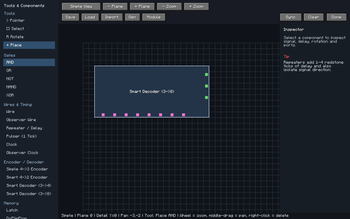
Circuit is a Fabric mod for designing and placing redstone circuits from a visual (in-game) editor.
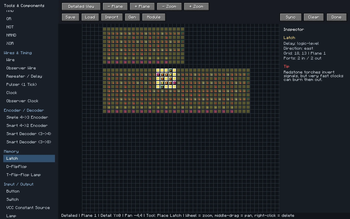
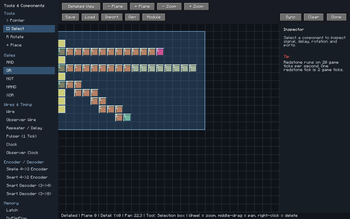
Instead of building every gate directly in the world by hand, Circuit lets you open a top-down circuit editor, place redstone components on a grid, connect them with wires, organize larger builds into modules, and then sync the result into your Minecraft world.
Features
- Top-down redstone circuit editor
- Simple and detailed viewing modes
- Place logic gates, wires, repeaters, clocks, latches, flip-flops, inputs, outputs, encoders, decoders, and larger structures
- Import and save
.bcdicircuit files - Preset support for larger example circuits (one yet)
- Module system for grouping circuit sections into reusable blocks
- Multi-layer editing for vertical redstone layouts
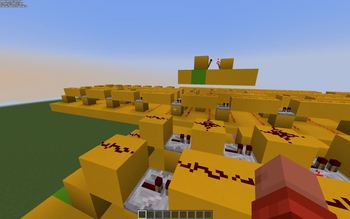
- World sync to place the circuit into Minecraft
- World scan to detect redstone changes made manually in-game
- Smart wire handling for routing, crossings, observer wires, and repeaters
- Redstone-focused flat world workflow for testing builds
Why Use It?
It is useful for:
- planning redstone computers
- experimenting with logic gates
- building reusable modules
- creating larger circuits before placing them in the world
- organizing technical redstone projects
The goal is to make redstone feel easier to design while keeping it connected to Minecraft builds
Environment
Circuit is required on the client but also recommended on the server.
For multiplayer, the mod is also required on the server if players should use world-sync features that place or modify blocks through the mod workflow. For singleplayer, installing it normally in the client/modpack is enough.
Available Versions
How to Install Circuit on Your Server
Order Server
Order a Minecraft Java server with at least 3 GB RAM (4 GB recommended).
Set fabric Loader
In the panel under "Egg", select the fabric loader and matching Minecraft version (1.21.11).
Install Mod
Open the mod browser in the dashboard and search for "Circuit". Click "Install" – done! Alternatively, upload the .jar via SFTP to the /mods folder.
Compatibility
Mod Loaders
Minecraft Versions
1.21.11, 1.21.10, 1.21.9 (+9 more)
Server-side
~ OptionalRecommended RAM
4 GB(min. 3 GB)Frequently Asked Questions
Circuit server crashes on startup – what to do?
Most common cause: wrong fabric version or insufficient RAM. Check the server log (latest.log) for "OutOfMemoryError" or "Mixin" errors. With Mado Hosting: ensure at least 3 GB RAM is allocated and the loader matches the mod version (1.21.11). You can switch loaders with one click in the panel.
Is Circuit compatible with fabric?
Circuit officially supports fabric for Minecraft 1.21.11, 1.21.10, 1.21.9. The Mado dashboard automatically detects incompatible loader combinations.
Server lagging with Circuit – how to optimize performance?
Recommended RAM: 4 GB (per 8 players). Use /spark profiler to check if Circuit consumes the most tick time. Common fixes: reduce server view-distance to 8-10, install "performant" or "starlight" as supplementary mods on Forge. With Mado Hosting, your server runs on NVMe SSDs with dedicated CPU cores for minimal latency.
Similar Mods





Rent Modded Server
Install Circuit with just one click on your server.
Details
- License
- Creative Commons Attribution Non Commercial No Derivatives 4.0 International
- Server-side
- Optional