
Classics: Uranium
The first in the Classics series! A complete rewrite of the original Uranium Mod by MinecraftForum user 'book'.
Screenshots
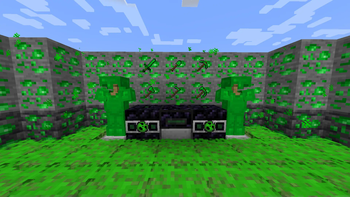
About this Mod

The first in the Classics series! A complete rewrite of the original Uranium Mod by MinecraftForum user 'book'.
About Classics: Uranium:
Classics: Uranium was spurned from my desire to see old, long-dead, nostalgic mods remade and brought into modern Minecraft. The original Uranium Mod is quite old and quite simple, and so I thought it a perfect choice for the first in the series.
Features:
- Uranium Ore - Generates from -32 to 32. Be careful not to touch it or drop anything on it!
- Nuclear Reactor - A cheaper way to create Uranium Ingots, and required to make some other irradiated items!
- Uranium Tools & Armor - Slightly better than iron, with the enchantability of gold!
- Mutants & Radioactive Skeletons - Beware! These new mobs are created by splashing regular Zombies and Skeletons with the new Potion of Mutation!
- Nuclear Bombs - Massive, deadly explosion that spews Nuclear Waste everywhere!
- Grenades - Pack TNT in a uranium shell to create a powerful throwable bomb!
- Uranium Coal - Coal but better! Radiation gives it superpowers.
Recipes
The Nuclear Reactor Block doesn't have compatibility with J/REI yet. Its recipes are as follows:
- Gold Ingot -> Uranium Ingot
- Coal -> Uranium Coal
- Rotten Flesh -> Mutagenic Flesh
In each case, either Uranium Dust or Uranium Coal can be used as fuel. Uranium Dust is enough to irradiate 1 item, and Uranium Coal can irradiate 3.
Potion of Mutation can be brewed by adding Mutagenic Flesh to an Awkward Potion.
Available Versions
How to Install Classics: Uranium on Your Server
Order Server
Order a Minecraft Java server with at least 4 GB RAM (6 GB recommended).
Set fabric Loader
In the panel under "Egg", select the fabric loader and matching Minecraft version (1.20.1).
Install Mod
Open the mod browser in the dashboard and search for "Classics: Uranium". Click "Install" – done! Alternatively, upload the .jar via SFTP to the /mods folder.
Compatibility
Mod Loaders
Minecraft Versions
1.20.1, 1.20
Server-side
✓ RequiredRecommended RAM
6 GB(min. 4 GB)Frequently Asked Questions
Classics: Uranium server crashes on startup – what to do?
Most common cause: wrong fabric version or insufficient RAM. Check the server log (latest.log) for "OutOfMemoryError" or "Mixin" errors. With Mado Hosting: ensure at least 4 GB RAM is allocated and the loader matches the mod version (1.20.1). You can switch loaders with one click in the panel.
Is Classics: Uranium compatible with fabric?
Classics: Uranium officially supports fabric for Minecraft 1.20.1, 1.20. The Mado dashboard automatically detects incompatible loader combinations.
Server lagging with Classics: Uranium – how to optimize performance?
Recommended RAM: 6 GB (per 5 players). Use /spark profiler to check if Classics: Uranium consumes the most tick time. Common fixes: reduce server view-distance to 8-10, install "performant" or "starlight" as supplementary mods on Forge. With Mado Hosting, your server runs on NVMe SSDs with dedicated CPU cores for minimal latency.
Similar Mods




![[TaCZ] Timeless and Classics Zero](https://cdn.modrinth.com/data/SzzJttH8/fd27766d2bb8390d284696b1dbd358f87e081439_96.webp)

Rent Modded Server
Install Classics: Uranium with just one click on your server.