
Clean PVP
it’s a simple mod but has everything you need. It doesnt lag your game and it looks really slick. If you play a lot of Bedwars or Skywars, you should definately download this on Modrinth. It makes the game feel much more professional!
Screenshots
About this Mod
Clean PvP Mod Review
Now you can support the offical github code here!
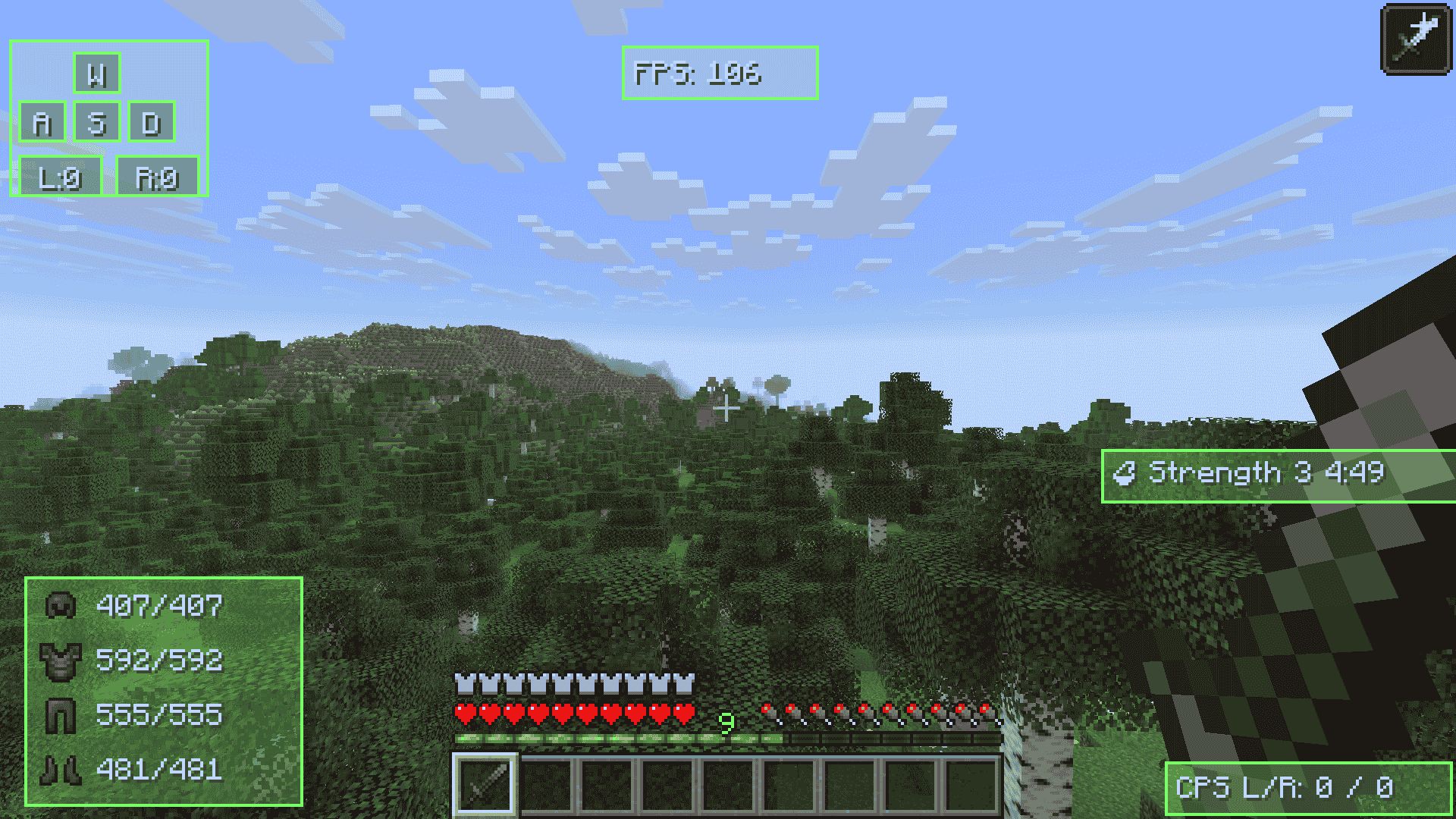
If you are looking for a way to make your game look way better while you fight, you should definitely check out Clean PvP. It is a mod that gives you a super clean HUD that doesn't get in the way of your gameplay, but still tells you everything you need to know.
The Best Parts
The coolest thing about this mod is how much you can change stuff. You can actually drag and drop every part of the HUD to wherever you want on your screen. If you don't like where the FPS is, just move it!
You can also change the colors to match your style. It has:
RGB Rainbow (my favorite)
Solid colors
Simple outlines if you want it to stay "clean"
What it Shows
It has all the important stuff for PvP players:
FPS & CPS: Track your frames and how fast you are clicking.
Keystrokes: Shows exactly what keys you are pressing on your screen.
Armor Status: You can see your durability so your boots don't break in the middle of a fight.
Potion Effects: No more checking your inventory to see how much Strength time you have left.
(My) Verdict
Overall, I feel like this mod is great because it’s simple but has everything you need. It doesnt lag your game and it looks really slick. If you play a lot of Bedwars or Skywars, you should definitely download this on Modrinth. It makes the game feel much more professional!
Available Versions
How to Install Clean PVP on Your Server
Order Server
Order a Minecraft Java server with at least 3 GB RAM (4 GB recommended).
Set fabric Loader
In the panel under "Egg", select the fabric loader and matching Minecraft version (26.1.2).
Install Mod
Open the mod browser in the dashboard and search for "Clean PVP". Click "Install" – done! Alternatively, upload the .jar via SFTP to the /mods folder.
Compatibility
Mod Loaders
Minecraft Versions
26.1.2, 1.8.9
Server-side
✗ UnsupportedRecommended RAM
4 GB(min. 3 GB)Frequently Asked Questions
Clean PVP server crashes on startup – what to do?
Most common cause: wrong fabric version or insufficient RAM. Check the server log (latest.log) for "OutOfMemoryError" or "Mixin" errors. With Mado Hosting: ensure at least 3 GB RAM is allocated and the loader matches the mod version (26.1.2). You can switch loaders with one click in the panel.
Is Clean PVP compatible with fabric and forge?
Clean PVP officially supports fabric, forge for Minecraft 26.1.2, 1.8.9. Note: Forge and Fabric mods are NOT cross-compatible – pick one loader and stick with it. The Mado dashboard automatically detects incompatible loader combinations.
Server lagging with Clean PVP – how to optimize performance?
Recommended RAM: 4 GB (per 8 players). Use /spark profiler to check if Clean PVP consumes the most tick time. Common fixes: reduce server view-distance to 8-10, install "performant" or "starlight" as supplementary mods on Forge. With Mado Hosting, your server runs on NVMe SSDs with dedicated CPU cores for minimal latency.
Rent Modded Server
Install Clean PVP with just one click on your server.