
Cliff under a Branch (CliffBranch)
A vanilla-styled worldgen overhaul, fork of CliffTree with alternative development
Screenshots

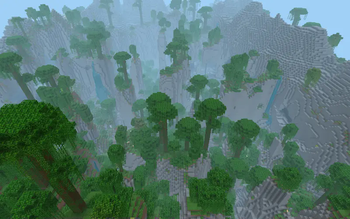

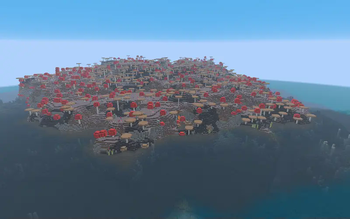
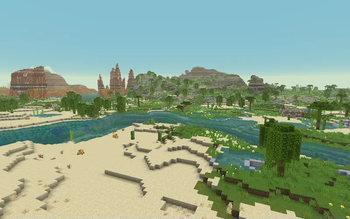

About this Mod
Cliff under a Branch
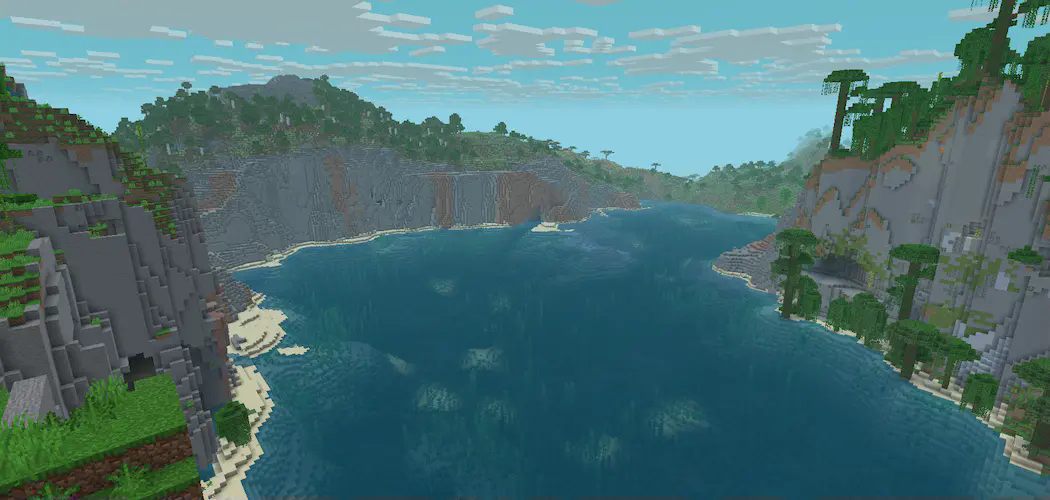
Cliff under a Branch, or CliffBranch, is a worldgen datapack that improves on the overworld by adding new biomes and bringing several changes to the existing ones, all while keeping to the spirit of vanilla minecraft
This datapack is a development fork from CliffTree originally created by Konci and Walls(me)
It continues development of clifftree in its own direction
Features
New biomes
From the vast Tundras to the cozy Oasis. CliffBranch introduces new biomes to discover with new sights to behold, as well as variants to biomes you already know like the Coniferous Badlands and the Sparse Forests
Improves the vanilla biomes
The vanilla biomes got a glow up with improvements to their distribution or significant visual improvements like in the case of the savanna plateaus and its terracotta or the birch with improved trees
New rivers, improved water and fog colors, and deeper oceans
This pack alters almost all biomes water and fog colors to better match with the direction of newer biomes and match closer to bedrock edition, it also features new river types for the different temperatures to accomodate this changes, as well as deeper oceans that reach deepslate or even further in trenches with magma and basalt
Caves
CliffBranch implements a drastic change to caves with surface biomes no longer extending deep into the underground, and instead having underground several cave biomes
Spawn rates changes
Multiple mobs got spawn changes, from spiders spawning more in the warm biomes and less in the colder to several animals spawning in more or less biomes to bring a sense of biodiversity from biome to biome
Adjustments to plenty of foliage mechanics
Several trees got improved, like Birch, Small Jungle trees and Pale oaks. Saplings also received new growing rules which can determine the size and variant of the tree

Available Versions
How to Install Cliff under a Branch (CliffBranch) on Your Server
Order Server
Order a Minecraft Java server with at least 4 GB RAM (6 GB recommended).
Set datapack Loader
In the panel under "Egg", select the datapack loader and matching Minecraft version (26.1.2).
Install Mod
Open the mod browser in the dashboard and search for "Cliff under a Branch (CliffBranch)". Click "Install" – done! Alternatively, upload the .jar via SFTP to the /mods folder.
Compatibility
Mod Loaders
Minecraft Versions
26.1.2, 26.1.1, 26.1 (+8 more)
Server-side
✓ RequiredRecommended RAM
6 GB(min. 4 GB)Frequently Asked Questions
Cliff under a Branch (CliffBranch) server crashes on startup – what to do?
Most common cause: wrong datapack version or insufficient RAM. Check the server log (latest.log) for "OutOfMemoryError" or "Mixin" errors. With Mado Hosting: ensure at least 4 GB RAM is allocated and the loader matches the mod version (26.1.2). You can switch loaders with one click in the panel.
Is Cliff under a Branch (CliffBranch) compatible with datapack and fabric and forge and neoforge and quilt?
Cliff under a Branch (CliffBranch) officially supports datapack, fabric, forge, neoforge, quilt for Minecraft 26.1.2, 26.1.1, 26.1. Note: Forge and Fabric mods are NOT cross-compatible – pick one loader and stick with it. The Mado dashboard automatically detects incompatible loader combinations.
Server lagging with Cliff under a Branch (CliffBranch) – how to optimize performance?
Recommended RAM: 6 GB (per 5 players). Use /spark profiler to check if Cliff under a Branch (CliffBranch) consumes the most tick time. Common fixes: reduce server view-distance to 8-10, install "performant" or "starlight" as supplementary mods on Forge. With Mado Hosting, your server runs on NVMe SSDs with dedicated CPU cores for minimal latency.
Similar Mods




Rent Modded Server
Install Cliff under a Branch (CliffBranch) with just one click on your server.
Details
- License
- Creative Commons Attribution Non Commercial Share Alike 4.0 International
- Server-side
- Required