
Cloth Gamerules
Cloth Config replacement for the Gamerules Screen
Screenshots
About this Mod
Note of archival: Minecraft 26.1 now includes a search bar in its gamerule screen, which was the primary motivation behind this mod.
Cloth Gamerules Screen
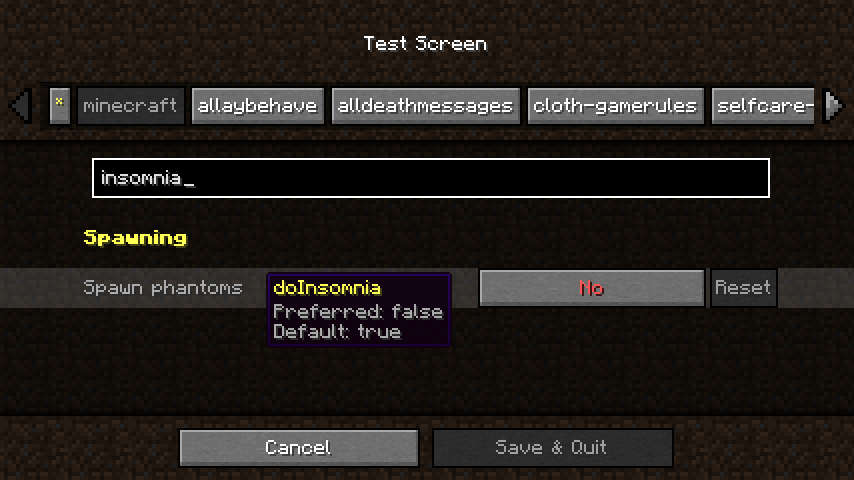
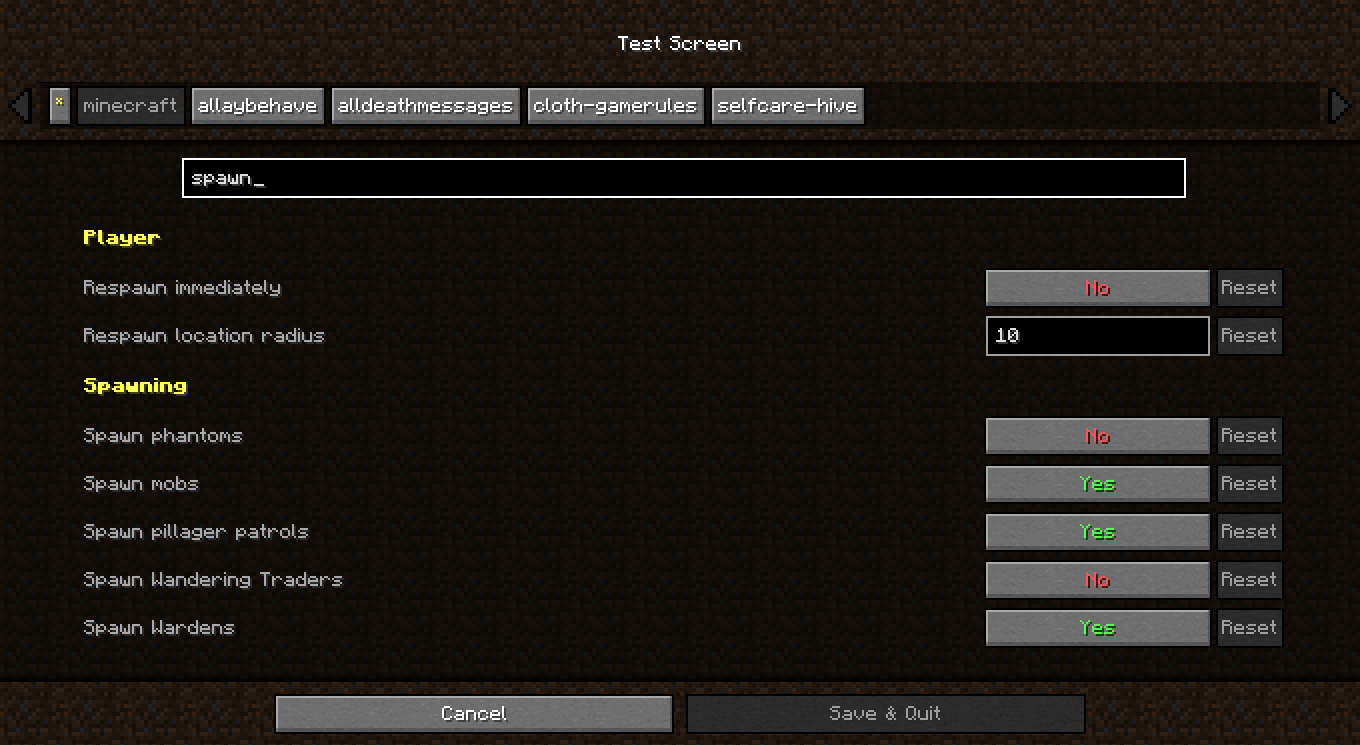
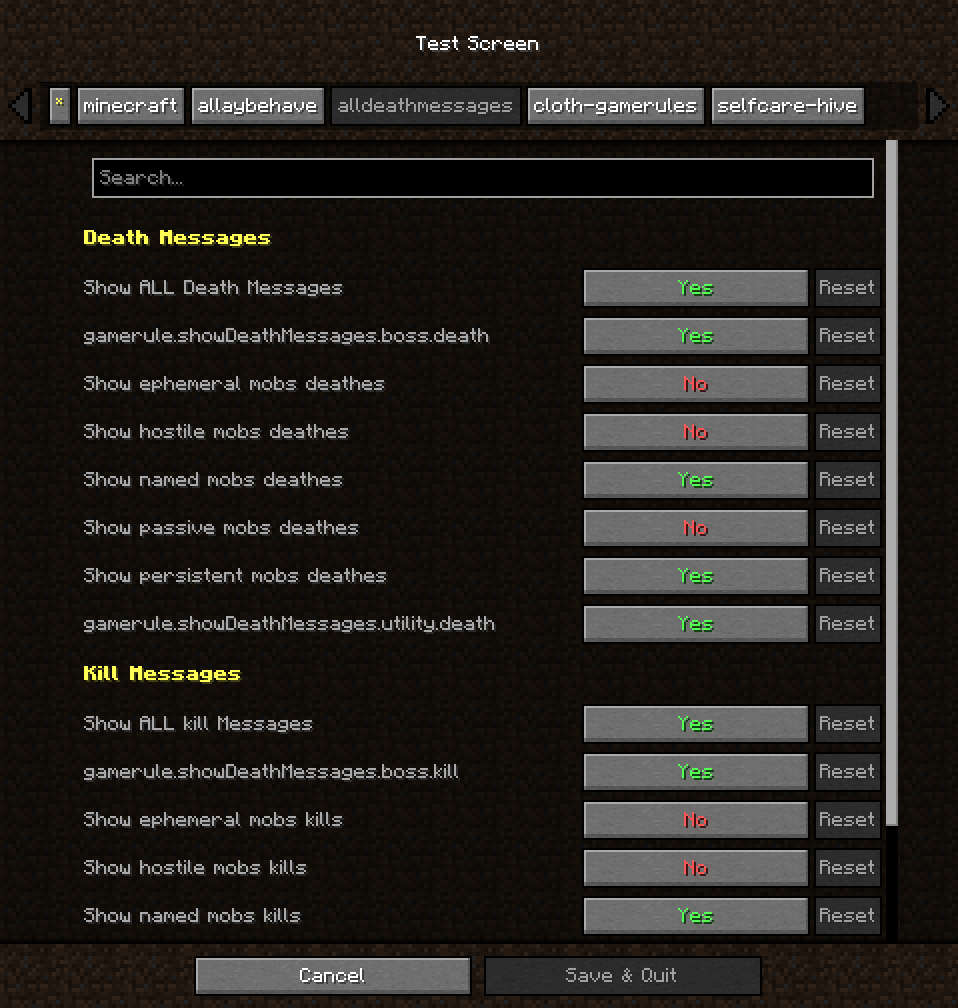
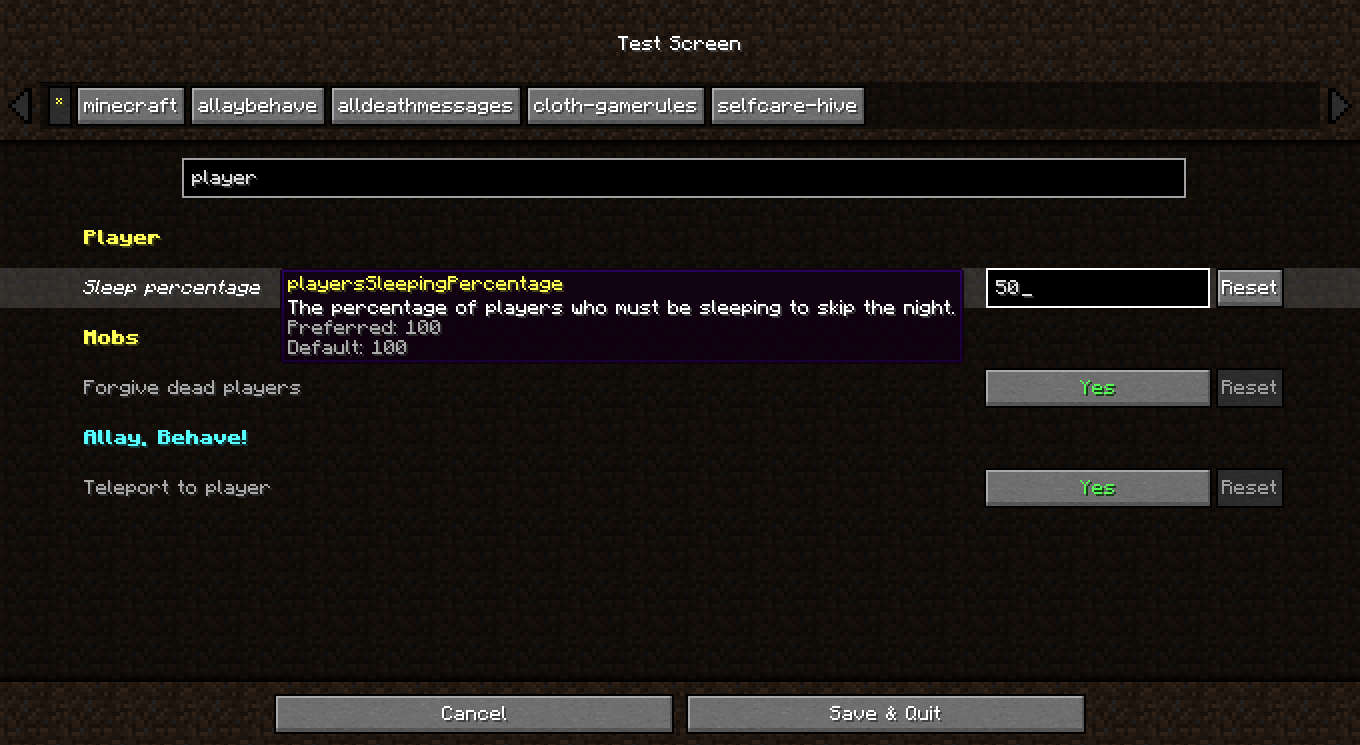
A complete reimplementation of the gamerules menu using Cloth Config API.
This makes the menu more convenient to use, by bringing it some of Cloth's functionalities. Notably:
- Search gamerules by name or by key
- Reset button for each rule.
- Filter rules by mod
Integration
Gamerules
Mod developpers don't need to take any action to ensure their gamerules show up in this screen.
However some changes might still be required for the rule's mod to be properly detected.
This menu expects modded rules to use custom categories, and uses the category namespaces as mod ids. Rules that use vanilla categories will be listed under the vanilla gamerules.
Menus
This mod only replaces the gamerule screen on New World creation. If other mods use the gamerule screen in other places, they will need to check for this mod's installation, and make the swap on their end. (Example with PackRule-Menu)
Related mods
 Gamerule Menu
Makes the Gamerule menu accessible from singleplayer worlds
 Preferred Gamerules
Lets you choose the default values of gamerules
Available Versions
How to Install Cloth Gamerules on Your Server
Order Server
Order a Minecraft Java server with at least 3 GB RAM (4 GB recommended).
Set fabric Loader
In the panel under "Egg", select the fabric loader and matching Minecraft version (1.21.11).
Install Mod
Open the mod browser in the dashboard and search for "Cloth Gamerules". Click "Install" – done! Alternatively, upload the .jar via SFTP to the /mods folder.
Compatibility
Mod Loaders
Minecraft Versions
1.21.11, 1.21.10, 1.21.9 (+17 more)
Server-side
✗ UnsupportedRecommended RAM
4 GB(min. 3 GB)Frequently Asked Questions
Cloth Gamerules server crashes on startup – what to do?
Most common cause: wrong fabric version or insufficient RAM. Check the server log (latest.log) for "OutOfMemoryError" or "Mixin" errors. With Mado Hosting: ensure at least 3 GB RAM is allocated and the loader matches the mod version (1.21.11). You can switch loaders with one click in the panel.
Is Cloth Gamerules compatible with fabric?
Cloth Gamerules officially supports fabric for Minecraft 1.21.11, 1.21.10, 1.21.9. The Mado dashboard automatically detects incompatible loader combinations.
Server lagging with Cloth Gamerules – how to optimize performance?
Recommended RAM: 4 GB (per 8 players). Use /spark profiler to check if Cloth Gamerules consumes the most tick time. Common fixes: reduce server view-distance to 8-10, install "performant" or "starlight" as supplementary mods on Forge. With Mado Hosting, your server runs on NVMe SSDs with dedicated CPU cores for minimal latency.
Similar Mods






Rent Modded Server
Install Cloth Gamerules with just one click on your server.