
Copper Made In A Night
A short and sweet mod about Minecrafts most useless item in the game... Copper! This mod adds a new copper block and a new redstone item as well as new tools and a item that can strike lightning down for 1 use.
Screenshots
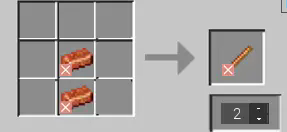

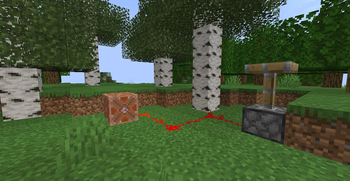
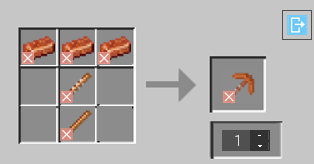
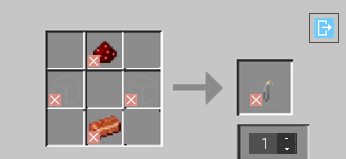
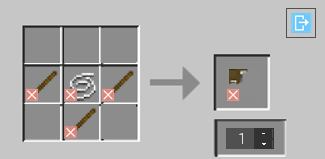
About this Mod
Welcome to COPPER MADE IN A NIGHT!

This mod is about copper, minecrafts most USELESS ore! But how? by including some snazzy new items that could help you mine or even give you effects! But thats not all theres also items with cool SPECIAL effects! Like a pickaxe that can give enemys slowness 4 when hit!
Check out the video on the mod!
IMPORTANT INFO:
This is a SERVER AND CLIENT sided mod! It cannot be ran on a server without you AND the server having the mod installed. This is not like Sodium wheres its client sided, this mod HAS to be ran by the server and you having it installed.
This mod is going to get updated around every 2-3 months
Most recent version includes:
- Copper core (Item that can zap down lightning in a instant for 1 use).
- Quartz pickaxe.
- Copper Axe.
- The Grid (Redstone block).
- Slingshot (Uses Infused Gas To Work).
- Fuse.
- Incased Gas.
- Bolted Copper Block.
- Potion of Stabilization
- Copper Rod
- Reinforced Copper Rod
- A painting called "Voted Out"
- Copper Button
- Wire
And many more to come!
Support me and my work by subscribing to my youtube channel! https://www.youtube.com/channel/UCJzY4ogA0OBE8-0HR6_M3qg
Available Versions
How to Install Copper Made In A Night on Your Server
Order Server
Order a Minecraft Java server with at least 3 GB RAM (4 GB recommended).
Set forge Loader
In the panel under "Egg", select the forge loader and matching Minecraft version (1.20.1).
Install Mod
Open the mod browser in the dashboard and search for "Copper Made In A Night". Click "Install" – done! Alternatively, upload the .jar via SFTP to the /mods folder.
Compatibility
Mod Loaders
Minecraft Versions
1.20.1
Server-side
✓ RequiredRecommended RAM
4 GB(min. 3 GB)Frequently Asked Questions
Copper Made In A Night server crashes on startup – what to do?
Most common cause: wrong forge version or insufficient RAM. Check the server log (latest.log) for "OutOfMemoryError" or "Mixin" errors. With Mado Hosting: ensure at least 3 GB RAM is allocated and the loader matches the mod version (1.20.1). You can switch loaders with one click in the panel.
Is Copper Made In A Night compatible with forge?
Copper Made In A Night officially supports forge for Minecraft 1.20.1. The Mado dashboard automatically detects incompatible loader combinations.
Server lagging with Copper Made In A Night – how to optimize performance?
Recommended RAM: 4 GB (per 8 players). Use /spark profiler to check if Copper Made In A Night consumes the most tick time. Common fixes: reduce server view-distance to 8-10, install "performant" or "starlight" as supplementary mods on Forge. With Mado Hosting, your server runs on NVMe SSDs with dedicated CPU cores for minimal latency.
Similar Mods




Rent Modded Server
Install Copper Made In A Night with just one click on your server.