
Cobalt Mod - Think blue
This mod adds the ore Cobalt and a lot more things themed around it
Screenshots
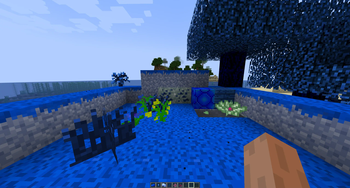
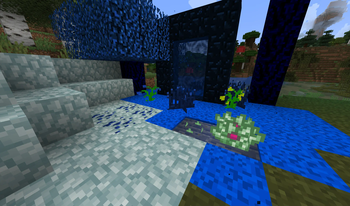
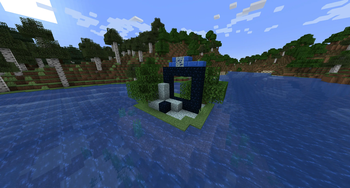
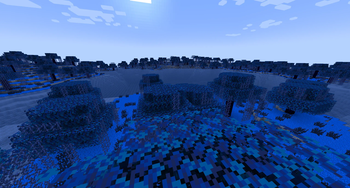
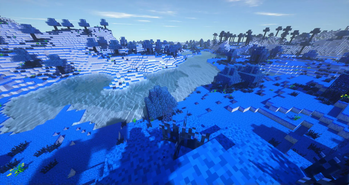
About this Mod
About
This mod adds the ore Cobalt and a lot more things themed around it
The initial mod came out back in 2012 and since then it was more of a private passion project to tinker around with ideas. Therefore it might not look or feel like any of the other smaller projects.
Critique is always welcome.
Info
The latest version is a complete rewrite of the mod, and therefore may not include all of the features described below, or may not include them at all, or may include them in a modified form.Feature Breakdown
Around 52 Items and 52 Blocks
19 new Advancements:
- Holy ore
- Tasty Apple?
- Time to block the Cobalt
- ...
5 new Biomes + 2 Dimensions
- Biomes "Cobex Forest", "Blue Mountains", "Deep Swamp", "Tall Forest", "Highlands"
- Spreading plague
- Temple to create a bridge between the dimensions, smaller dungeons
Several new mobs
- Cobalt Zombie
- Cobalt Guardian
- Cobalt Guardian Minion
- Blue Buddy
- Blue Slime
Changes as of v3.0.0
- Only 1 dimension.
- Since the second dimension was basically like the Deep Dark, it will now exist as such. Therefore the main Dimension has a deeper layer with different blocks, etc.
- Cobalt Temple might be replaced with Portal Structure
- As of now i've implemented a similar Structure to the vanilla Ruined Portal
Videos
Old video of the dimension landscape
Playlist of related videos: https://www.youtube.com/playlist?list=PLE5F6CC6421CA4461
Available Versions
How to Install Cobalt Mod - Think blue on Your Server
Order Server
Order a Minecraft Java server with at least 4 GB RAM (6 GB recommended).
Set fabric Loader
In the panel under "Egg", select the fabric loader and matching Minecraft version (1.18.2).
Install Mod
Open the mod browser in the dashboard and search for "Cobalt Mod - Think blue". Click "Install" – done! Alternatively, upload the .jar via SFTP to the /mods folder.
Compatibility
Mod Loaders
Minecraft Versions
1.18.2, 1.12.2, 1.7.10
Server-side
✓ RequiredRecommended RAM
6 GB(min. 4 GB)Frequently Asked Questions
Cobalt Mod - Think blue server crashes on startup – what to do?
Most common cause: wrong fabric version or insufficient RAM. Check the server log (latest.log) for "OutOfMemoryError" or "Mixin" errors. With Mado Hosting: ensure at least 4 GB RAM is allocated and the loader matches the mod version (1.18.2). You can switch loaders with one click in the panel.
Is Cobalt Mod - Think blue compatible with fabric and forge and quilt?
Cobalt Mod - Think blue officially supports fabric, forge, quilt for Minecraft 1.18.2, 1.12.2, 1.7.10. Note: Forge and Fabric mods are NOT cross-compatible – pick one loader and stick with it. The Mado dashboard automatically detects incompatible loader combinations.
Server lagging with Cobalt Mod - Think blue – how to optimize performance?
Recommended RAM: 6 GB (per 5 players). Use /spark profiler to check if Cobalt Mod - Think blue consumes the most tick time. Common fixes: reduce server view-distance to 8-10, install "performant" or "starlight" as supplementary mods on Forge. With Mado Hosting, your server runs on NVMe SSDs with dedicated CPU cores for minimal latency.
Similar Mods




Rent Modded Server
Install Cobalt Mod - Think blue with just one click on your server.
Details
- License
- Creative Commons Attribution Non Commercial Share Alike 4.0 International
- Server-side
- Required