Cobbled Paths
Various cobbled and paved paths for faster and aesthetic streets
Screenshots
About this Mod
Cobbled Paths
Quilt version requires: QSL and GroovyDuvet
Forge version requires: GML
Adds various cobbled and paved paths. Paths give speed boosts when walked on, depending on the material.
Details:
Paths are created by using the appropriate sett or cobble on dirt paths, snow, soul sand, or end stone depending on the material. Certain paths can be further modified:
- Most paths can be "cracked" with a Sledgehammer
- Nether Brick Paved Paths can be dyed with Nether Wart
- Cobbled Paths can be decorated with a Moss Ball
- Blackstone Paved Paths can be gilded with a Gold Nugget
This mod also includes the spade, a tool for easily switching out base blocks for paths; simply hold the block you wish to switch to in your offhand and right click with the spade. This only works for:
- Dirt-like blocks
- Soul Sand and Soul Soil
- End Stone
- Snow Block
- Gravel
Images:
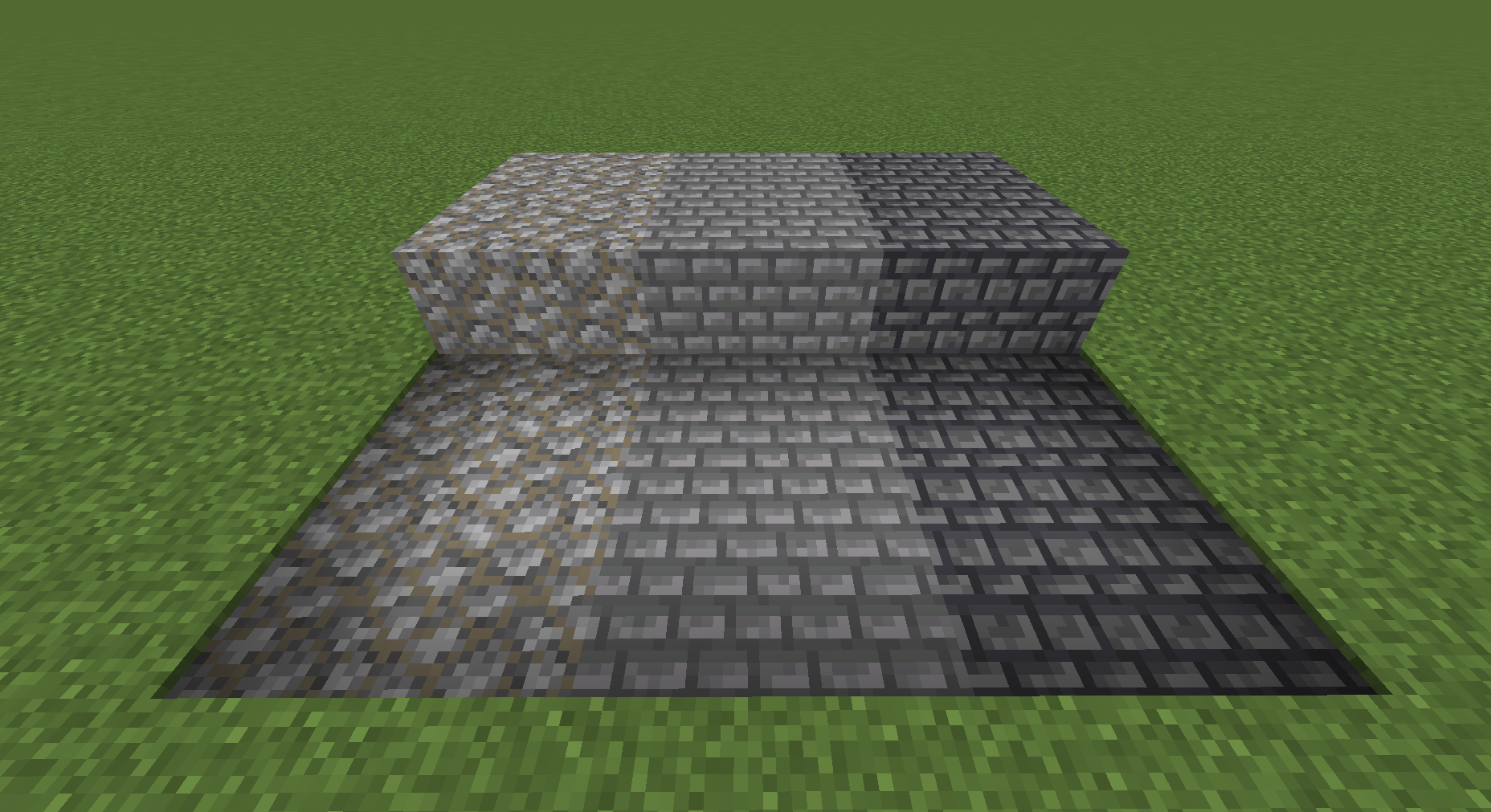
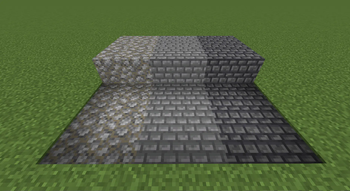
From left to right: Cobbled Path, Stone Paved Path, Deepslate Paved Path
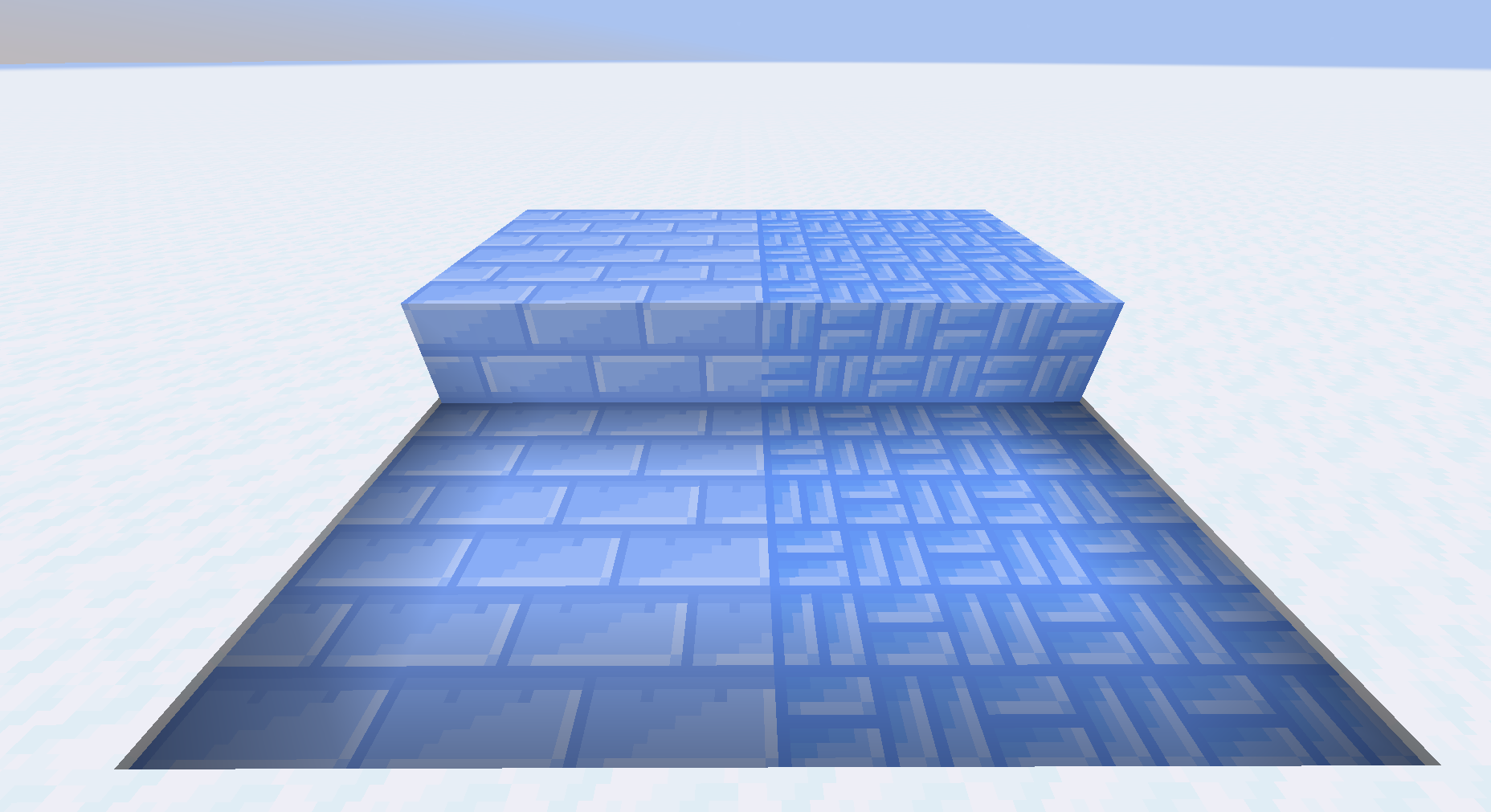
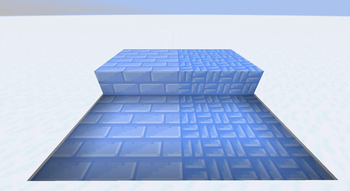
From left to right: Ice Paved Path, Blue Ice Paved Path
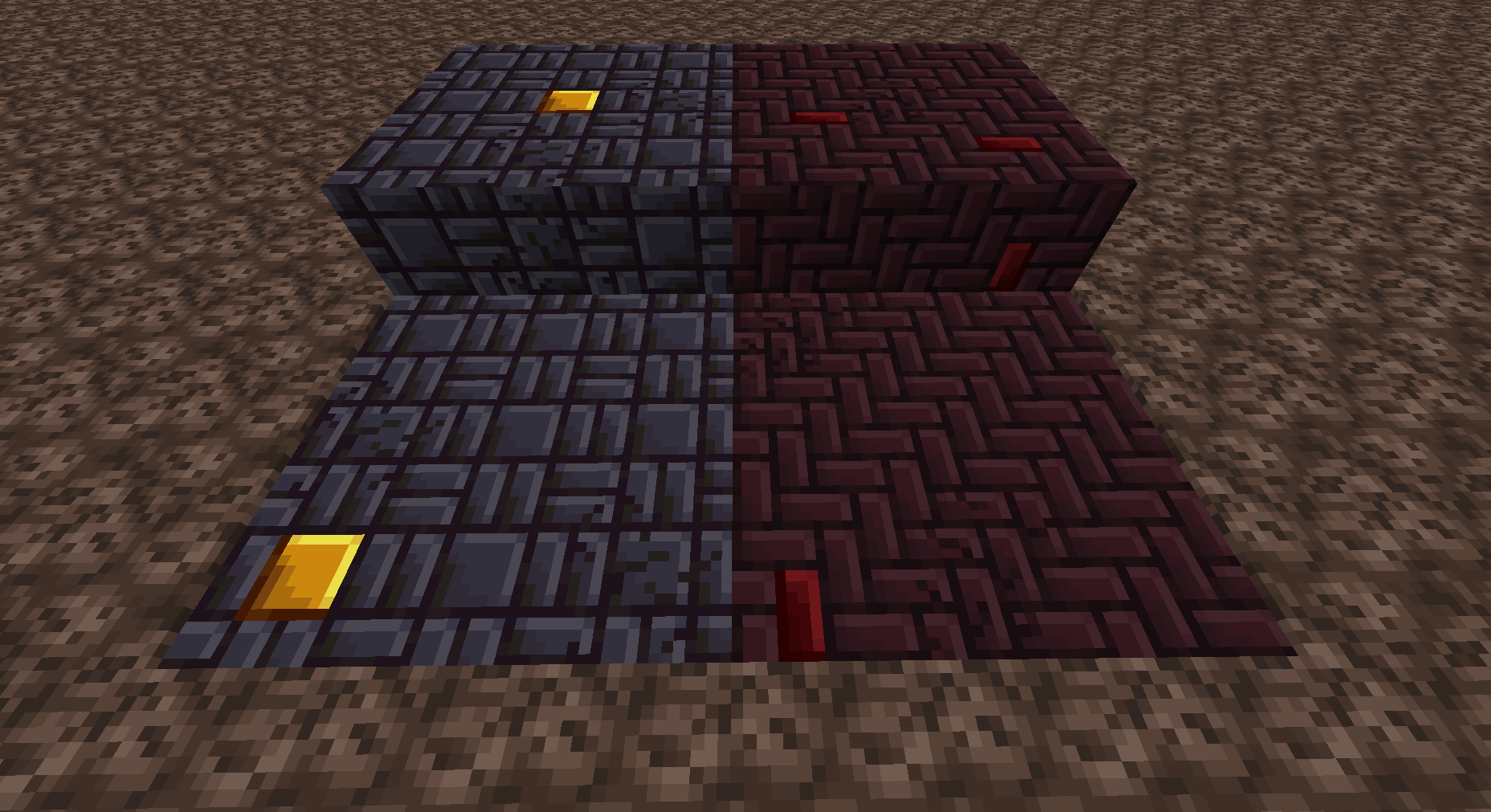
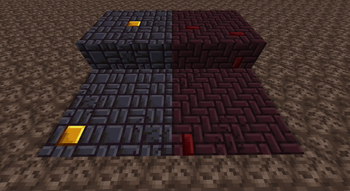
Nether Brick and Blackstone Paved Paths, alongside cracked and decorated variants
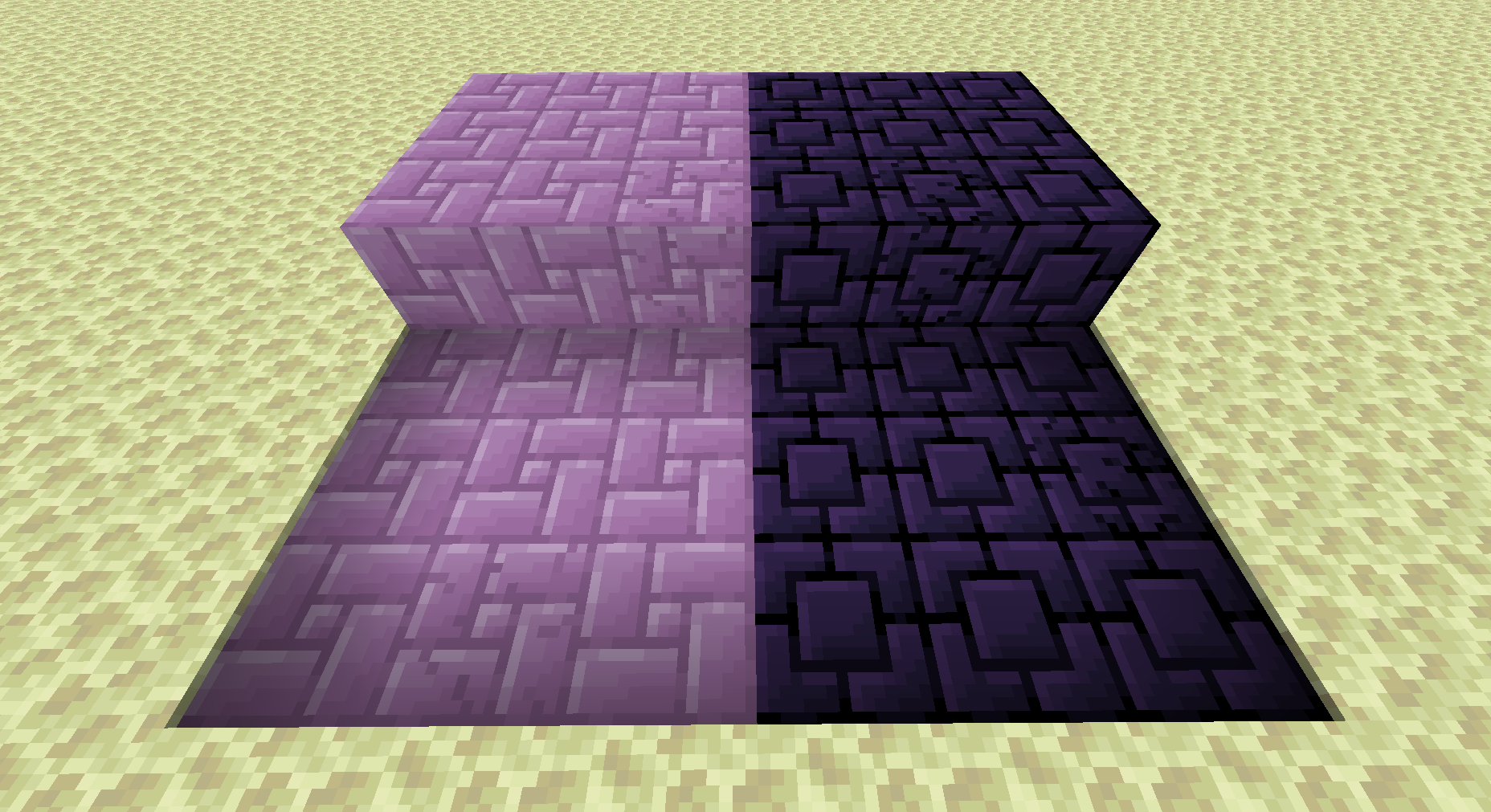
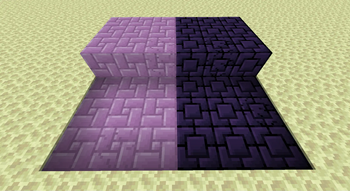
Purpur and Obsidian paths with cracked variants
To Use:
- Craft setts or cobbles with a stonecutter
- Use them on the proper base path block (dirt paths, snow, soul sand, or end stone)
- The sledgehammer can be used to make paths cracked
- Gold nuggets can be used to decorate blackstone paths; nether wart to decorate nether brick paths; and cobble to decorate cobbled paths.
Available Versions
How to Install Cobbled Paths on Your Server
Order Server
Order a Minecraft Java server with at least 3 GB RAM (4 GB recommended).
Set fabric Loader
In the panel under "Egg", select the fabric loader and matching Minecraft version (1.20.1).
Install Mod
Open the mod browser in the dashboard and search for "Cobbled Paths". Click "Install" – done! Alternatively, upload the .jar via SFTP to the /mods folder.
Compatibility
Mod Loaders
Minecraft Versions
1.20.1, 1.19.4, 1.19.3 (+2 more)
Server-side
✓ RequiredRecommended RAM
4 GB(min. 3 GB)Frequently Asked Questions
Cobbled Paths server crashes on startup – what to do?
Most common cause: wrong fabric version or insufficient RAM. Check the server log (latest.log) for "OutOfMemoryError" or "Mixin" errors. With Mado Hosting: ensure at least 3 GB RAM is allocated and the loader matches the mod version (1.20.1). You can switch loaders with one click in the panel.
Is Cobbled Paths compatible with fabric and forge and quilt?
Cobbled Paths officially supports fabric, forge, quilt for Minecraft 1.20.1, 1.19.4, 1.19.3. Note: Forge and Fabric mods are NOT cross-compatible – pick one loader and stick with it. The Mado dashboard automatically detects incompatible loader combinations.
Server lagging with Cobbled Paths – how to optimize performance?
Recommended RAM: 4 GB (per 8 players). Use /spark profiler to check if Cobbled Paths consumes the most tick time. Common fixes: reduce server view-distance to 8-10, install "performant" or "starlight" as supplementary mods on Forge. With Mado Hosting, your server runs on NVMe SSDs with dedicated CPU cores for minimal latency.
Rent Modded Server
Install Cobbled Paths with just one click on your server.