
Cobblemon Alatia's Fakemon Pack
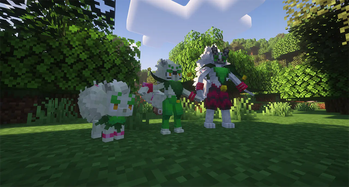
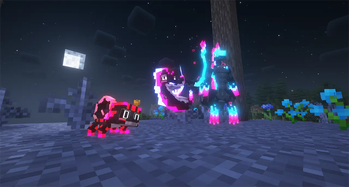
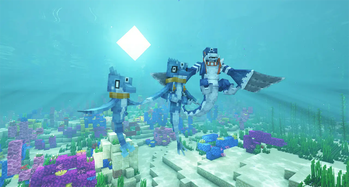
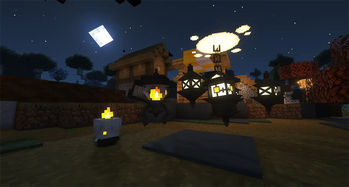
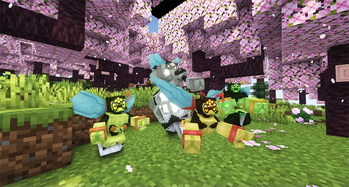
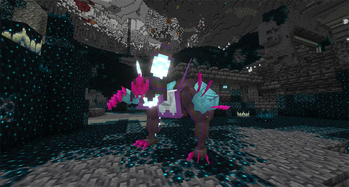
An addon for Cobblemon that adds fakemon from the Alatia Region.
Screenshots
About this Mod
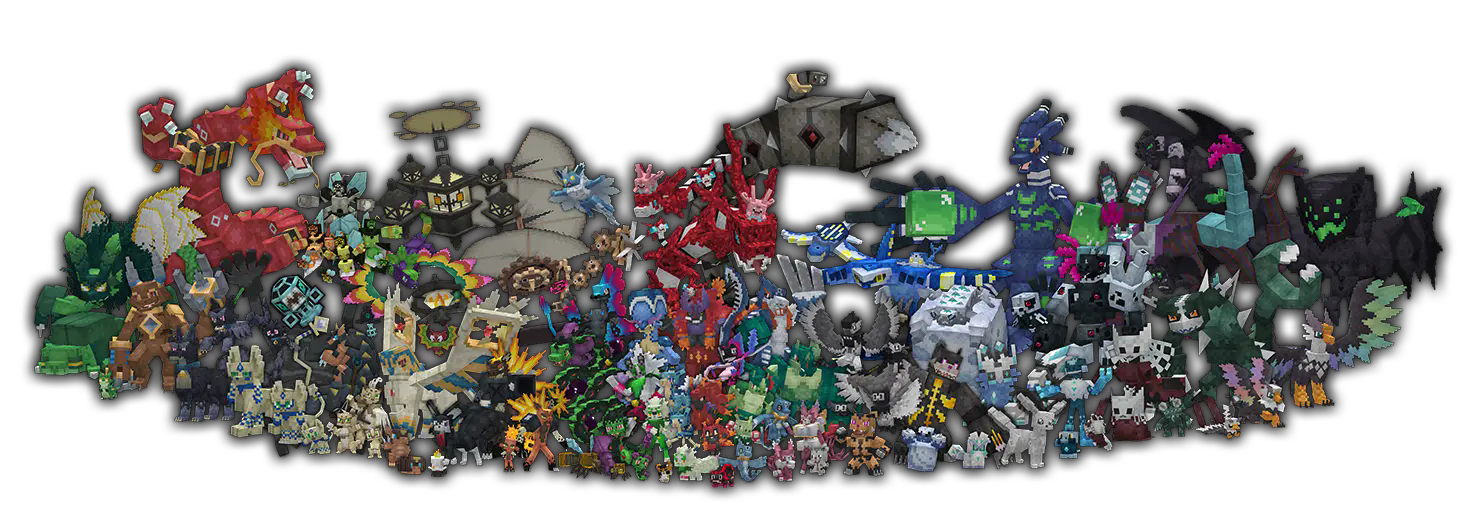

This addon adds new fakemon from the Alatia Region!
How to set custom starters set
- Extract from the .zip file the "starter screen" folder (attached as additional file in each version page), inside it there are two files: main.json and starters.json
- Move your files in ".minecraft\config\cobblemon" (there's already a main.json, replace it with the new one)
- Enjoy it!
NOTE:
- If you are using this addon with other ones with different starter set, you have to manually edit starters.json
- If you are using multiple addons, some evolution could be unavailable due to config conflict
There's a document where you can find every information you need HERE
Common Q&A:
Spoiler
If you need more help you can find me in the official Cobblemon Discord Server.
Q : The world won't start with the addon, what's wrong?
A : If you are using the GEB version of my addon, make sure you also downloaded Gravel's Extended Battles, it's necessary since is used for custom types and moves.
Q : I added the addon in my world but doesn't work, what's wrong?
A : My addon is a mod (basically dapatack + resource pack pagacked as mod), so you just have to add it in your mod folder and it will work fine.
Q : I donwloaded GEB but I don't have any new types, what's wrong?
A : There are two versions of my addon (each of them for Fabric and NeoForge): One where you have the custom types (called "GEB") and one without (called "No GEB") where you don't need Gravel's Extended Battles to play it.
Q : The battle freezes and I can't do anything but run away.
A : This is a common issues caused by Gravel's Extended Battles with Cobblemon: Mega Showdown or Cobblemania used together, please report this issue to the mod authors, my addon is not the issue.
Q : I'm using Xaero's Minimap and I would like to have icons of your fakemon.
A : You can use E19 - Cobblemon Minimap Icons, this icon pack supports my addon.
Q : I have issue with the addon, I'm using -insert modpack name-.
A : I can't help with this because the issue could be anything.
Q : I need some information about a pokemon, can you help me?
A :HERE you can find every information you need
Q : I would like to add this addon in a modpack, can I add to it?
A : Yes, as long as you credit me. And please let me know since I like to look at some good modpacks.
Q : I would like to edit some data of your fakemon, how and can I do it?
A : Yes, you can edit the addon by making a new datapack to change some fakemon properties, such as stats, movepool and spawns. You can find the tutorial in the official Cobblemon Wiki.
Q : Hi, I'm an admin of -insert server name-, we would like to add your addon in -insert some method to earn money from players-
A : This addon is made to be free and no-profit, you can't block my content behind any sort of paywall (specifified in my CC license, NO COMMERCIAL USE) and mostly important: no one is allowed to use this addon in public server without my permission.
Credits:
- Every fakemon from the Alatia Region is designed by Doctor_X_Art (me)
- Aster Region starters by Poke.Nova
- Frinx and Avalinx from the Impetia Region by Cioxmon
- Iron Stalker is designed by Nengland and Aleskiin
- Every cry sound is made by me, Ganbare-Lucifer and FloppaTyann
Cobblemon Alatia's Fakemon Pack © 2024 by Giuseppe D'Antonio (Doctor X) is licensed under CC BY-NC-ND 4.0
Guidelines
My CC license has some information regard what you may and not may do with my addon, but I'll prefer to specify a couple of additional things to avoid some greedy jackals:
You may:
- Include the pack into a private and public modpack WITH explicit permission and credit. (Provide a screenshot of the conversation as proof of my permission)
You may not:
- Use any of this content for profit. This include but not limited to:
- Make server-exclusive skins and/or variant of fakemon inside this project.
- A paywall of skins and distribution of fakemon via loot crates, keys, or any form of gambling and shiny boost. Each fakemon can be found naturally without any limitation.
- Redistribute this pack on different website than Modrinth and CurseForge.
- Create offensive content with my project and designs
- Use my content for GenAI.
Available Versions
How to Install Cobblemon Alatia's Fakemon Pack on Your Server
Order Server
Order a Minecraft Java server with at least 3 GB RAM (4 GB recommended).
Set datapack Loader
In the panel under "Egg", select the datapack loader and matching Minecraft version (1.21.1).
Install Mod
Open the mod browser in the dashboard and search for "Cobblemon Alatia's Fakemon Pack". Click "Install" – done! Alternatively, upload the .jar via SFTP to the /mods folder.
Compatibility
Mod Loaders
Minecraft Versions
1.21.1, 1.20.1, 1.19.2
Server-side
✓ RequiredRecommended RAM
4 GB(min. 3 GB)Frequently Asked Questions
Cobblemon Alatia's Fakemon Pack server crashes on startup – what to do?
Most common cause: wrong datapack version or insufficient RAM. Check the server log (latest.log) for "OutOfMemoryError" or "Mixin" errors. With Mado Hosting: ensure at least 3 GB RAM is allocated and the loader matches the mod version (1.21.1). You can switch loaders with one click in the panel.
Is Cobblemon Alatia's Fakemon Pack compatible with datapack and fabric and forge and neoforge?
Cobblemon Alatia's Fakemon Pack officially supports datapack, fabric, forge, neoforge for Minecraft 1.21.1, 1.20.1, 1.19.2. Note: Forge and Fabric mods are NOT cross-compatible – pick one loader and stick with it. The Mado dashboard automatically detects incompatible loader combinations.
Server lagging with Cobblemon Alatia's Fakemon Pack – how to optimize performance?
Recommended RAM: 4 GB (per 8 players). Use /spark profiler to check if Cobblemon Alatia's Fakemon Pack consumes the most tick time. Common fixes: reduce server view-distance to 8-10, install "performant" or "starlight" as supplementary mods on Forge. With Mado Hosting, your server runs on NVMe SSDs with dedicated CPU cores for minimal latency.
Similar Mods




Rent Modded Server
Install Cobblemon Alatia's Fakemon Pack with just one click on your server.
Details
- License
- Creative Commons Attribution Non Commercial No Derivatives 4.0 International
- Server-side
- Required