
Cobblemon Catch Ball Rules
Cobblemon: Catch Ball Rules is a Fabric mod for Minecraft 1.21.1 that lets server owners decide which Pokemon species can only be caught with specific Poke Balls.
Screenshots
About this Mod

Cobblemon Catch Ball Rules
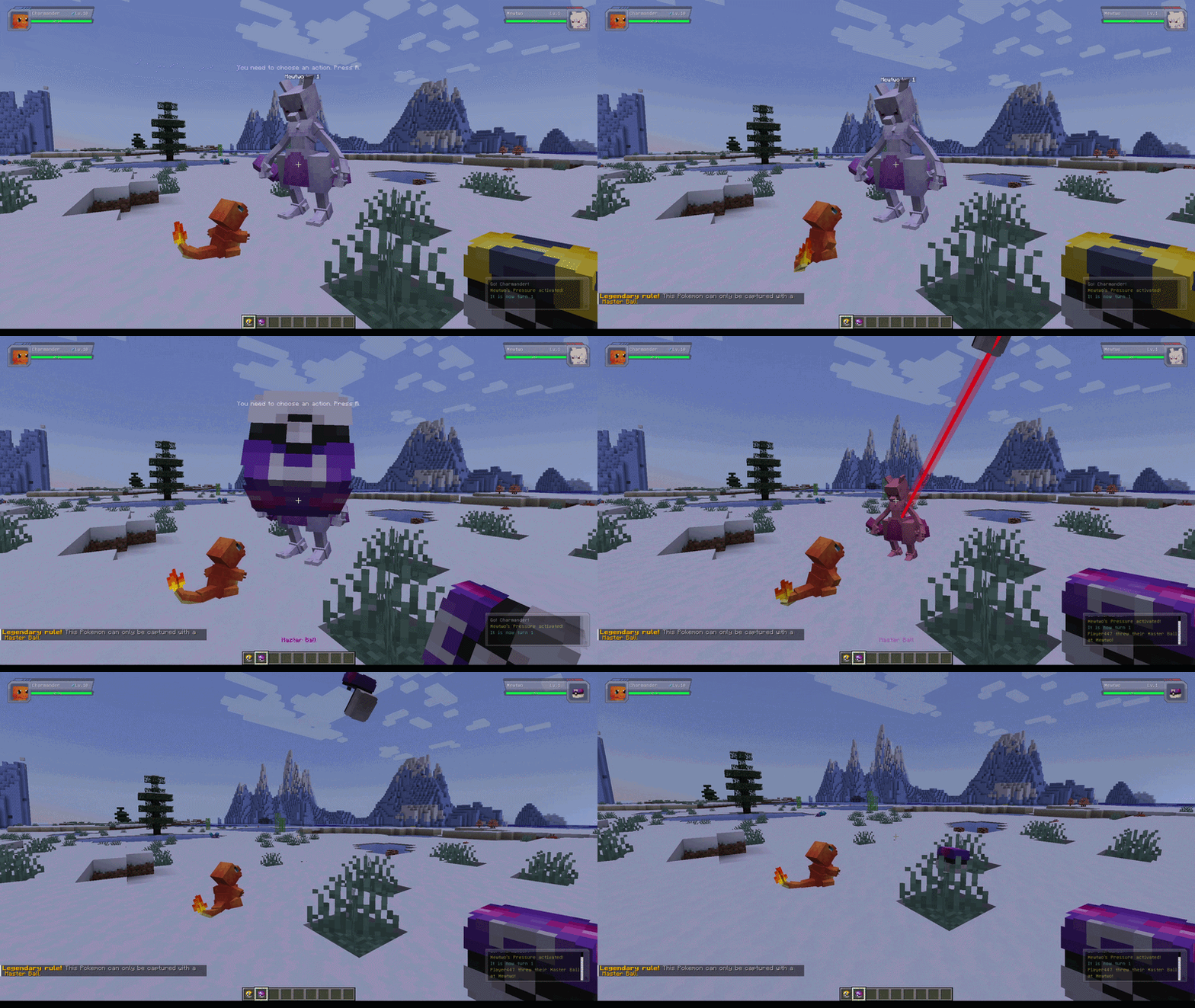
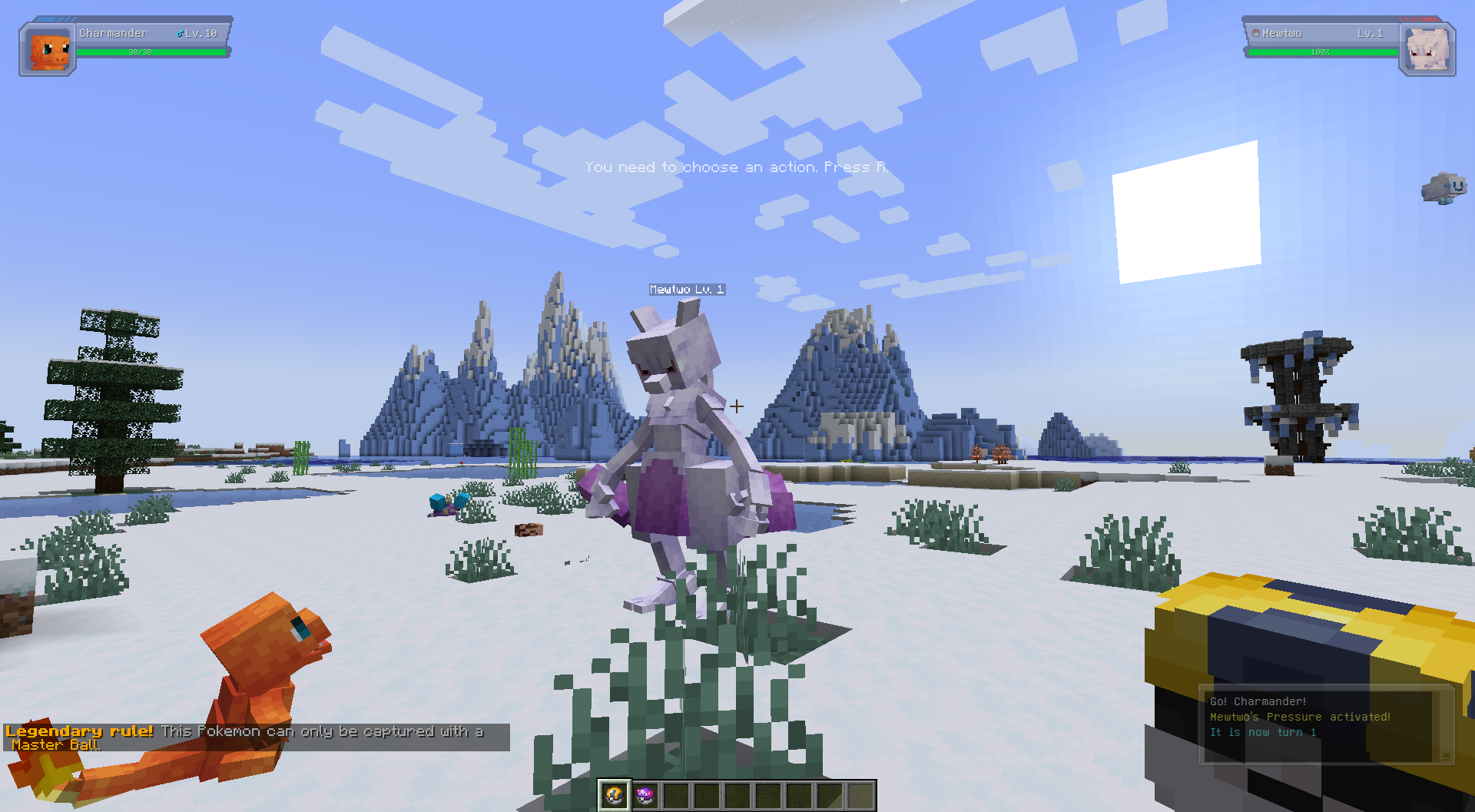
Cobblemon Catch Ball Rules is a Fabric mod for Minecraft 1.21.1 that lets server owners decide which Pokemon species can only be caught with specific Poke Balls, including custom balls added by Cobblemon add-ons or modpacks.
If a species is restricted and the player throws the wrong ball, the capture fails immediately.
If the ball is allowed, the mod hands the attempt back to Cobblemon's normal capture logic.
Why Use This Mod
- Create legendary or mythical catch rules without editing code.
- Make rare encounters feel more special.
- Keep rules in a simple JSON file that can be changed at any time.
- Support both Cobblemon's standard balls and custom balls from add-ons or modpacks, as long as you use the correct item ID.
- Preserve Cobblemon's normal catch formulas for valid balls instead of replacing the whole system.
- Reload config changes with a command instead of restarting the whole server.
Requirements
- Minecraft
1.21.1 - Fabric Loader
- Cobblemon
>=1.7.3 <1.8.0
Config File
Path:
config/cobblemon_catch_ball_rules.json
Example:
{
  "consumeBlockedBall": false,
  "showPlayerMessage": true,
  "rules": [
    {
      "pokemon": ["mew", "mewtwo", "lugia"],
      "allowedBalls": ["cobblemon:master_ball"],
      "message": "&6&lLegendary rule! &r&7This Pokemon can only be captured with a &6Master Ball&7."
    }
  ]
}
Config Options
consumeBlockedBall
Controls whether a blocked capture should still consume the thrown ball.
false: the mod refunds the ball after blocking the capturetrue: the ball is consumed even though the capture was blocked
showPlayerMessage
Controls whether the player receives the rule's message when a blocked capture happens.
true: send the configured messagefalse: block silently
rules
List of species-specific restrictions.
Each rule contains:
pokemon: list of species IDs or species paths to matchallowedBalls: list of allowed Poke Ball IDsmessage: message shown when the rule blocks a capture
Styled Messages
The message field supports Minecraft legacy formatting codes.
You can use either:
&codes, like&6&lLegendary!
Example:
{
  "pokemon": ["mewtwo"],
  "allowedBalls": ["cobblemon:master_ball"],
  "message": "&4&lBlocked! &r&7This Pokemon can only be captured with a &6Master Ball&7."
}
- For the full list of Minecraft color/style codes and usage details, see the Minecraft Wiki: https://minecraft.wiki/w/Formatting_codes#Color_codes
Writing Rules
Pokemon IDs
You can use either:
- short species names like
"mew" - full IDs like
"cobblemon:mew"
Ball IDs
Use full item-style IDs such as:
"cobblemon:master_ball""cobblemon:ultra_ball""cobblemon:poke_ball"
Custom balls work too. If another mod or add-on adds a new catch ball, you can use that ball's item ID in allowedBalls the same way.
Example Rules
Only Master Balls for some legendaries:
{
  "pokemon": ["mew", "mewtwo", "lugia"],
  "allowedBalls": ["cobblemon:master_ball"],
  "message": "&6&lLegendary rule! &r&7This Pokemon can only be captured with a &6Master Ball&7."
}
Only Beast Balls for Ultra Beasts:
{
  "pokemon": ["nihilego", "buzzwole", "pheromosa"],
  "allowedBalls": ["cobblemon:beast_ball"],
  "message": "This Pokemon reacts only to a Beast Ball."
}
Allow several ball choices:
{
  "pokemon": ["articuno"],
  "allowedBalls": ["cobblemon:ultra_ball", "cobblemon:master_ball"],
  "message": "Articuno can only be captured with an Ultra Ball or Master Ball."
}
Reload Command
You can reload the config without restarting the server.
This is useful when you are adjusting rules on a live server or testing config changes in a singleplayer world.
Commands:
/ccbr reload
/cobblemoncatchballrules reload
Requirements:
- operator/admin level permission
What it does:
- reloads
config/cobblemon_catch_ball_rules.json - applies updated rules immediately to future capture attempts
Troubleshooting
If the config file is missing, the mod creates a default one automatically.
If the config file is invalid JSON, the mod regenerates it with defaults and logs the error during startup.
If your rules seem ignored:
- verify the species name or ID matches the target species
- verify the ball ID matches Cobblemon's actual Poke Ball ID
- check whether the species has a matching rule in your config
Available Versions
How to Install Cobblemon Catch Ball Rules on Your Server
Order Server
Order a Minecraft Java server with at least 3 GB RAM (4 GB recommended).
Set fabric Loader
In the panel under "Egg", select the fabric loader and matching Minecraft version (1.21.1).
Install Mod
Open the mod browser in the dashboard and search for "Cobblemon Catch Ball Rules". Click "Install" – done! Alternatively, upload the .jar via SFTP to the /mods folder.
Compatibility
Mod Loaders
Minecraft Versions
1.21.1
Server-side
✓ RequiredRecommended RAM
4 GB(min. 3 GB)Frequently Asked Questions
Cobblemon Catch Ball Rules server crashes on startup – what to do?
Most common cause: wrong fabric version or insufficient RAM. Check the server log (latest.log) for "OutOfMemoryError" or "Mixin" errors. With Mado Hosting: ensure at least 3 GB RAM is allocated and the loader matches the mod version (1.21.1). You can switch loaders with one click in the panel.
Is Cobblemon Catch Ball Rules compatible with fabric?
Cobblemon Catch Ball Rules officially supports fabric for Minecraft 1.21.1. The Mado dashboard automatically detects incompatible loader combinations.
Server lagging with Cobblemon Catch Ball Rules – how to optimize performance?
Recommended RAM: 4 GB (per 8 players). Use /spark profiler to check if Cobblemon Catch Ball Rules consumes the most tick time. Common fixes: reduce server view-distance to 8-10, install "performant" or "starlight" as supplementary mods on Forge. With Mado Hosting, your server runs on NVMe SSDs with dedicated CPU cores for minimal latency.
Similar Mods






Rent Modded Server
Install Cobblemon Catch Ball Rules with just one click on your server.