Cobblemon Where Does it Spawn?
A mod that lets you search where any Pokémon spawns! Works with datapacks, addons, and custom biomes!
Screenshots
About this Mod
Where Does It Spawn?
You ever try searching something like "Cobblemon where does Riolu spawn?" only to find outdated wikis, vague Reddit posts, or spawn info that no longer works?
Where Does It Spawn solves that problem by letting you search spawn information directly from your actual Cobblemon instance — including modpacks, datapacks, addon Pokémon, and custom biome integrations.
No outdated wiki pages. No guessing. Just the real spawn data your server or modpack is currently using.
Features
- Search for any Pokémon directly in-game
- View spawn biomes, rarity, and spawn conditions
- Reads spawn data directly from Cobblemon
- Supports addon Pokémon and custom spawn entries
- Compatible with modded biome mods like Terralith
- Automatically works with many Cobblemon addons and datapacks
- Scrollable in-game UI
- Chat command support
Biome Tracker
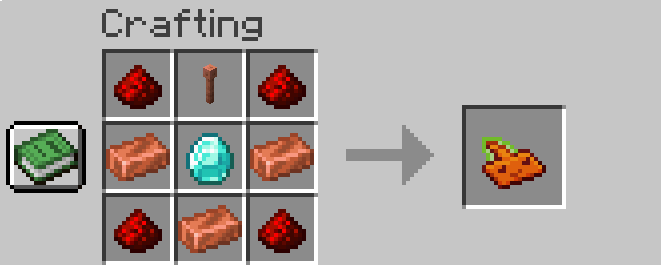
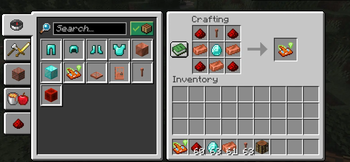
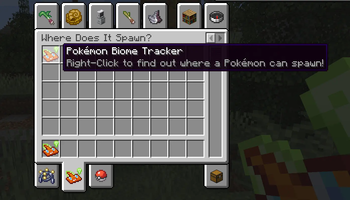
Right-click the Biome Tracker to open the search menu.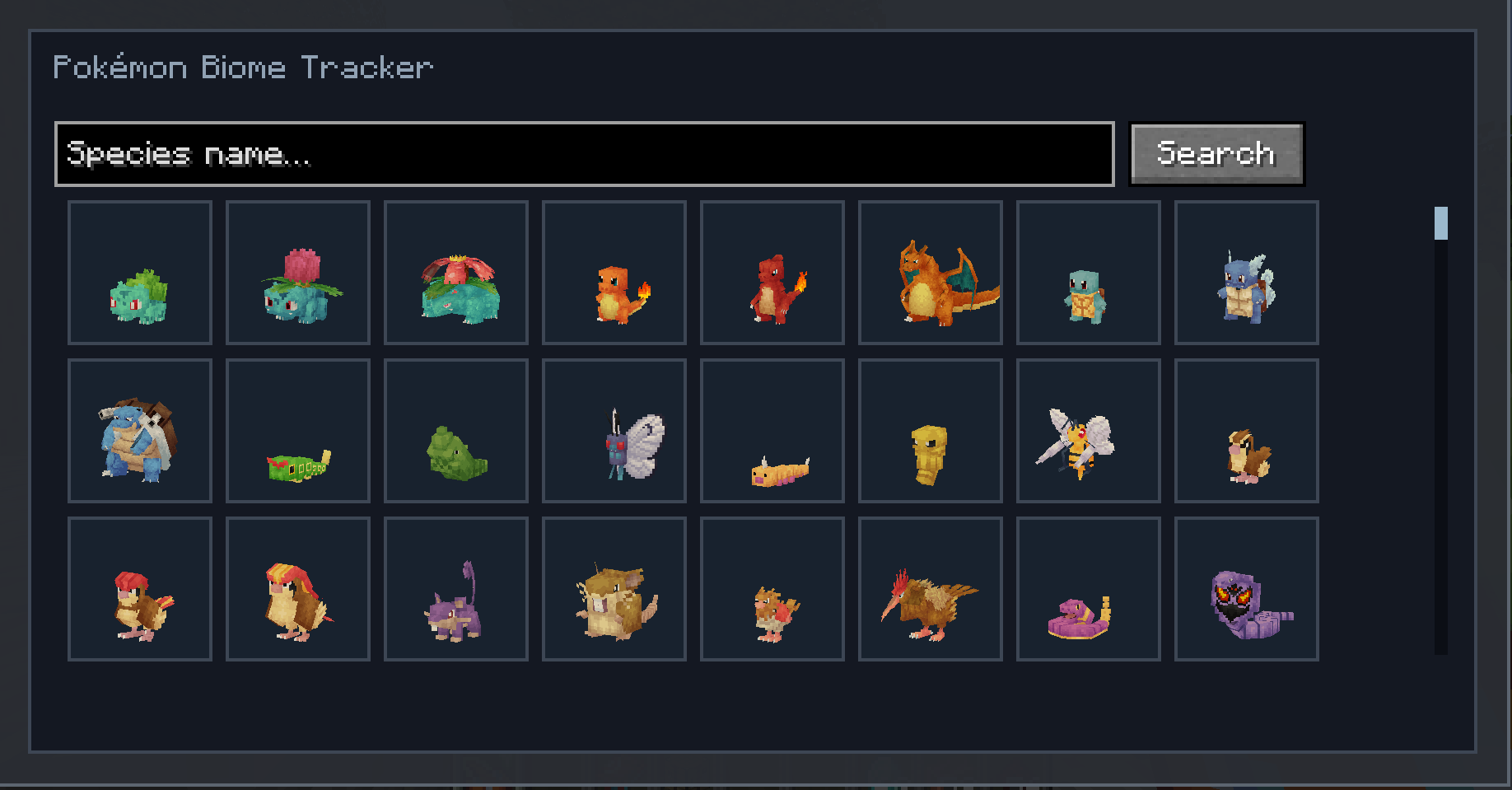
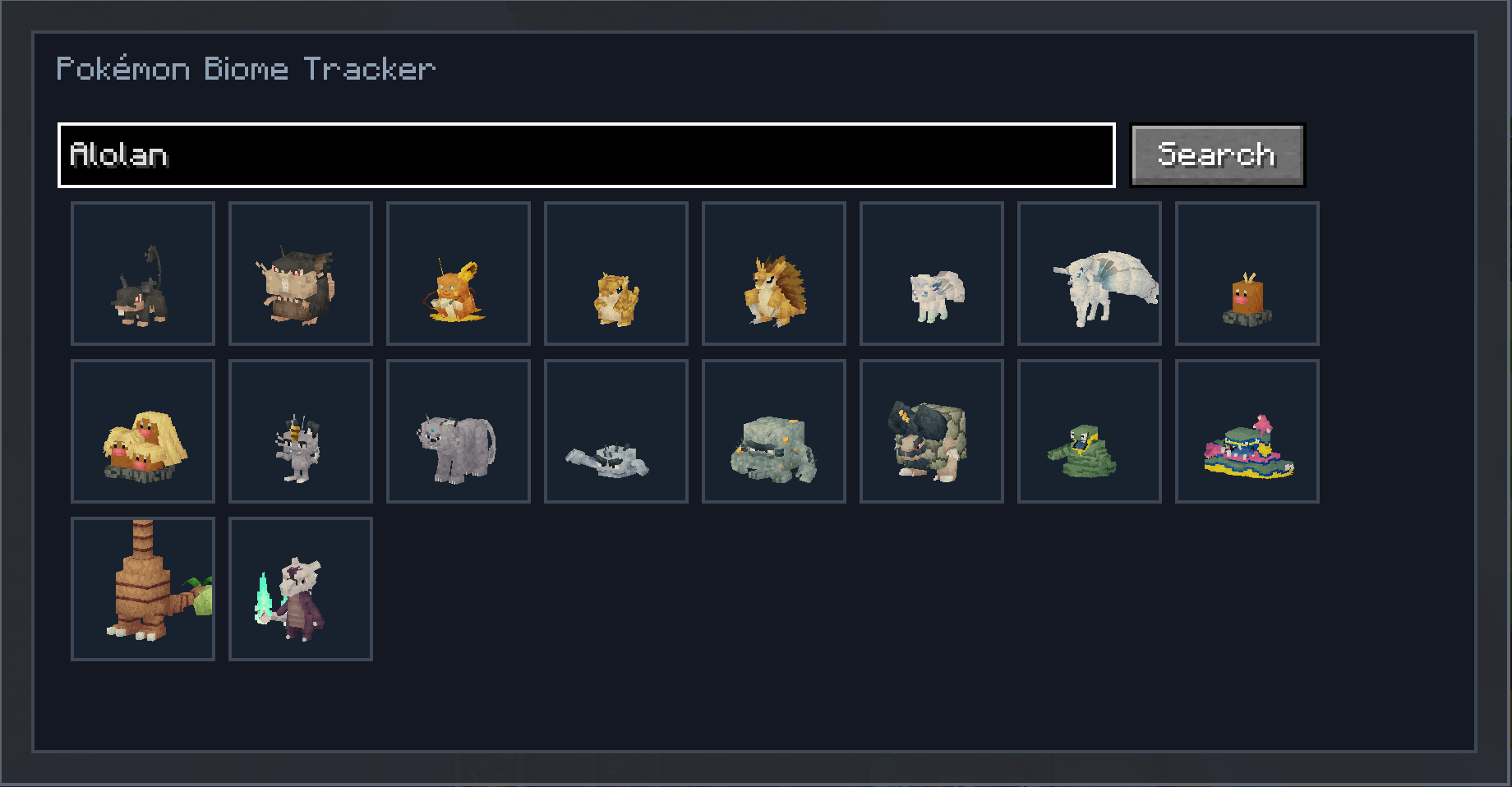
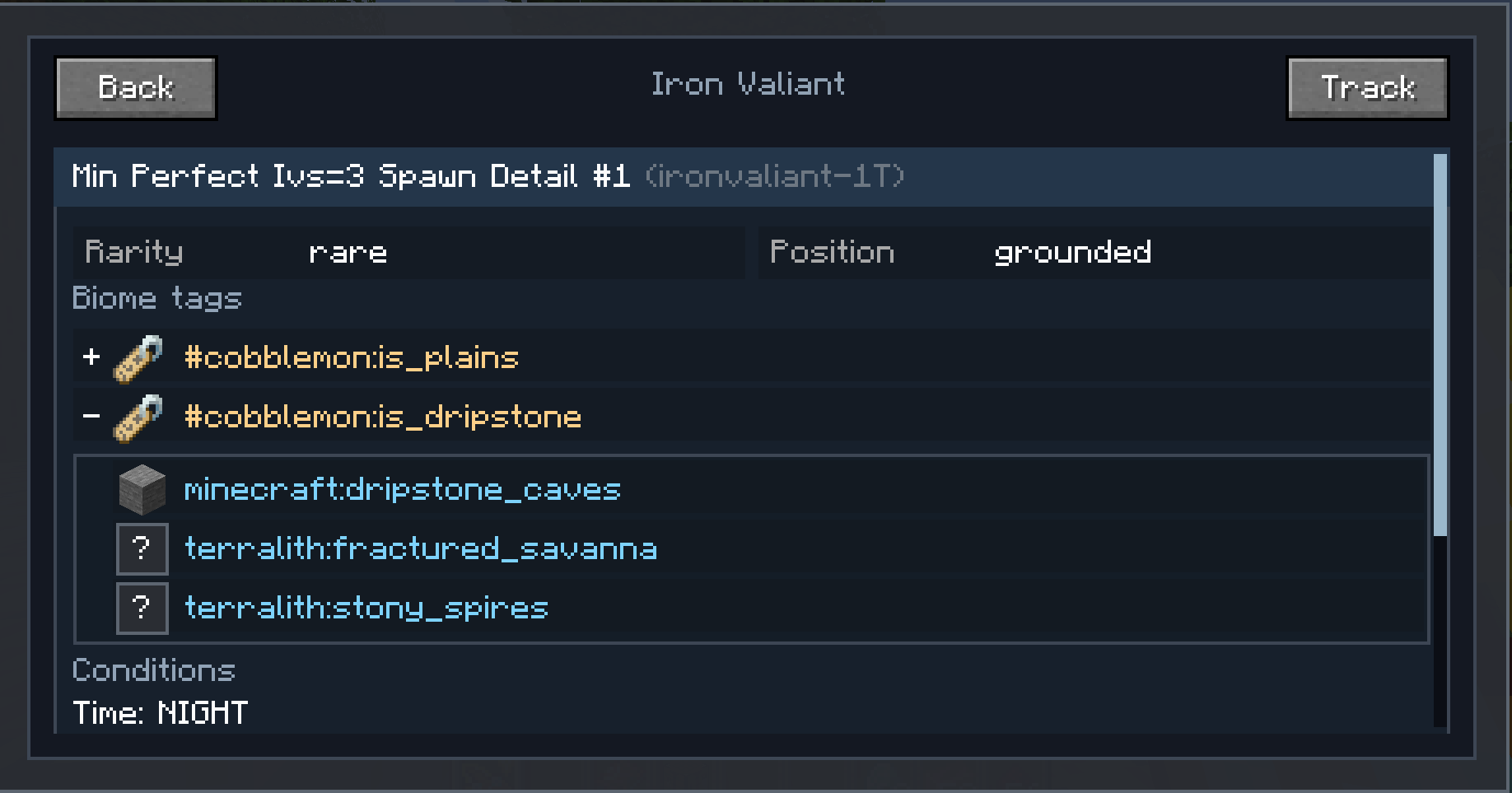
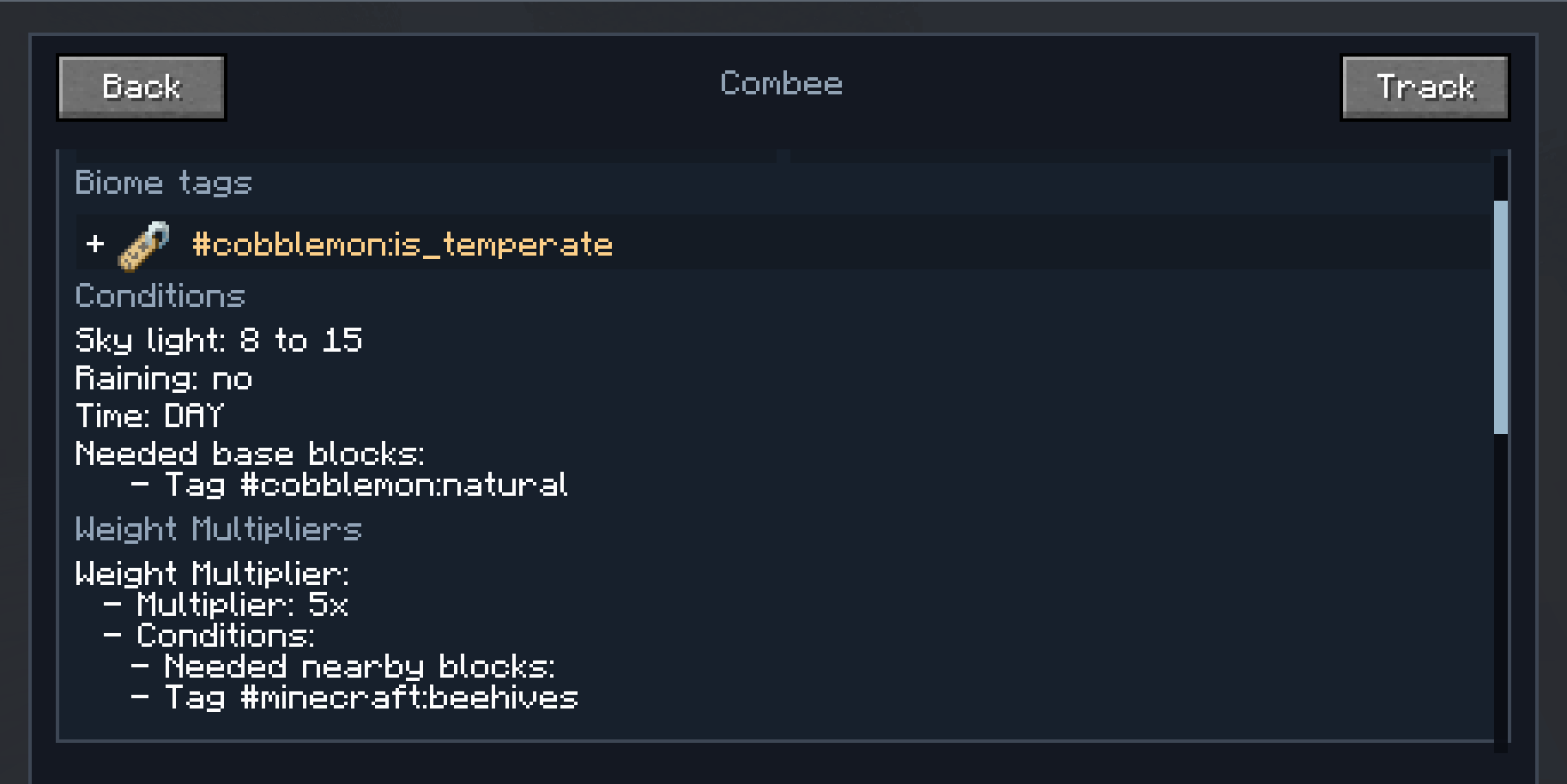
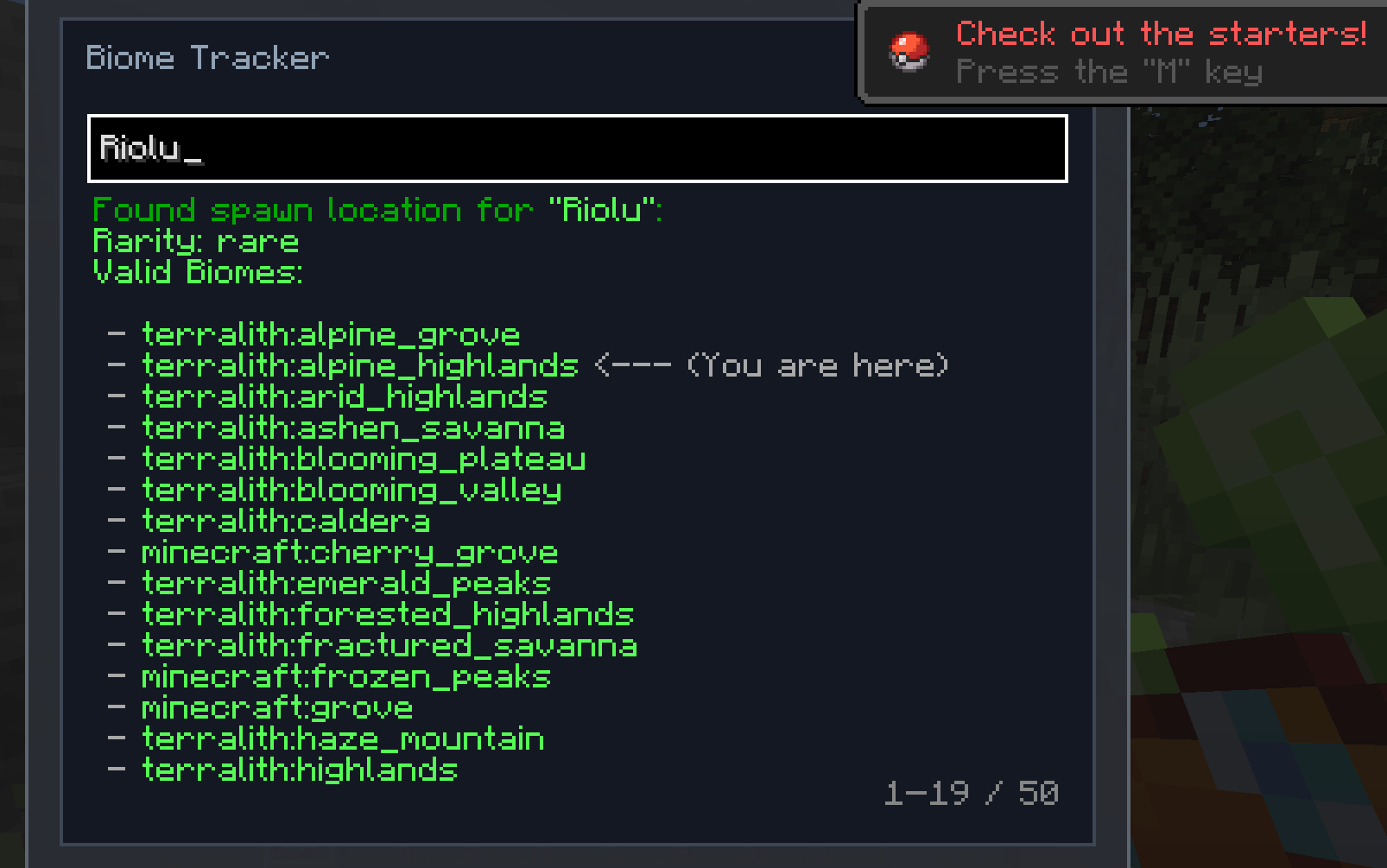
Type the name of any Pokémon and press Enter to instantly view:
- Spawn biomes
- Spawn rarity
- Spawn conditions
- Time requirements
- Additional spawn details.
Commands
/wheredoesitspawn <pokemon>
Outputs the same information shown in the Biome Tracker UI directly into chat.
Dynamic Spawn Support
Where Does It Spawn reads spawn information directly from Cobblemon's active spawn registry.
That means it can automatically support:
- Addon Pokémon
- Custom datapack spawns
- Modded biomes
- Spawn rule changes
It also updates alongside live additions to a server’s spawn pools thanks to listening to:
/reload
This allows newly added or modified spawn data to immediately become searchable in-game.
Compatibility
Tested with:
- Cobblemon
- Terralith
- AllTheMons
- Cobblemon Mega Showdown
- Many Cobblemon addon mods and datapacks
Credits
- Rotom artwork by @TuxBowDie
Available Versions
How to Install Cobblemon Where Does it Spawn? on Your Server
Order Server
Order a Minecraft Java server with at least 3 GB RAM (4 GB recommended).
Set fabric Loader
In the panel under "Egg", select the fabric loader and matching Minecraft version (1.21.1).
Install Mod
Open the mod browser in the dashboard and search for "Cobblemon Where Does it Spawn?". Click "Install" – done! Alternatively, upload the .jar via SFTP to the /mods folder.
Compatibility
Mod Loaders
Minecraft Versions
1.21.1
Server-side
✓ RequiredRecommended RAM
4 GB(min. 3 GB)Frequently Asked Questions
Cobblemon Where Does it Spawn? server crashes on startup – what to do?
Most common cause: wrong fabric version or insufficient RAM. Check the server log (latest.log) for "OutOfMemoryError" or "Mixin" errors. With Mado Hosting: ensure at least 3 GB RAM is allocated and the loader matches the mod version (1.21.1). You can switch loaders with one click in the panel.
Is Cobblemon Where Does it Spawn? compatible with fabric and neoforge?
Cobblemon Where Does it Spawn? officially supports fabric, neoforge for Minecraft 1.21.1. The Mado dashboard automatically detects incompatible loader combinations.
Server lagging with Cobblemon Where Does it Spawn? – how to optimize performance?
Recommended RAM: 4 GB (per 8 players). Use /spark profiler to check if Cobblemon Where Does it Spawn? consumes the most tick time. Common fixes: reduce server view-distance to 8-10, install "performant" or "starlight" as supplementary mods on Forge. With Mado Hosting, your server runs on NVMe SSDs with dedicated CPU cores for minimal latency.
Similar Mods



![[TaCZ] Timeless and Classics Zero](https://cdn.modrinth.com/data/SzzJttH8/fd27766d2bb8390d284696b1dbd358f87e081439_96.webp)


Rent Modded Server
Install Cobblemon Where Does it Spawn? with just one click on your server.