
Cobblemon TP-Pastures (No despawn for Pasture Block's)
Cobblemon Pasture Recall/Teleport Change
Screenshots
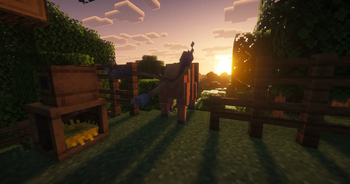
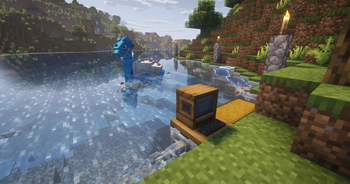

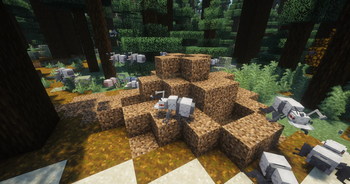
About this Mod
Cobblemon TP-Pastures
Prevents pastured Pokémon from being recalled to the PC when they wander too far away. Instead, they are teleported back near their Pasture Block. Includes a fully configurable radius, safe landing detection, and optional in-game debug notifications.
Server-side
This mod works in both singleplayer and multiplayer. However, it is a server-side mod, so for multiplayer it only needs to be installed on the server.
Why should you use it?
- No more the annoying feeling of your Pasture Block suddenly being almost empty, even though it was full of Pokémon earlier.
- No more needing to force your Pokémon to stay in place by building fences.
- Improves compatibility with Cobbleworkers, allowing it to work more reliably and efficiently.
- Lets you use your Pokémon much more freely for decoration, zoos, safaris, and similar builds.
You might also want to use Cobblemon: SafePastures, which protects your Pokémon from all damage sources.
If Cobblemon eventually changes or fixes the issue where Pokémon despawn (are recalled), this mod may become unnecessary. Until then, enjoy!
Dependencies
Cobblemon (1.7.1+)
Fabric Loader (0.18.4+)
Fabric API (0.116.8+)
Configuration
The config file itself explains everything, but for the best experience make sure that maxPastureRadius is set slightly lower than Cobblemon’s pastureMaxWanderDistance.
For example, if pastureMaxWanderDistance is 64, maxPastureRadius should be around 56. Just set it to about 8 blocks lower and it should work fine.
...\config\cobblemon_tp_pastures.json test
{
  "_maxPastureRadius_info": "Max roam distance in blocks from the pasture block center before a Pokemon is teleported back. Measured horizontally by default (see useHorizontalDistanceOnly). Default: 56 (For best results make sure it is slightly lower than \"pastureMaxWanderDistance\" from Cobblemon's config).",
  "maxPastureRadius": 56,
  "_useHorizontalDistanceOnly_info": "If true, only horizontal (X/Z) distance is checked, ignoring height. Good for pastures near cliffs or multi-level farms. If false, full 3D sphere distance is used. Default: false.",
  "useHorizontalDistanceOnly": false,
  "_candidateTeleportAttempts_info": "How many random positions around the pasture block are tried when searching for a safe landing spot (solid ground + clear headroom). Higher values reduce the chance of landing inside a block, at a tiny performance cost. Default: 24.",
  "candidateTeleportAttempts": 24,
  "_fallbackYOffset_info": "If no safe position is found after candidateTeleportAttempts tries, the Pokemon is placed this many blocks directly above the pasture block as a last resort. Default: 1.5.",
  "fallbackYOffset": 1.5,
  "_debugLogging_info": "If true, nearby players see a chat message whenever a Pokemon is teleported back (e.g. 'Pikachu left tether box -> (x, y, z)'). Always logged to the server log regardless of this setting. Default: false.",
  "debugLogging": false,
  "_serverLogging_info": "If true, teleport events are written to the server log. Disable this if the log spam is unwanted. Default: false.",
  "serverLogging": false
}
Support / Bug Reports
I currently don't use any dedicated platform for support or bug reports.
If you need help or want to report an issue, you can contact me on Discord: @datibrr.
Available Versions
How to Install Cobblemon TP-Pastures (No despawn for Pasture Block's) on Your Server
Order Server
Order a Minecraft Java server with at least 3 GB RAM (4 GB recommended).
Set fabric Loader
In the panel under "Egg", select the fabric loader and matching Minecraft version (1.21.1).
Install Mod
Open the mod browser in the dashboard and search for "Cobblemon TP-Pastures (No despawn for Pasture Block's)". Click "Install" – done! Alternatively, upload the .jar via SFTP to the /mods folder.
Compatibility
Mod Loaders
Minecraft Versions
1.21.1
Server-side
✓ RequiredRecommended RAM
4 GB(min. 3 GB)Frequently Asked Questions
Cobblemon TP-Pastures (No despawn for Pasture Block's) server crashes on startup – what to do?
Most common cause: wrong fabric version or insufficient RAM. Check the server log (latest.log) for "OutOfMemoryError" or "Mixin" errors. With Mado Hosting: ensure at least 3 GB RAM is allocated and the loader matches the mod version (1.21.1). You can switch loaders with one click in the panel.
Is Cobblemon TP-Pastures (No despawn for Pasture Block's) compatible with fabric?
Cobblemon TP-Pastures (No despawn for Pasture Block's) officially supports fabric for Minecraft 1.21.1. The Mado dashboard automatically detects incompatible loader combinations.
Server lagging with Cobblemon TP-Pastures (No despawn for Pasture Block's) – how to optimize performance?
Recommended RAM: 4 GB (per 8 players). Use /spark profiler to check if Cobblemon TP-Pastures (No despawn for Pasture Block's) consumes the most tick time. Common fixes: reduce server view-distance to 8-10, install "performant" or "starlight" as supplementary mods on Forge. With Mado Hosting, your server runs on NVMe SSDs with dedicated CPU cores for minimal latency.
Rent Modded Server
Install Cobblemon TP-Pastures (No despawn for Pasture Block's) with just one click on your server.