
CobblePCEnhanced
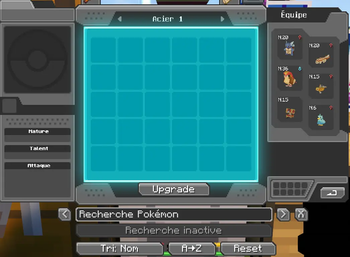
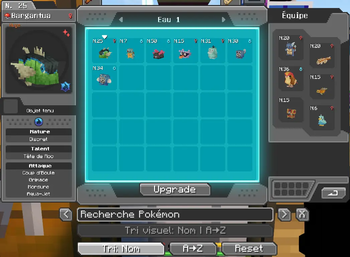
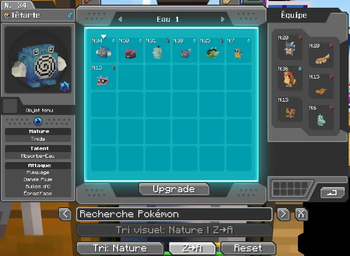
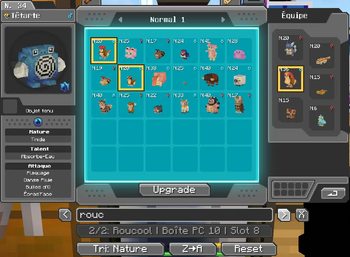
Enhances the Cobblemon PC with upgrade tiers, automatic type-based box organization, smarter box mapping, and quality-of-life controls for managing Pokémon storage.
Screenshots
About this Mod
CobblePCEnhanced
CobblePCEnhanced improves the Cobblemon PC experience by adding upgrade progression, automatic type-based organization, smarter box handling, and quality-of-life tools for managing Pokémon storage.
The goal of the mod is to make large Cobblemon storage systems easier to use without replacing the core Cobblemon PC experience.
Features
- PC upgrade system with multiple progression tiers.
- Increased storage capacity through upgrades.
- Automatic Pokémon sorting by primary type.
- Type-based box mapping.
- Automatic box naming based on type and index.
- Per-player PC organization support.
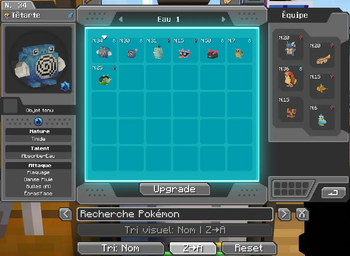
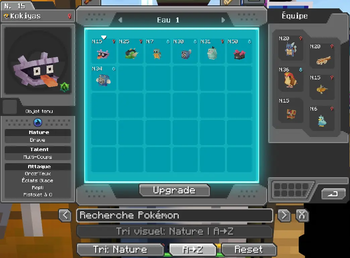
- Manual and automatic sorting controls.
- Search and sorting quality-of-life tools.
- Safer handling when Pokémon are moved between boxes.
- Built to stay close to the original Cobblemon PC interface.
Current Focus
CobblePCEnhanced is designed as a unified PC enhancement mod.
Future updates are planned to expand PC quality-of-life features further, including mouse wheel box switching, IV display improvements, and custom PC wallpapers.
Compatibility
- Requires Cobblemon.
- Built for Minecraft 1.21.1.
- Designed for Fabric.
- Should be installed on both client and server.
Notes
CobblePCEnhanced does not aim to replace Cobblemon's PC.
It enhances the existing PC with progression, organization, and quality-of-life features.
Available Versions
How to Install CobblePCEnhanced on Your Server
Order Server
Order a Minecraft Java server with at least 3 GB RAM (4 GB recommended).
Set fabric Loader
In the panel under "Egg", select the fabric loader and matching Minecraft version (1.21.1).
Install Mod
Open the mod browser in the dashboard and search for "CobblePCEnhanced". Click "Install" – done! Alternatively, upload the .jar via SFTP to the /mods folder.
Compatibility
Mod Loaders
Minecraft Versions
1.21.1
Server-side
✓ RequiredRecommended RAM
4 GB(min. 3 GB)Frequently Asked Questions
CobblePCEnhanced server crashes on startup – what to do?
Most common cause: wrong fabric version or insufficient RAM. Check the server log (latest.log) for "OutOfMemoryError" or "Mixin" errors. With Mado Hosting: ensure at least 3 GB RAM is allocated and the loader matches the mod version (1.21.1). You can switch loaders with one click in the panel.
Is CobblePCEnhanced compatible with fabric?
CobblePCEnhanced officially supports fabric for Minecraft 1.21.1. The Mado dashboard automatically detects incompatible loader combinations.
Server lagging with CobblePCEnhanced – how to optimize performance?
Recommended RAM: 4 GB (per 8 players). Use /spark profiler to check if CobblePCEnhanced consumes the most tick time. Common fixes: reduce server view-distance to 8-10, install "performant" or "starlight" as supplementary mods on Forge. With Mado Hosting, your server runs on NVMe SSDs with dedicated CPU cores for minimal latency.
Similar Mods


Rent Modded Server
Install CobblePCEnhanced with just one click on your server.